
Kystar U4 Multi-Image LED Video Processor, 4 Windows
$ 1,306.00
Kystar U4 LED video processor with four adjustable image windows, multi-format inputs and four-output splicing. Includes preview, image/text overlays and input hot backup; specification and software links are provided below.
10000 in stock
U4 multi-image LED video processor
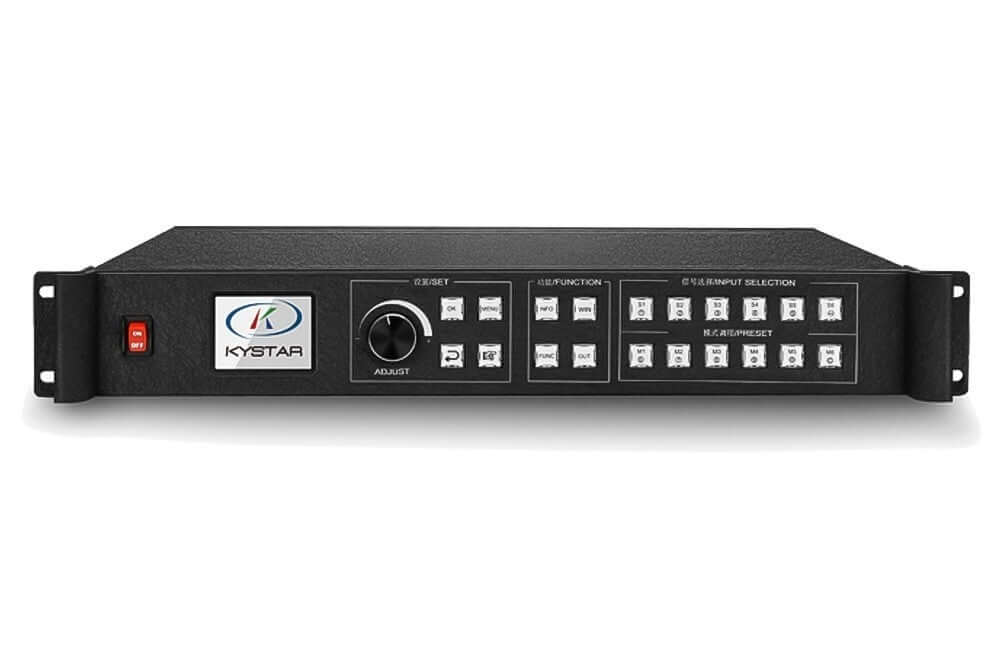
The Kystar U4 is a multi-image video processor for spliced LED displays. It supports four image windows with independent position, size and layer order, together with multi-format inputs, local preview, image overlays and source hot backup.
Technical specifications
| Parameter | Specification |
|---|---|
| Image windows | 4, independently positioned and sized |
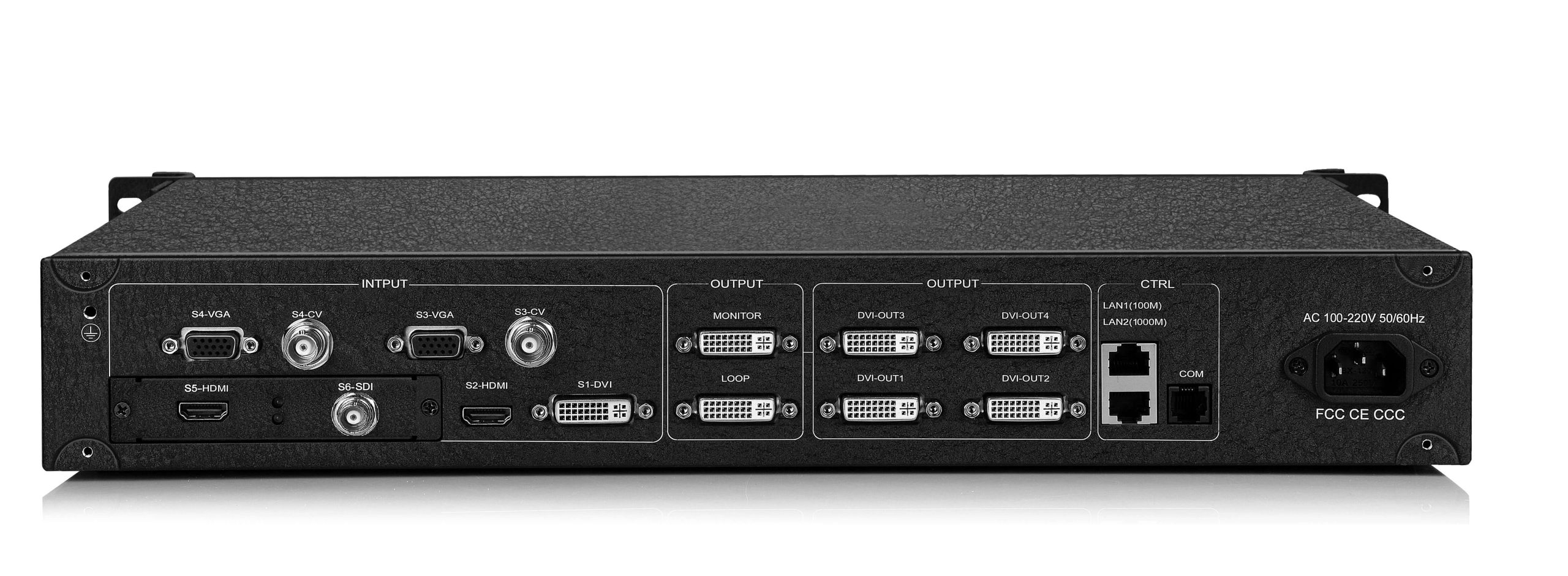
| Output arrangement | 4 outputs; horizontal, vertical and cross splicing |
| Listed spliced output examples | 15360 × 400 or 960 × 6144 |
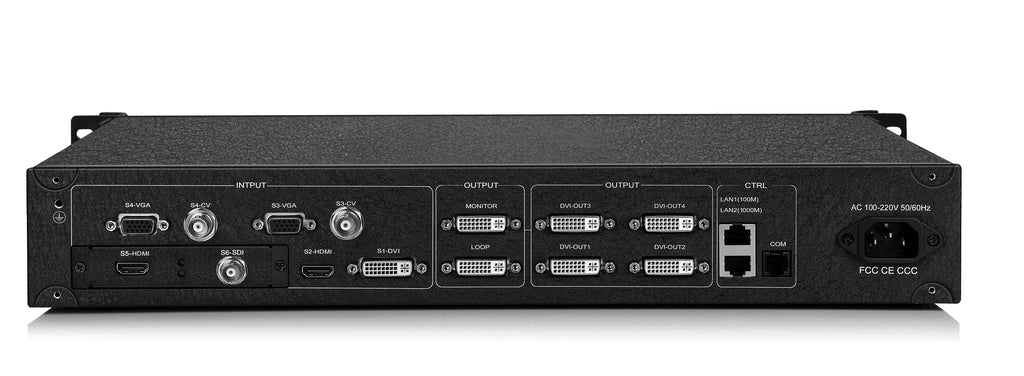
| Standard input connections | 1 × DVI, 1 × HDMI, 2 × VGA, 2 × CVBS, 1 × SDI |
| Expansion | 1 slot; HDMI 1.4a, IP, DVI, HDMI 1.3 or CVBS options |
| Maximum listed input resolution | 4096 × 2160 with a suitable 4K input configuration |
| Image adjustments | Input brightness; window transparency and edge feathering |
| Overlays | Independent image and text overlay layer |
| Monitoring and backup | Local monitoring/preview; input-signal hot backup |
Splicing and window layout
Configure four windows on one LED canvas or use separate display areas. The output layout can be horizontal, vertical or cross-spliced, with custom resolution and refresh-rate settings. The maximum horizontal and vertical examples are separate configurations, not a single combined resolution.
Image scaling and CPT+FST splicing processing support LED display layouts. Window and preset transitions include cuts, wipes and dissolves. Overlay images or text can be prepared through Kystar control software.
Preview and input backup
Local preview helps check sources and monitor the output. A configured backup signal can take over when the primary input fails, with automatic return when the primary signal recovers. Check the installed input options and signal timings before configuring a show.
Frequently asked questions
How many image windows does the Kystar U4 support?
The U4 supports four independently adjustable image windows. Use the U4 specification when planning a layout.
Can the U4 accept a 4K source?
A suitable 4K input configuration is required. The listed input capability is up to 4096 × 2160 through the specified HDMI 1.4 or Dual Link DVI arrangement; check the installed option and timing.
Where can I find the U4 specification and control software?
The existing specification PDF and Kystar control-software download links are retained below. Confirm the software package and device firmware match your U4 before installation.
Can I add text or a logo over the video?
Yes. An independent image and text overlay layer can be configured through Kystar control software.
Does the U4 have source backup?
Yes. Configure a backup input so the processor can switch when the primary source fails and return when it recovers.
Product image and downloads
Download Specification:
Download Software:
Kystar U4 Control Software (All Kystar Processor)
Kystar U4 Control Software (Three-in-One)
| Weight | 8 kg |
|---|
Be the first to review “Kystar U4 Multi-Image LED Video Processor, 4 Windows”
You must be logged in to post a review.
Will I be charged with customs and taxes?
The prices displayed on our site are tax-free (in US Dollars), which means you may be required to pay import duties and taxes once you receive your order. Import taxes, duties, and related customs fees will be determined by your local customs office when your order arrives at its final destination.
Please note that these additional charges and taxes are your responsibility, and we do not take any responsibility for them. We are not liable for paying or reimbursing any customs duties, taxes, or related fees. For more details on these charges, please contact your local customs office.
Shipping
We can ship to virtually any address in the world. Note that there are restrictions on some products, and some products cannot be shipped to international destinations..
When you place an order, we will estimate shipping and delivery dates for you based on the availability of your items and the shipping options you choose. Depending on the shipping provider you choose, shipping date estimates may appear on the shipping quotes page.
Please also note that the shipping rates for many items we sell are weight-based. The weight of any such item can be found on its detail page. To reflect the policies of the shipping companies we use, all weights will be rounded up to the next full pound..
Returns Policy
You may return most new, unopened items within 30 days of delivery for a full refund. We'll also pay the return shipping costs if the return is a result of our error (you received an incorrect or defective item, etc.)..
You should expect to receive your refund within four weeks of giving your package to the return shipper, however, in many cases you will receive a refund more quickly. This time period includes the transit time for us to receive your return from the shipper (5 to 10 business days), the time it takes us to process your return once we receive it (3 to 5 business days), and the time it takes your bank to process our refund request (5 to 10 business days).
If you need to return an item, simply login to your account, view the order using the "Complete Orders" link under the My Account menu and click the Return Item(s) button. We'll notify you via e-mail of your refund once we've received and processed the returned item..
Related products
Reviews
There are no reviews yet.