
NovaStar MRV560-1 Receiving Card | Pinout & Specifications
$ 30.00
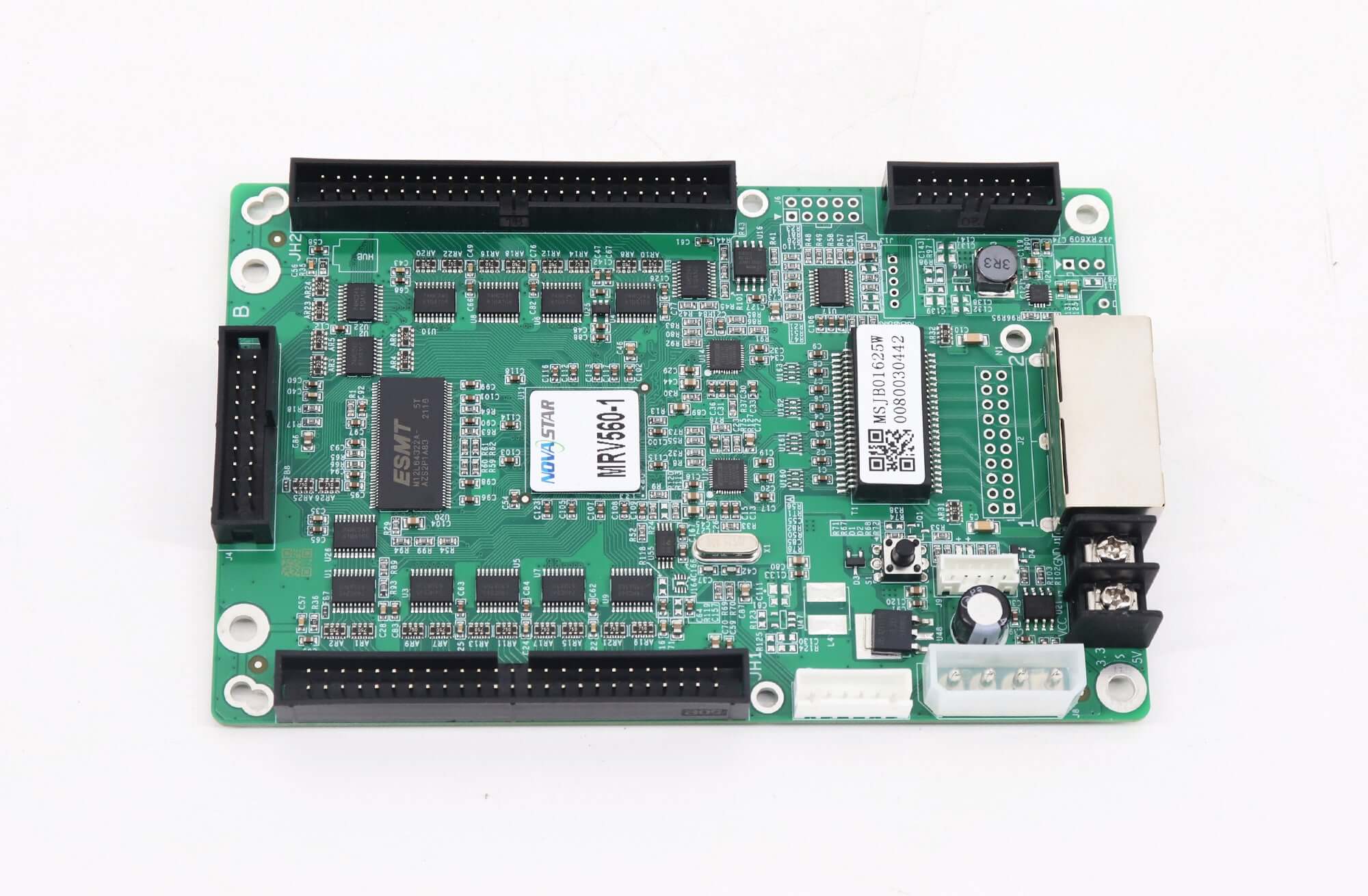
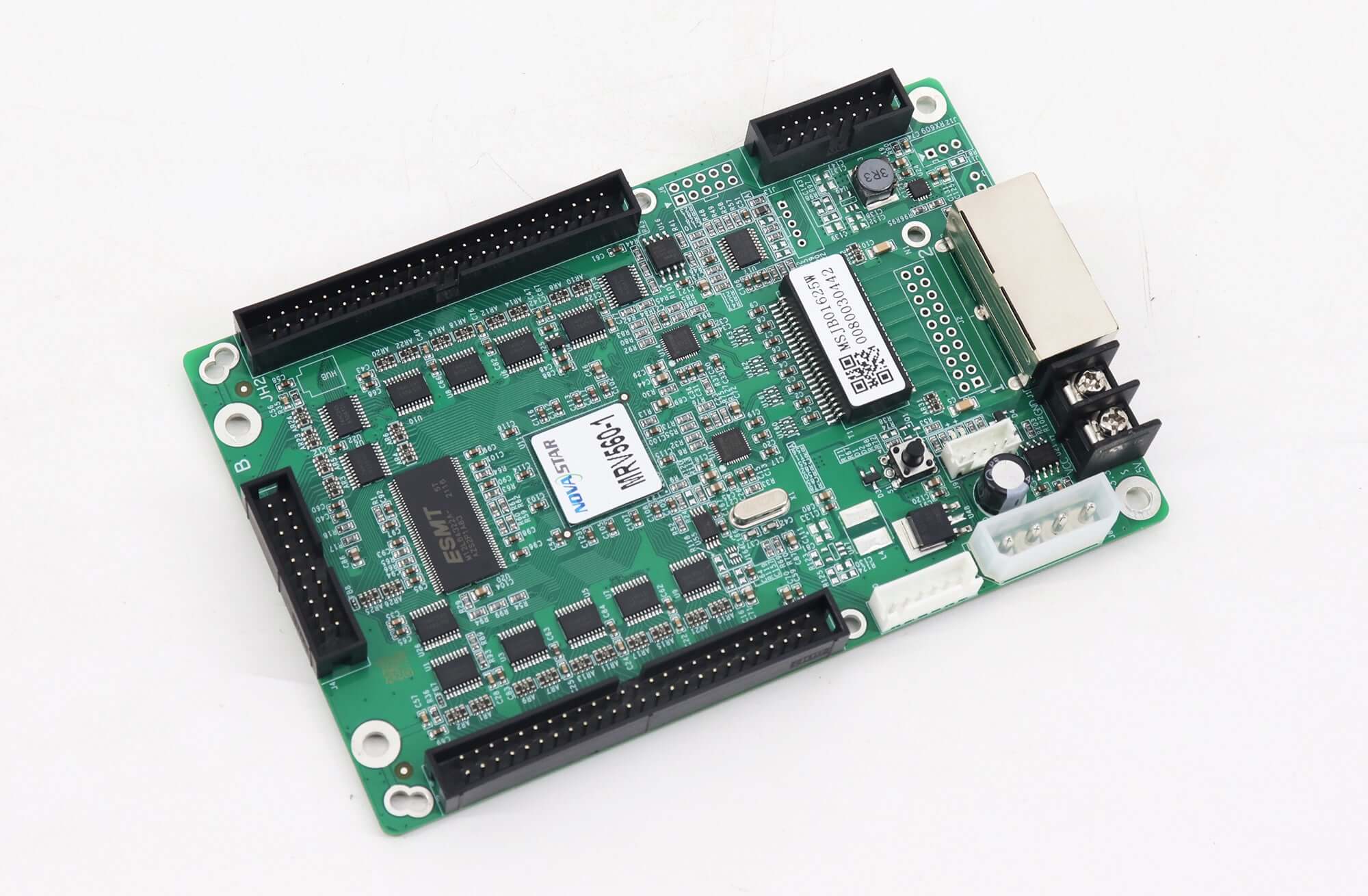
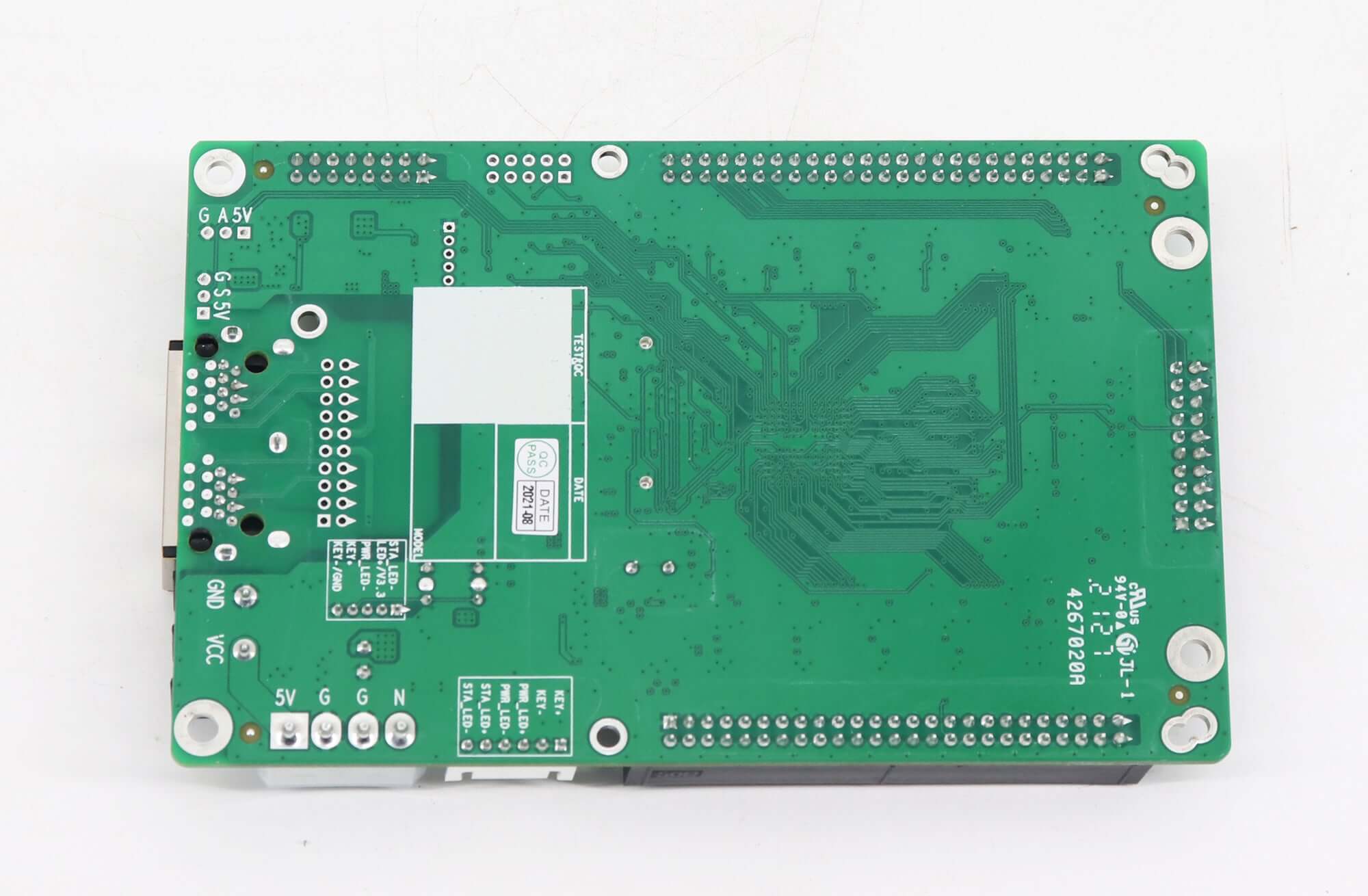
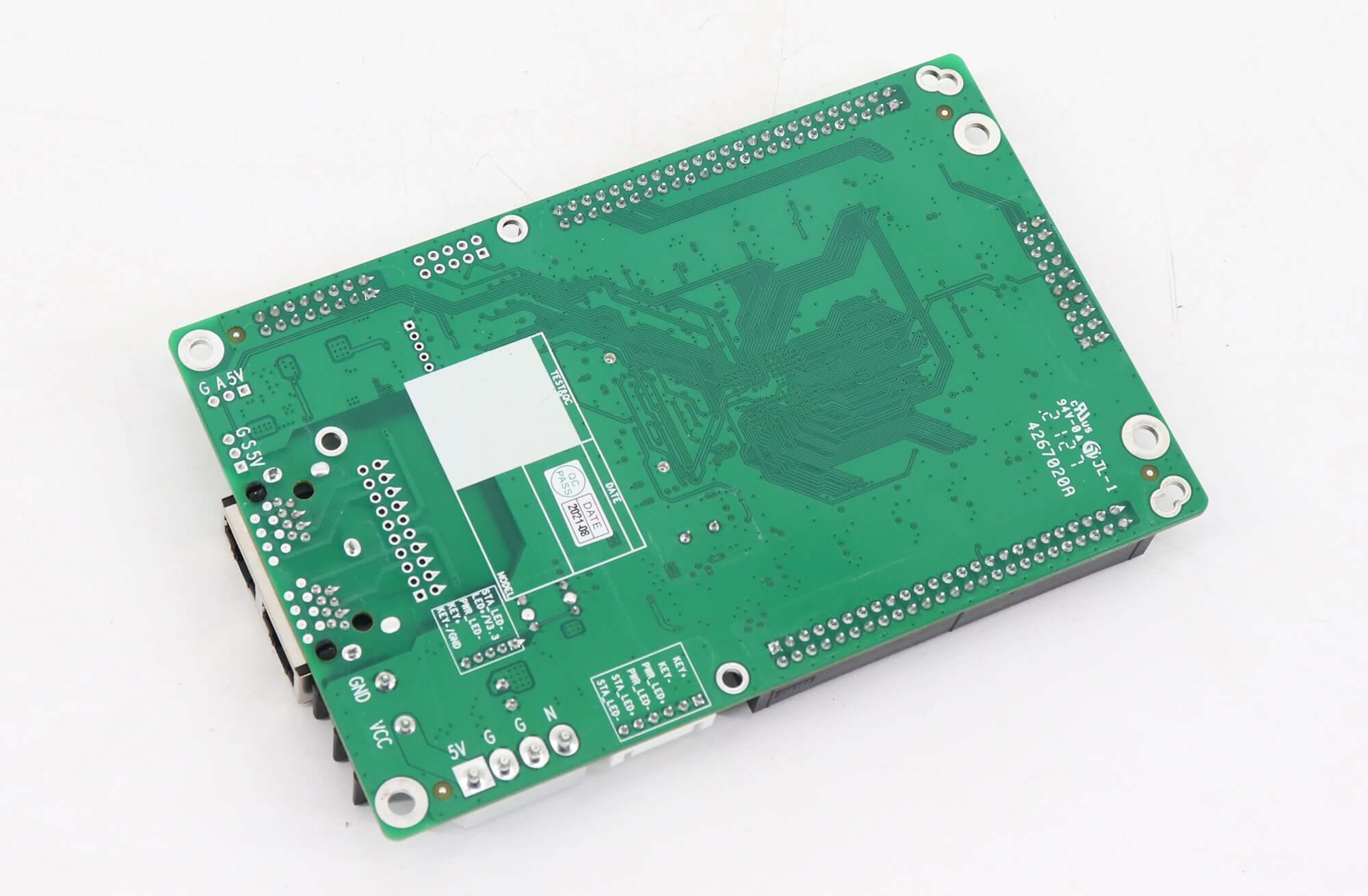
The MRV560-1 is the top-male-connector variant of NovaStar’s MRV560 EMC receiving-card series. Use the board images and J4/J9/J10 definitions below to check the connector layout, with the full JH1/JH2 output pin tables available in the PDF.
10000 in stock
Identify the NovaStar MRV560-1 receiving card
For a replacement or cabinet wiring check, start with the model suffix and connector orientation. MRV560-1 uses male connectors on the top of the board. The MRV560 series is described by NovaStar as an EMC version of MRV360 and supports three selectable output-data arrangements through two 50-pin hub interfaces.
The interface drawings below accompany the original product images. Consult the MRV560 series connector-variant overview when comparing the -1, -2, -3 and -4 versions.
Output modes to match with the cabinet
- 16-group mode: RGBR′ parallel data.
- 20-group mode: RGB parallel data.
- 64-group mode: serial data, with each data cable able to drive one LED bar.
JH1 and JH2 carry different assignments in each mode. Match the selected mode to the complete table in the specification before connecting the hub. Do not infer the signal assignment from connector shape alone.
Electrical and physical reference
| Parameter | Specification |
|---|---|
| Connector variant | Male connectors on top |
| Specified resolution | 256 × 226; no refresh rate stated with this entry |
| Data connectors | Two 50-pin interfaces |
| Voltage, min / typical / max | 3.3 / 5.0 / 5.5 V |
| Current, min / typical / max | 0.33 / 0.5 / 0.55 A |
| Working temperature | −20 to +70 °C |
| Working humidity | 10–90% |
| Board / overall thickness | Approximately 1.7 mm / 19 mm including components on both sides |
The resolution is reproduced exactly from the linked Rev1.1.2 document. Its 256 × 226 entry should not be silently replaced with a figure from another receiving-card series.
MOM, calibration and service functions
The J4 MOM interface is used for calibration-coefficient and LED-module information storage. MRV560 also supports configuration-file readback, stored-picture settings and pixel-by-pixel brightness/chromaticity calibration. Temperature, power-supply voltage and Ethernet cable communication status can be monitored, and a monitoring card can be connected.
Board images
J4 MOM connector pin reference
| Parameter | Specification |
|---|---|
| 1 / 2 | GND / SPI_CS |
| 3 / 4 | SPI_CLK / SPI_MOSI |
| 5 / 6 | CODE0 / H164_CSD |
| 7 / 8 | CODE1 / H164_CLK |
| 9 / 10 | CODE2 / blank in source |
| 11 / 12 | Blank in source / CODE3 |
| 13 / 14 | CODE4 / blank in source |
| 15 / 16 | Blank in source / SPI_MISO |
| 17 / 18 | Both blank in source |
| 19 / 20 | Blank in source / GND |
Indicator connector pin reference
| Parameter | Specification |
|---|---|
| 1 | STA_LED |
| 2 | LED +/3.3V |
| 3 | PWR_LED – |
| 4 | KEY + |
| 5 | KEY -/GND |
| Parameter | Specification |
|---|---|
| 1 | KEY + |
| 2 | KEY – |
| 3 | PWR_LED+ |
| 4 | PWR_LED- |
| 5 | STA_LED+ |
| 6 | STA_LED- |
Blank J4 entries are left unspecified in the source document; they are not assigned a signal here. Use the original connector diagram to determine orientation.
Frequently Asked Questions
How can I identify an MRV560-1 connector arrangement?
The MRV560-1 variant has male connectors on the top side. Check the complete model marking and compare the board images and connector orientation before selecting a replacement.
Where are the JH1 and JH2 data pin definitions?
The downloadable Rev1.1.2 specification contains separate tables for 16-group RGBR′, 20-group RGB and 64-group serial data. Select the table that matches the cabinet’s configured data mode.
What is the difference between J4 and J9/J10?
J4 is the MOM interface associated with calibration-coefficient and module-information storage. J9 and J10 are indicator connectors with five and six pins respectively; their signal assignments are listed above.
Are blank J4 pins ground connections?
The source leaves those entries blank. They are not identified as ground, so do not assign that function to them. Only entries explicitly marked GND are labeled as ground in the table.
Can I read back configuration and monitor the card?
Yes. The documented functions include configuration-file readback, temperature monitoring, Ethernet communication-status detection and supply-voltage detection, with support for connecting a monitoring card.
Download the full specification
| Weight | 0.35 kg |
|---|
Be the first to review “NovaStar MRV560-1 Receiving Card | Pinout & Specifications”
You must be logged in to post a review.
Will I be charged with customs and taxes?
The prices displayed on our site are tax-free (in US Dollars), which means you may be required to pay import duties and taxes once you receive your order. Import taxes, duties, and related customs fees will be determined by your local customs office when your order arrives at its final destination.
Please note that these additional charges and taxes are your responsibility, and we do not take any responsibility for them. We are not liable for paying or reimbursing any customs duties, taxes, or related fees. For more details on these charges, please contact your local customs office.
Shipping
We can ship to virtually any address in the world. Note that there are restrictions on some products, and some products cannot be shipped to international destinations..
When you place an order, we will estimate shipping and delivery dates for you based on the availability of your items and the shipping options you choose. Depending on the shipping provider you choose, shipping date estimates may appear on the shipping quotes page.
Please also note that the shipping rates for many items we sell are weight-based. The weight of any such item can be found on its detail page. To reflect the policies of the shipping companies we use, all weights will be rounded up to the next full pound..
Returns Policy
You may return most new, unopened items within 30 days of delivery for a full refund. We'll also pay the return shipping costs if the return is a result of our error (you received an incorrect or defective item, etc.)..
You should expect to receive your refund within four weeks of giving your package to the return shipper, however, in many cases you will receive a refund more quickly. This time period includes the transit time for us to receive your return from the shipper (5 to 10 business days), the time it takes us to process your return once we receive it (3 to 5 business days), and the time it takes your bank to process our refund request (5 to 10 business days).
If you need to return an item, simply login to your account, view the order using the "Complete Orders" link under the My Account menu and click the Return Item(s) button. We'll notify you via e-mail of your refund once we've received and processed the returned item..
Related products
Reviews
There are no reviews yet.