
NovaStar CMS130 LED Video Processor & All-in-One Controller
$ 165.00
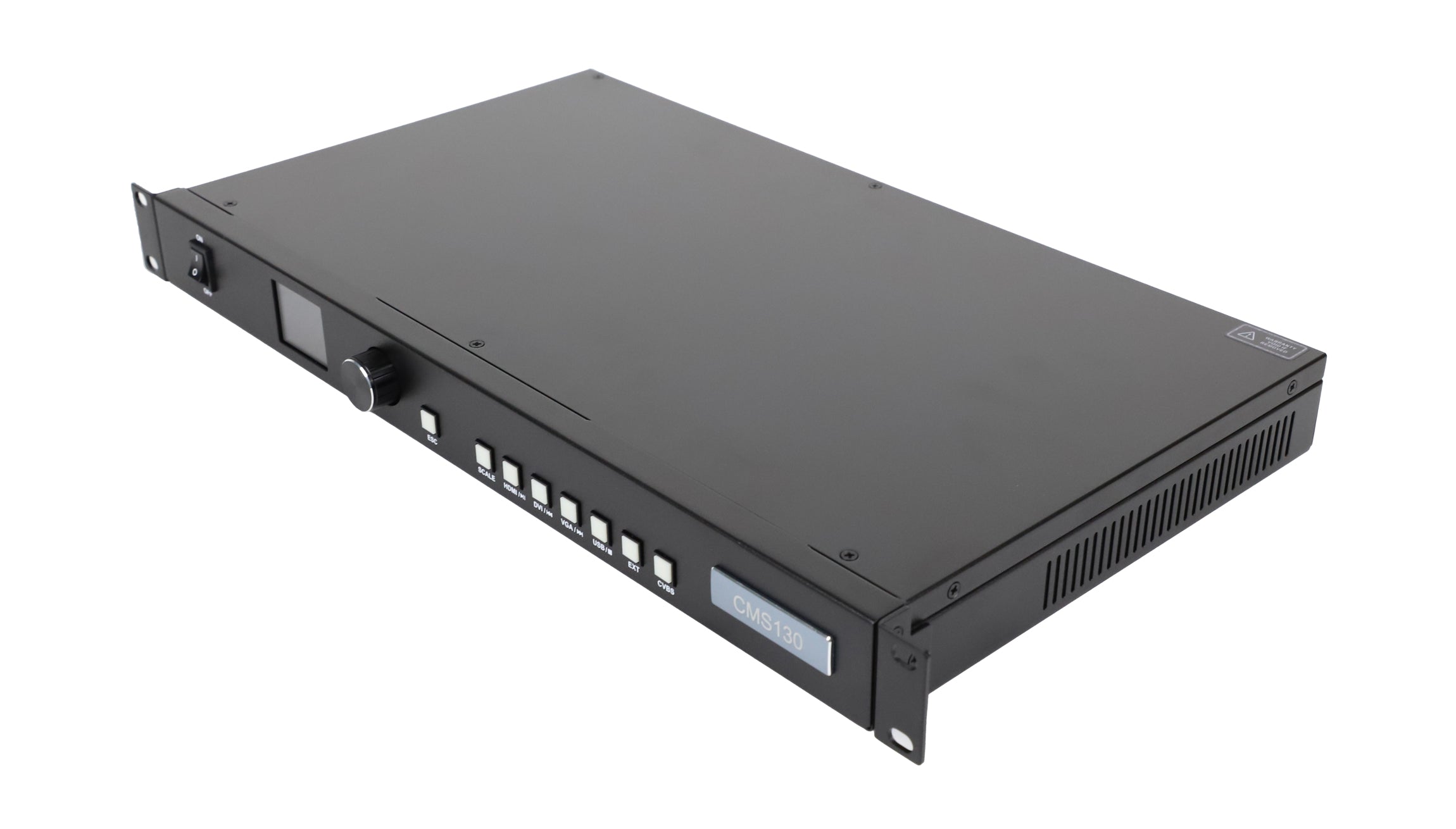
The NovaStar CMS130 combines LED screen control and video processing with two Ethernet outputs for up to 1.3 million pixels. It supports HDMI, DVI, VGA and CVBS sources, plus USB media playback, image scaling and six user presets.
992 in stock
CMS130 LED Screen Controller with Video Processing
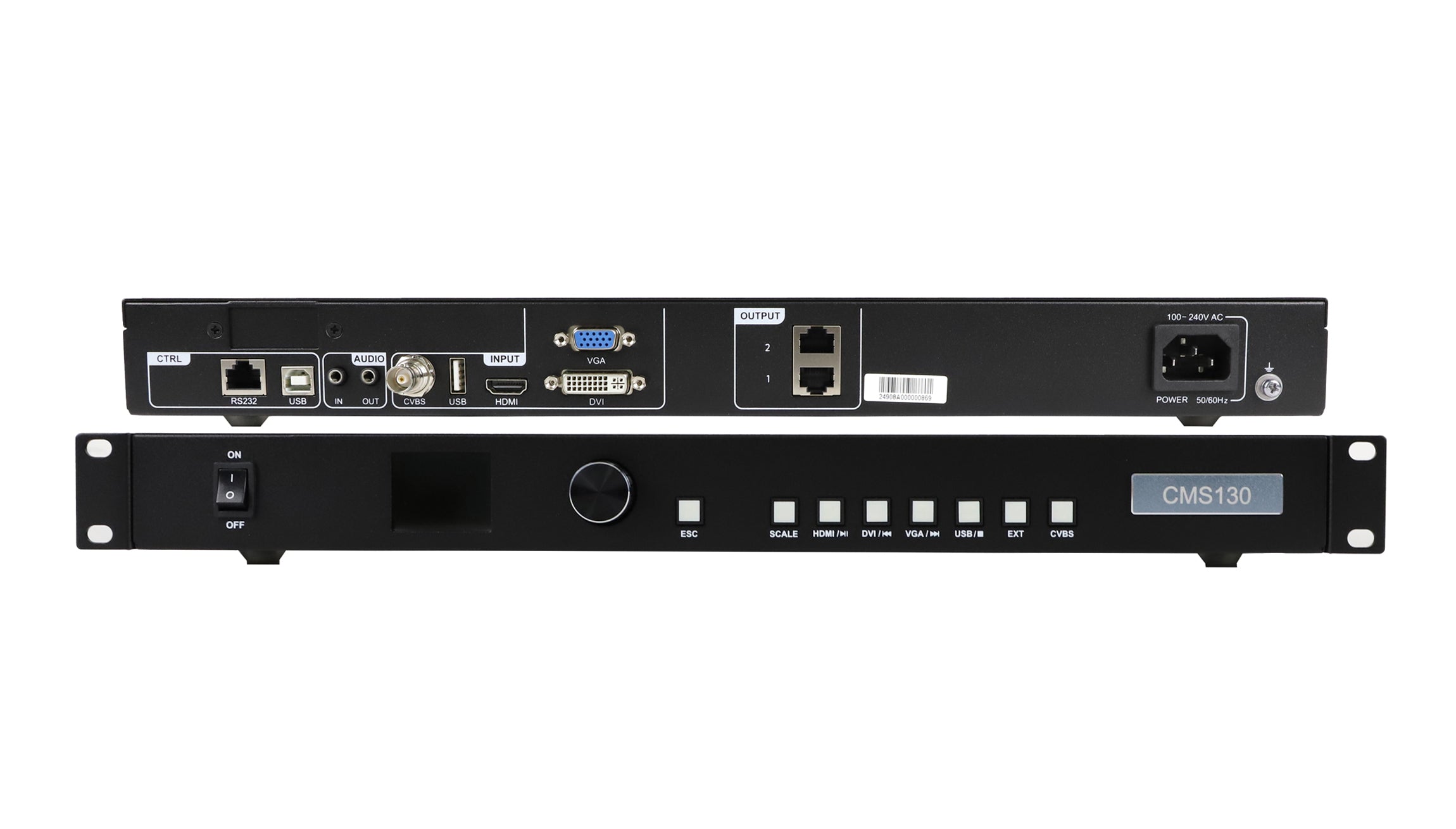
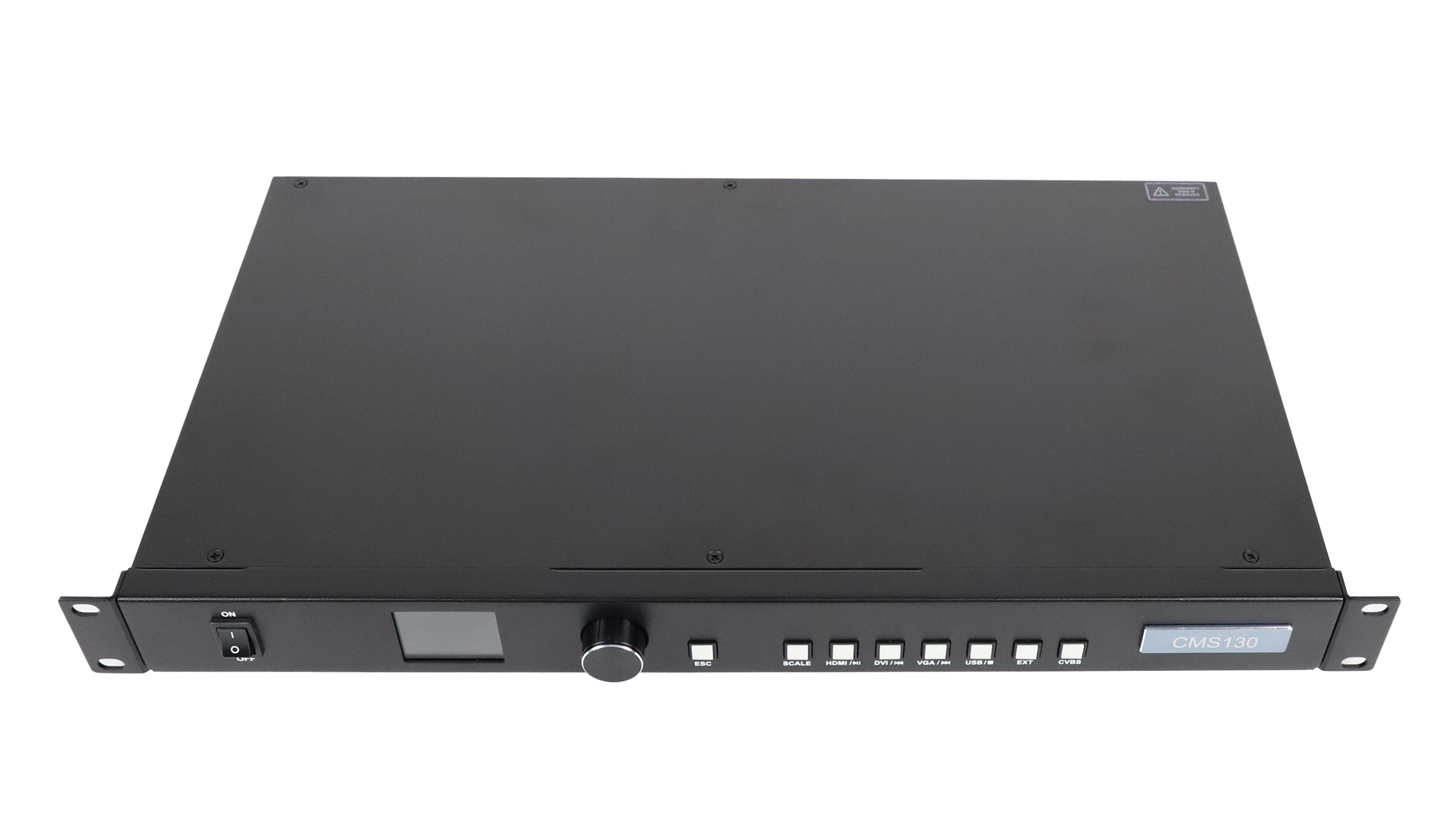
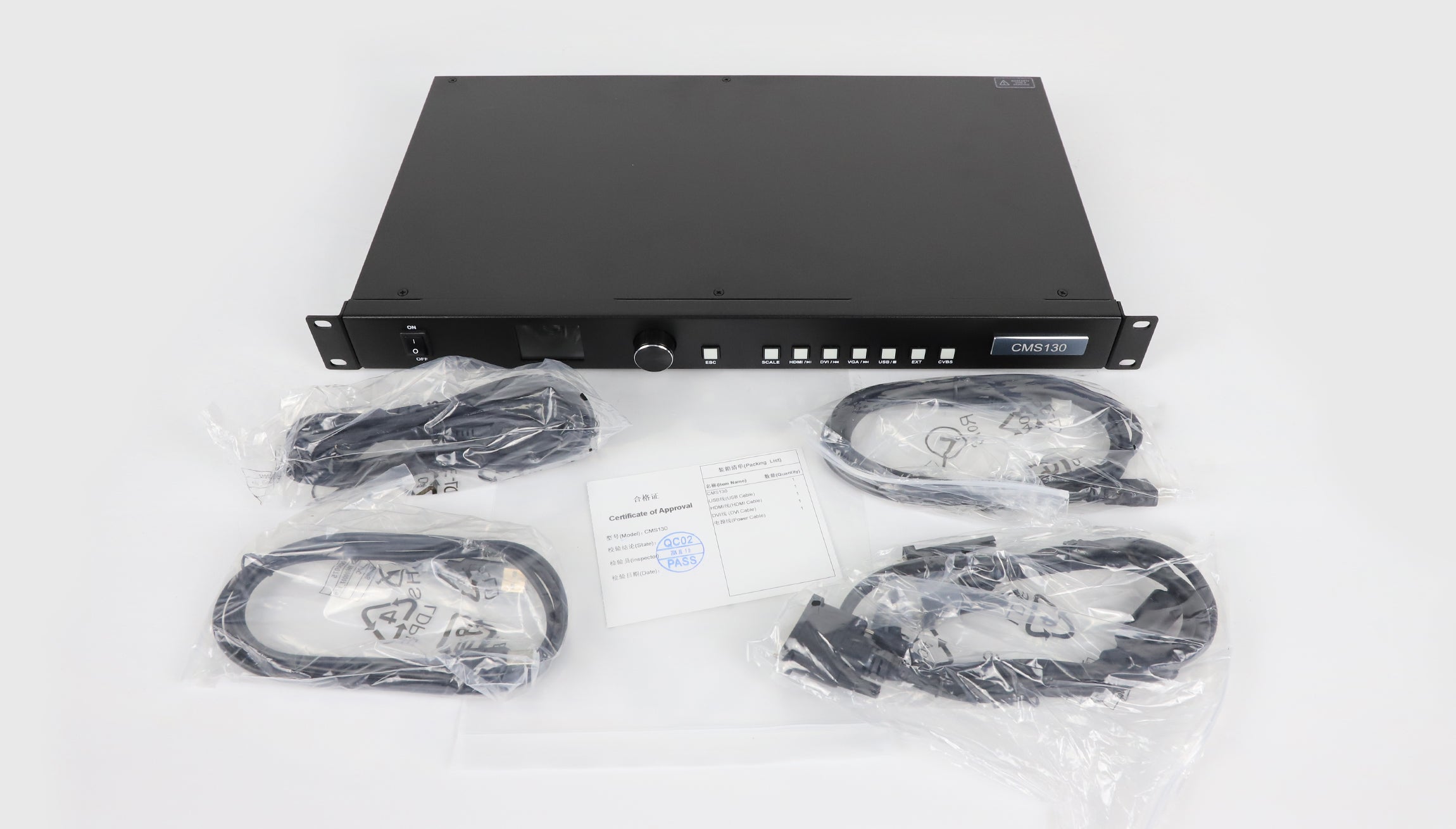
The NovaStar CMS130 is an all-in-one controller for LED screens in malls, hotels, exhibitions and TV studios. It combines source selection, image scaling and LED output control in a hardware unit with front-panel buttons, a knob and an LCD menu.
Use full-screen, pixel-to-pixel or custom scaling, adjust the layer size and position, or crop the input image. Up to six user-defined presets can be saved and recalled, while brightness and Gamma controls adjust the screen image.
| Parameter | Specification |
|---|---|
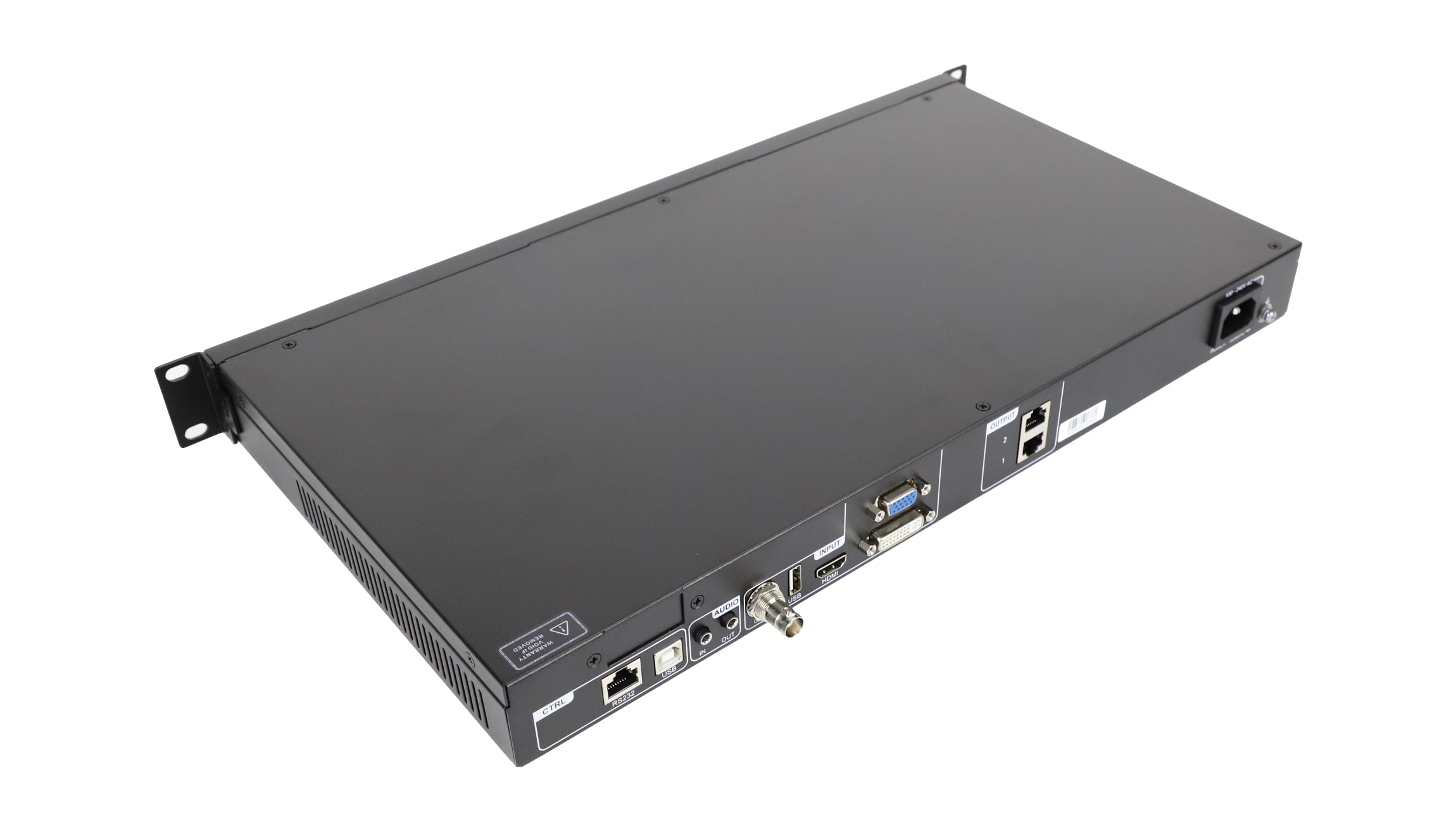
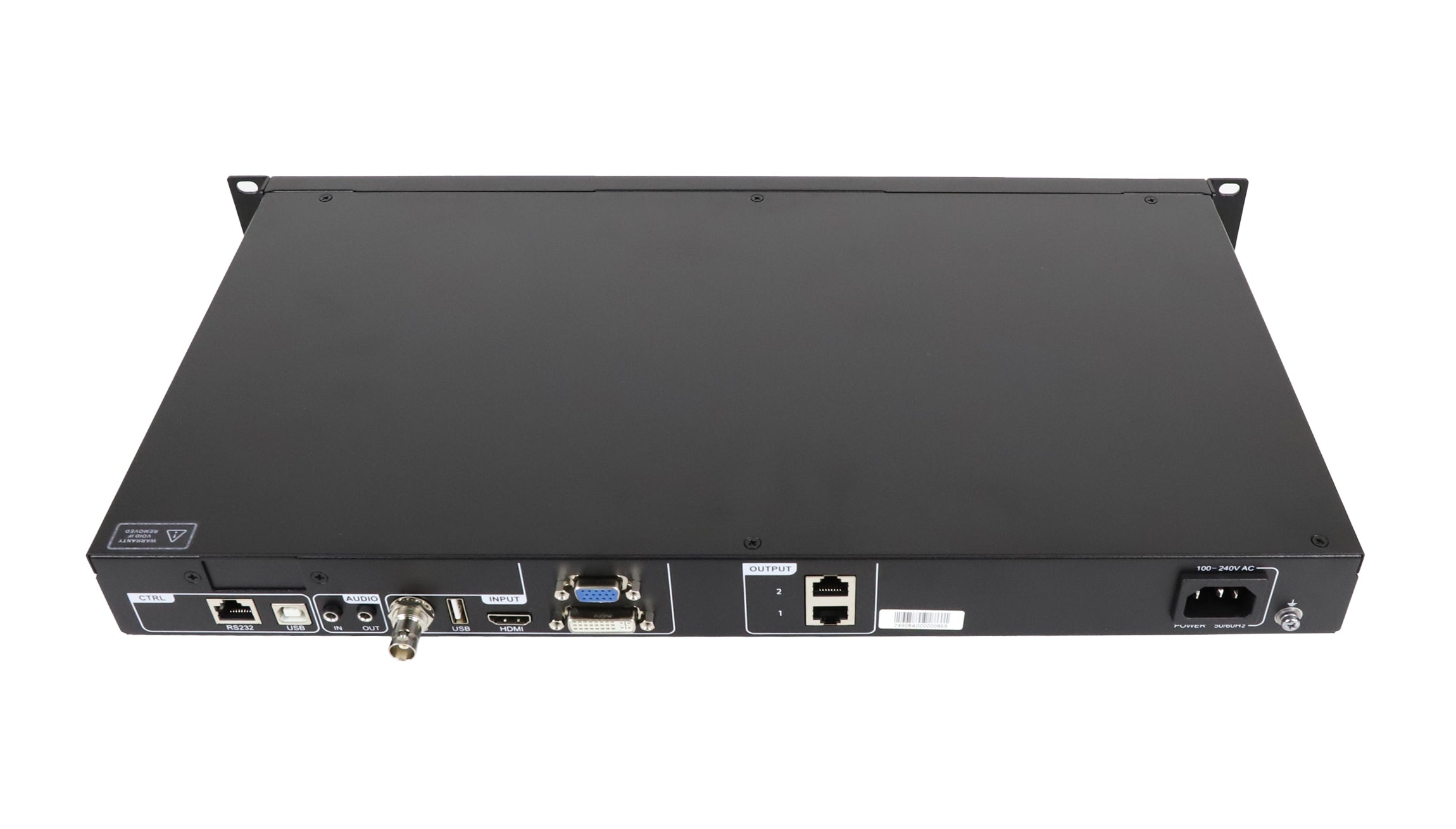
| LED outputs / loading capacity | 2 Ethernet outputs / up to 1.3 million pixels total |
| HDMI input | 1 × HDMI 1.3; up to 1920 × 1080 @ 60 Hz; HDCP 1.4; interlaced input supported |
| DVI input | 1 × DVI-D; up to 1920 × 1080 @ 60 Hz; HDCP 1.4; interlaced input supported |
| Other video inputs | 1 × VGA, up to 1920 × 1080 @ 60 Hz; 1 × CVBS, PAL/NTSC |
| USB media input | 1 × USB 2.0 Type-A; video files up to 1080p at 30 fps |
| Supported drive file systems | NTFS, FAT32 and FAT16; exFAT (FAT64) not supported |
| Still-image formats | JPG, JPEG, PNG and BMP |
| Audio | Separate audio input and output connectors |
| Presets | Up to 6 user-defined presets |
| Control connections | ETHERNET (RS232) for central control; USB Type-B for PC program updating/debugging |
| Power input / rated consumption | 100–240 V AC, 50/60 Hz / 12 W |
| Dimensions / net weight | 482.6 × 250.0 × 50.0 mm / 2.8 kg |
| Operating conditions | −20°C to +60°C; 20–90% RH, non-condensing |
| Storage humidity | 10–95% RH, non-condensing |
HDMI, DVI and USB Playback Limits
HDMI accepts 8-bit or 10-bit RGB 4:4:4, YCbCr 4:4:4 and YCbCr 4:2:2 at up to 1920 × 1080 @ 60 Hz. YCbCr 4:2:0 and 12-bit HDMI are not supported. The DVI format table specifies 8-bit RGB 4:4:4.
The USB Type-A media connection plays supported video files up to 1080p at 30 fps. Listed video codecs include MPEG1/2, MPEG4, Sorenson H.263, H.263, H.264 (AVC1), H.265 (HEVC), RV30/40, Divx and Xvid. Codec support does not remove the resolution, frame-rate or file-system limits.
The specification describes HDMI, DVI and VGA buttons as play/pause, previous-file and next-file controls during USB playback. It labels the USB and EXT front-panel buttons as reserved, so do not assume these buttons directly select a playback function.
Connections and Setup
Connect the two LED Ethernet outputs to receiving cards. The separately labelled ETHERNET (RS232) connector serves central control, and USB Type-B is for computer-based program updates or debugging. These control connections are distinct from the USB Type-A media input.
EDID management, quick screen configuration and independent audio connections support installation setup. Check the screen pixel count and source format against the specification before selecting the controller.
Frequently Asked Questions
How many pixels can CMS130 control?
The two Ethernet outputs provide a total loading capacity of up to 1.3 million pixels. This is the device total, not the capacity of each port.
Can CMS130 play video from a USB drive?
Yes. The USB Type-A input supports listed video codecs at up to 1080p and 30 fps, using NTFS, FAT32 or FAT16 storage. exFAT is not supported.
Does CMS130 accept HDMI and DVI sources?
Yes. Both inputs support up to 1920 × 1080 at 60 Hz and HDCP 1.4. The specification also lists support for interlaced signals.
What is the difference between the two USB ports?
USB Type-A connects to a media drive. USB Type-B connects to a control computer for program updating or debugging.
Can I save CMS130 screen settings as presets?
Yes. CMS130 supports up to six user-defined presets, along with full-screen, pixel-to-pixel and custom image scaling.
Product Image

CMS130 Specification Download
Download the original CMS130 all-in-one controller specifications
| Weight | 7 kg |
|---|
Be the first to review “NovaStar CMS130 LED Video Processor & All-in-One Controller”
You must be logged in to post a review.
Will I be charged with customs and taxes?
The prices displayed on our site are tax-free (in US Dollars), which means you may be required to pay import duties and taxes once you receive your order. Import taxes, duties, and related customs fees will be determined by your local customs office when your order arrives at its final destination.
Please note that these additional charges and taxes are your responsibility, and we do not take any responsibility for them. We are not liable for paying or reimbursing any customs duties, taxes, or related fees. For more details on these charges, please contact your local customs office.
Shipping
We can ship to virtually any address in the world. Note that there are restrictions on some products, and some products cannot be shipped to international destinations..
When you place an order, we will estimate shipping and delivery dates for you based on the availability of your items and the shipping options you choose. Depending on the shipping provider you choose, shipping date estimates may appear on the shipping quotes page.
Please also note that the shipping rates for many items we sell are weight-based. The weight of any such item can be found on its detail page. To reflect the policies of the shipping companies we use, all weights will be rounded up to the next full pound..
Returns Policy
You may return most new, unopened items within 30 days of delivery for a full refund. We'll also pay the return shipping costs if the return is a result of our error (you received an incorrect or defective item, etc.)..
You should expect to receive your refund within four weeks of giving your package to the return shipper, however, in many cases you will receive a refund more quickly. This time period includes the transit time for us to receive your return from the shipper (5 to 10 business days), the time it takes us to process your return once we receive it (3 to 5 business days), and the time it takes your bank to process our refund request (5 to 10 business days).
If you need to return an item, simply login to your account, view the order using the "Complete Orders" link under the My Account menu and click the Return Item(s) button. We'll notify you via e-mail of your refund once we've received and processed the returned item..
Related products
Reviews
There are no reviews yet.