
NovaStar VX600S LED Video Controller | Preview & Presets
$ 1,140.00
This NovaStar VX600S LED video controller listing covers switching, preview and stored screen layouts. The original description lists three windows, one OSD and 16 user presets. Its linked documents are labeled VX6s; confirm the unit model and matching documentation before specifying a system.
VX600S LED Video Controller: Preview and Screen Control
This product is listed as the NovaStar VX600S LED video controller. The operating features below describe source switching, screen layout control and preset recall from the original product listing.
Model and document note: The retained specification and user manual are labeled VX6s, while this product is titled VX600S. The values on this page preserve the original listing; they are not independently verified VX600S manufacturer specifications. Confirm the model on the supplied unit and its matching documentation before planning connections or screen capacity.
Preview, Switching and Preset Operation
- Check a program view: The original listing describes PGM preview and TAKE switching in switcher mode, with a DVI monitoring output.
- Arrange screen content: Three windows and one OSD are listed, together with full-screen automatic scaling, brightness adjustment and quick or advanced screen configuration.
- Recall a layout: The listing specifies 16 user scenarios that can be stored as templates and recalled.
- Manage input signals: Custom input resolution, input source backup and selection of an HDMI or DVI input as a field-level output synchronization source are described.
- Operate from the front panel: An OLED display and illuminated button indications are listed. Multi-device splicing and loading are also described, without a stated combined pixel capacity.
Original Listing Parameters
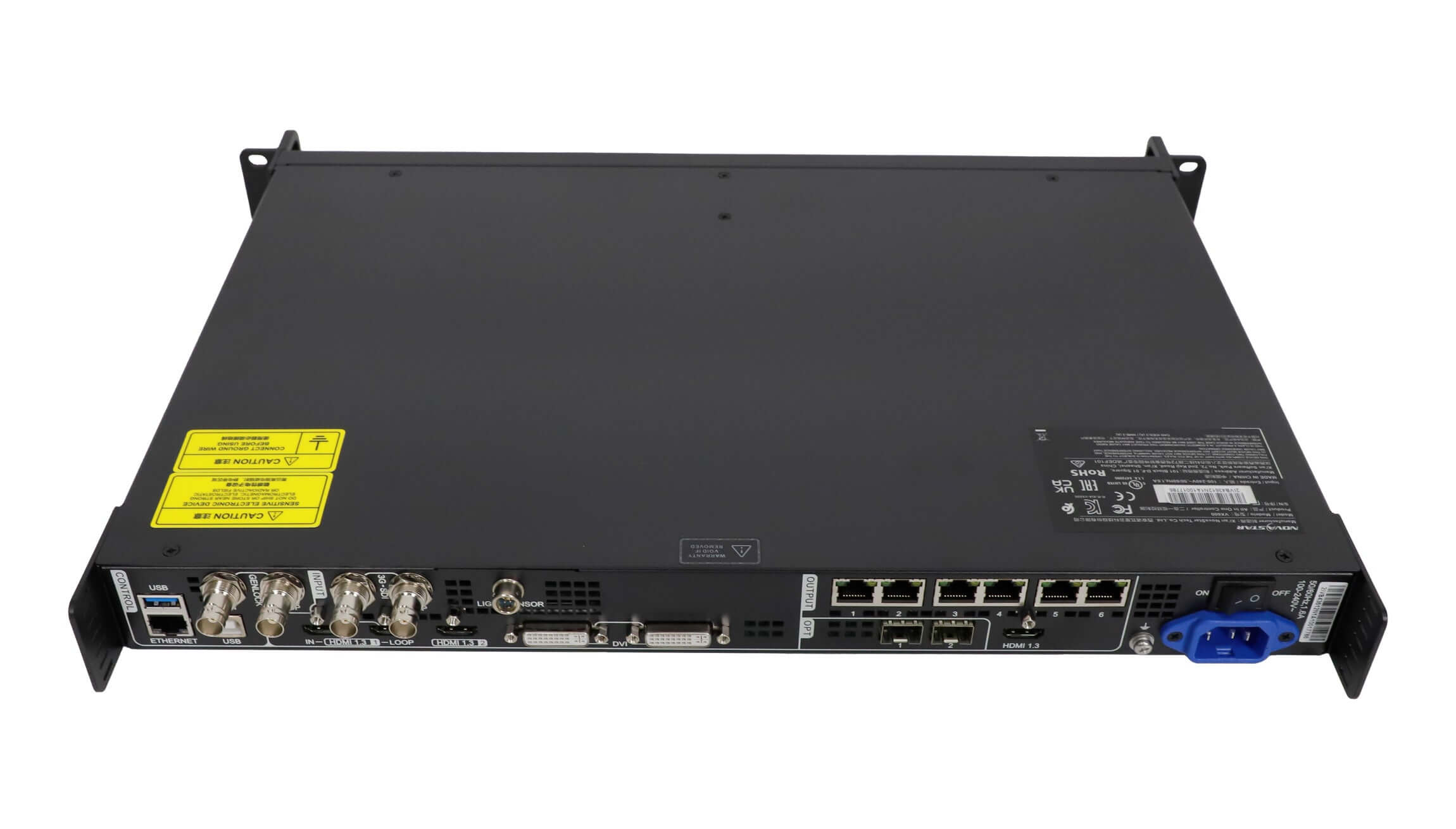
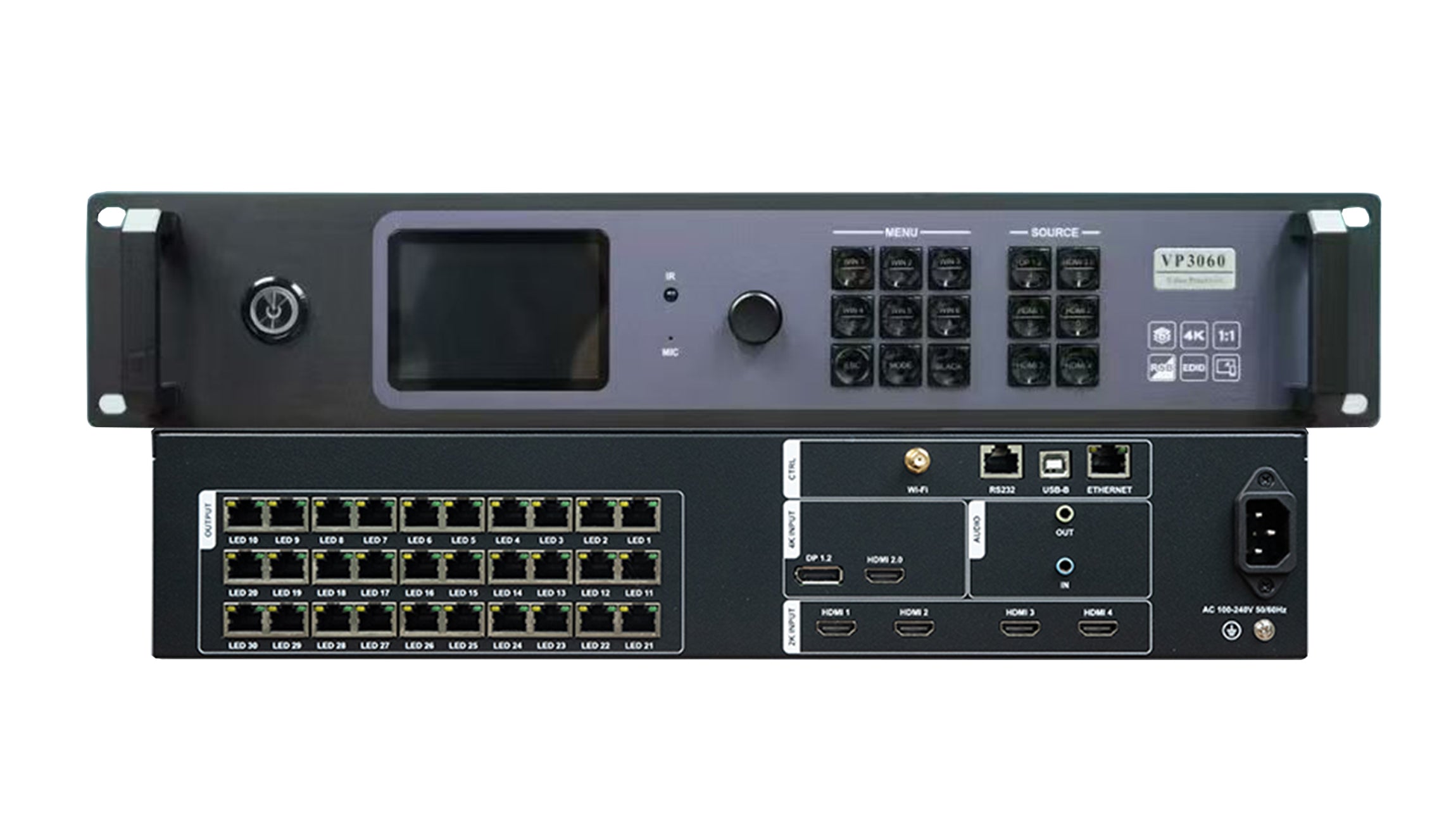
The source summary lists seven input channels: two 3G-SDI, two HDMI 1.3, two DVI and one USB source. Its connector table separately lists two USB connectors for media playback and mouse connection. These descriptions are retained separately; they do not establish that there are two independent USB video sources.
| Parameter | Specification |
|---|---|
| 3G-SDI inputs | 2; up to 1920 × 1080 at 60 Hz; backward compatible |
| HDMI inputs | 2; HDMI 1.3 in the feature list; up to 1920 × 1200 at 60 Hz; HDCP and backward compatibility listed |
| DVI inputs | 2; VESA input up to 1920 × 1200 at 60 Hz; HDCP and backward compatibility listed |
| USB connectors in the media section | 2; USB drive video/image playback and mouse connection |
| U-AUDIO | 2; described as audio output interfaces |
| Ethernet screen outputs | 6 |
| DVI monitoring output | 1; monitoring / PGM preview |
| Ethernet control | 1; PC communication or network access |
| USB Type-B control | PC control and USB cascade input; quantity not stated |
| USB Type-A control | Device cascade output; quantity not stated |
| Screen composition | 3 windows and 1 OSD |
| Maximum video output width | 4096 pixels; no total pixel capacity stated |
| User presets | 16 |
| Power input | AC 100–240 V, 50/60 Hz |
| Operating temperature | −20°C to 60°C |
| Chassis | 1U standard chassis; physical dimensions not stated |
Before Connecting the Controller
Match the unit label and rear-panel ports to the documentation for the delivered hardware. Check the intended input resolution, LED screen layout and receiving-card configuration against that document. A maximum output width alone does not define the total number of pixels the controller can load.
The original DVI-output description also mentions a display for USB-drive interaction, but does not explain that workflow clearly. Obtain instructions for the confirmed unit before relying on that function.
Retained PDF Downloads
These are the original download links. Their filenames identify VX6s, so they should not be treated as confirmation that VX600S and VX6s are the same model.
- VX6s All-in-One Controller Specifications — V1.3.0 (original linked document)
- VX6s All-in-One Controller User Manual — V1.1.1 (original linked document)
Frequently Asked Questions
Does this controller support PGM preview and TAKE switching?
Both functions are described in the original listing for switcher mode. Confirm their operation in the manual that matches the delivered unit, because the linked documents use a different model name.
How many screen layouts can I save?
The original listing specifies 16 user scenarios that can be saved as templates and recalled. No additional preset capacity is stated.
Can I adjust screen brightness and scale the image?
Screen brightness adjustment and full-screen automatic scaling are listed. Specific adjustment ranges and scaling limits are not supplied.
Can HDMI or DVI provide the synchronization signal?
The original description lists selection of an HDMI or DVI input as the synchronization source for field-level output synchronization. Confirm the required configuration for the actual hardware before installation.
Which manual should I use to configure a VX600S?
Use documentation that matches the model label on the supplied controller. The downloads retained here are named VX6s, so their applicability to a unit labeled VX600S needs confirmation.
| Weight | 10 kg |
|---|
Be the first to review “NovaStar VX600S LED Video Controller | Preview & Presets”
You must be logged in to post a review.
Will I be charged with customs and taxes?
The prices displayed on our site are tax-free (in US Dollars), which means you may be required to pay import duties and taxes once you receive your order. Import taxes, duties, and related customs fees will be determined by your local customs office when your order arrives at its final destination.
Please note that these additional charges and taxes are your responsibility, and we do not take any responsibility for them. We are not liable for paying or reimbursing any customs duties, taxes, or related fees. For more details on these charges, please contact your local customs office.
Shipping
We can ship to virtually any address in the world. Note that there are restrictions on some products, and some products cannot be shipped to international destinations..
When you place an order, we will estimate shipping and delivery dates for you based on the availability of your items and the shipping options you choose. Depending on the shipping provider you choose, shipping date estimates may appear on the shipping quotes page.
Please also note that the shipping rates for many items we sell are weight-based. The weight of any such item can be found on its detail page. To reflect the policies of the shipping companies we use, all weights will be rounded up to the next full pound..
Returns Policy
You may return most new, unopened items within 30 days of delivery for a full refund. We'll also pay the return shipping costs if the return is a result of our error (you received an incorrect or defective item, etc.)..
You should expect to receive your refund within four weeks of giving your package to the return shipper, however, in many cases you will receive a refund more quickly. This time period includes the transit time for us to receive your return from the shipper (5 to 10 business days), the time it takes us to process your return once we receive it (3 to 5 business days), and the time it takes your bank to process our refund request (5 to 10 business days).
If you need to return an item, simply login to your account, view the order using the "Complete Orders" link under the My Account menu and click the Return Item(s) button. We'll notify you via e-mail of your refund once we've received and processed the returned item..
Related products
Reviews
There are no reviews yet.