
LEDMall Blog
NovaStar VX1000 Pro USB Playback: Files vs. Source Pixels
Nov
NovaStar VX1000 Pro USB playback can decode a supported 3840 × 2160 H.265 video at up to 60 fps. The controller feeds the layer a fixed 1920 × 1080 source at 60 Hz. Before you approve a show file, check both its export settings and how its smallest text looks on the intended LED canvas.
If you are evaluating a rental unit, bring the show drive and a representative clip to the rehearsal. A useful test records three things separately: whether the drive opens, whether the player decodes the clip, and whether the audience can read the finished presentation.
NovaStar documents these limits in the VX1000 Pro specifications V1.4.0, dated July 30, 2026, and the VX Pro Series user manual V1.4.2. Older rental sheets may cite an earlier format list. Record the unit’s firmware when you book the playback test.
Keep File Pixels and USB Source Pixels Separate
File dimensions, decoding capability, USB source resolution and the physical LED canvas describe different stages. A larger value at one stage does not automatically apply to the next.
A 3840 × 2160 file contains four times as many pixel positions as a 1920 × 1080 frame. That arithmetic does not mean the controller exposes four times the USB-source resolution. The manual’s source specification remains a separate condition.
For NovaStar VX1000 Pro USB playback, ask the supplier to identify the file being decoded and the source resolution made available to a layer. If a requirement calls for a native 4K source, a demonstration that merely opens a file with “4K” in its name does not answer that requirement.
Keep the LED canvas on its own line in the design record. Scaling a source to occupy a larger canvas changes its presentation; it does not establish that additional original source detail exists. The classic VX1000 scaling explanation illustrates the geometry distinction, while its device-specific settings must not be transferred to the Pro.
Identify the U-DISK Connection Before Testing Files
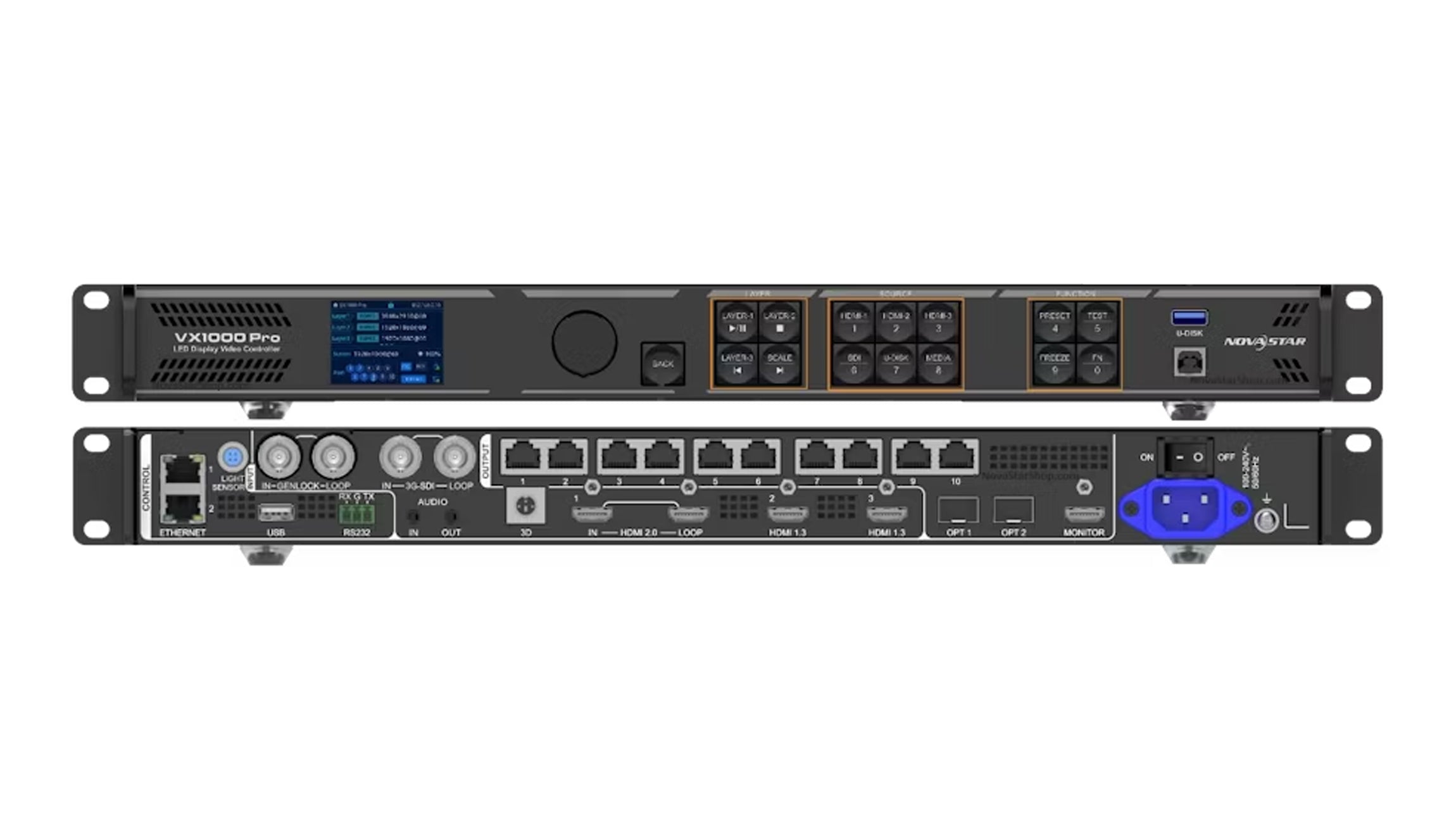
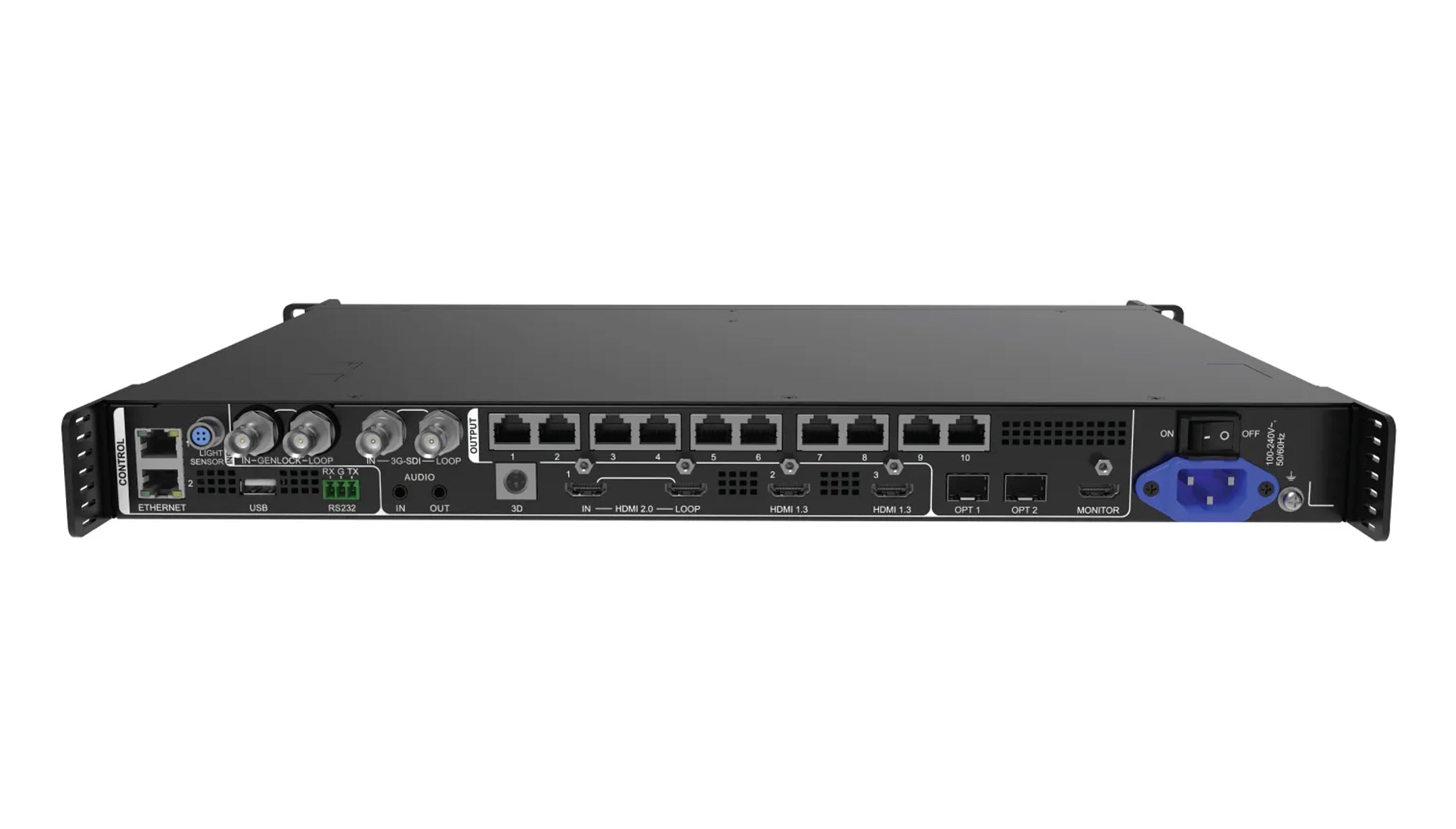
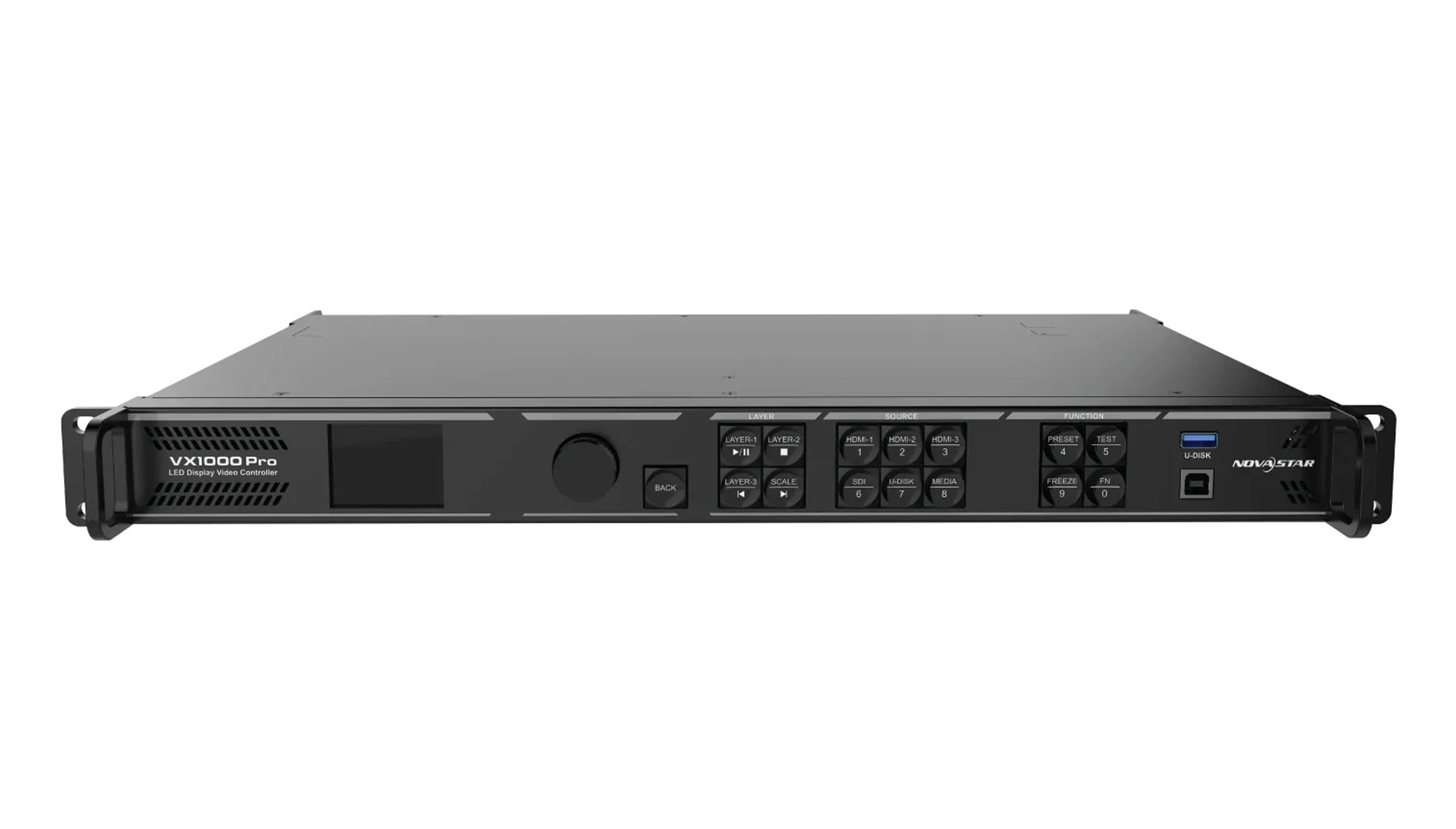
The media-drive connection and the PC-control connection have different purposes. Identify their labels instead of treating every USB socket as a playback input.
The VX1000 Pro specification identifies U-DISK as the USB 3.0 media connection. Its separate USB connection supports PC control with NovaLCT. The manual requires a drive to be inserted and recognized at U-DISK before using the USB player.
Record the complete product label when preparing the equipment list. The VX1000 Pro listing and the classic VX1000 documentation listing describe separate models. A USB connector on an older unit is not evidence that it has the Pro model’s media-input function.
Before a NovaStar VX1000 Pro USB playback test, keep the media drive distinct from the computer-control cable in the equipment checklist. A readable label on the drive and a photograph identifying the intended socket make the handover less ambiguous when another technician takes over.
NovaStar VX1000 Pro USB Playback: File Checks
A supported file extension is only one part of compatibility. Check the drive arrangement and the encoded streams as well as the filename.
| Item | Documented reference | What to confirm on the actual unit |
|---|---|---|
| USB drive | One partition formatted as NTFS, FAT32 or exFAT (specifications V1.4.0) | The drive is recognized through the intended media connection |
| Video decoding | At 3840 × 2160, up to 30 fps for H.264 or 60 fps for H.265. The listed bitrate limit for both codecs is 100 Mbps (V1.4.0). | Retain codec, dimensions, frame rate, bitrate and profile information for compatibility confirmation |
| Container | V1.4.0 lists containers including MP4, MKV, MOV and AVI | That container and its encoded streams work with the supplied firmware |
| USB source | 1920 × 1080 at 60 Hz for VX1000 Pro in manual V1.4.2 | The source specification satisfies the project’s required input detail |
| LED presentation | Depends on the accepted canvas and layer arrangement | Correct placement, proportions, readable text and the intended visible area |
For NovaStar VX1000 Pro USB playback, obtain the media-file information from the content producer. A request that says only “MP4 video” leaves the codec and frame rate unspecified. Renaming an extension does not convert the container or re-encode its streams.
Also document the audio requirement. An image that plays correctly does not establish that the audio encoding, routing and venue sound system have been accepted. When audio matters, test the intended file through the intended sound path rather than adding it to an otherwise completed visual check.
Read the Specification Revision With the Format List
Published format lists differ between document revisions. Keep the list with its revision rather than combining every item into an unconditional compatibility promise.
The earlier VX1000 Pro V1.0.1 specification lists MP4 video with H.264 or H.265 coding. The V1.4.0 specification also lists containers such as MKV and MOV, as well as MPEG-2 and MPEG-4 video coding. For those two codecs, the documented limit is 1920 × 1080 at 60 fps and 50 Mbps. This difference in documentation does not, by itself, identify the minimum firmware needed for every additional format.
When a supplier proposes a unit for an existing show file, ask for the unit’s firmware record and a test using that file. A newer PDF is useful evidence of documented capabilities; it is not proof that a particular hired or stocked unit has every feature described in it.
Keep the tested file and its export settings with the acceptance record. If the content producer later delivers a replacement file, compare the encoding information before assuming that the earlier result still applies. A small editorial change can arrive in a differently encoded export.
Test the File, the Layer and the Finished Presentation
Treat drive recognition, file playback and visible layer output as separate observations. This makes a failed demonstration more useful than repeatedly substituting drives without recording what changed.
The manual describes USB as a layer source and provides a USB Player screen. It also limits the displayed playlist to 128 files and each file to 128 GB. Keep a purpose-built event drive organized enough that the operator can identify the intended file without searching through unrelated material.
For a NovaStar VX1000 Pro USB playback rehearsal, first establish whether the drive is recognized and whether the intended file appears in the compatible-media list. Then confirm the player’s state and that the intended layer actually uses the USB source. Finally, check the accepted LED presentation.
Use representative content: the actual opening image, small text, motion and any required audio. Record what was tested and where it was observed. “A file played” is weaker evidence than identifying the exact export, controller, firmware and output arrangement used for acceptance.
If the file is visible in the player but absent from the LED screen, investigate the selected layer and output arrangement before declaring the drive defective. If the drive is recognized but the file is absent, return to its container and encoding information. These are different points in the signal path.
For an event with a separate recovery requirement, define and rehearse that recovery method independently. Successful USB playback is not evidence of an accepted alternate source, automatic failover or a complete show-backup plan.
Frequently Asked Questions
What should I record if a clip plays in rehearsal but the replacement export fails?
Keep both export reports and note the first point at which their behavior differs. If the original still plays on the same drive, unit and layer, compare the replacement’s container, codec, frame rate and bitrate. Keep the original for the next rehearsal until the replacement passes on the show setup.
Does HDMI support for a format prove that the same USB file will play?
No. HDMI signal reception and USB file decoding are different paths. Use the USB-specific conditions for the file; do not transfer input bit-depth or signal-format claims from another connector without supporting documentation.
Can I assume an MP4 file has the right audio because its video plays?
No. A container can hold different encoded streams. Check the actual audio information and test the intended output path if sound is part of the delivery.
Specify the Playback Requirement Before Booking the Controller
For a NovaStar VX1000 Pro USB playback review, provide the exact model, firmware if known, drive arrangement, file container, video codec, dimensions, frame rate and audio requirement. State whether the project needs a native 4K source or simply accepts compatible files for the documented USB path. Ask LED Mall to check the playback requirement and arrange the appropriate compatibility confirmation before relying on an untested export.