
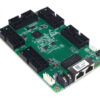
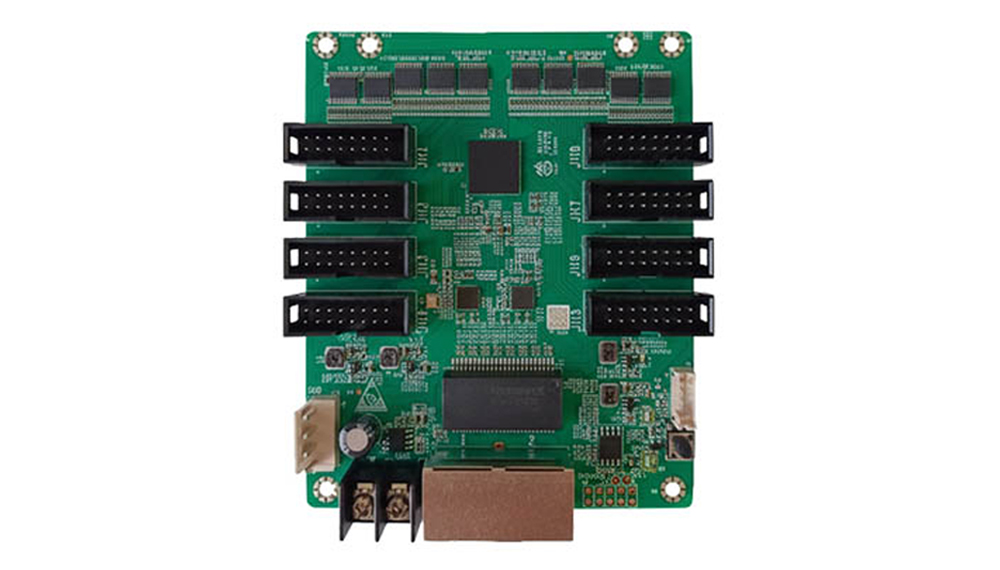
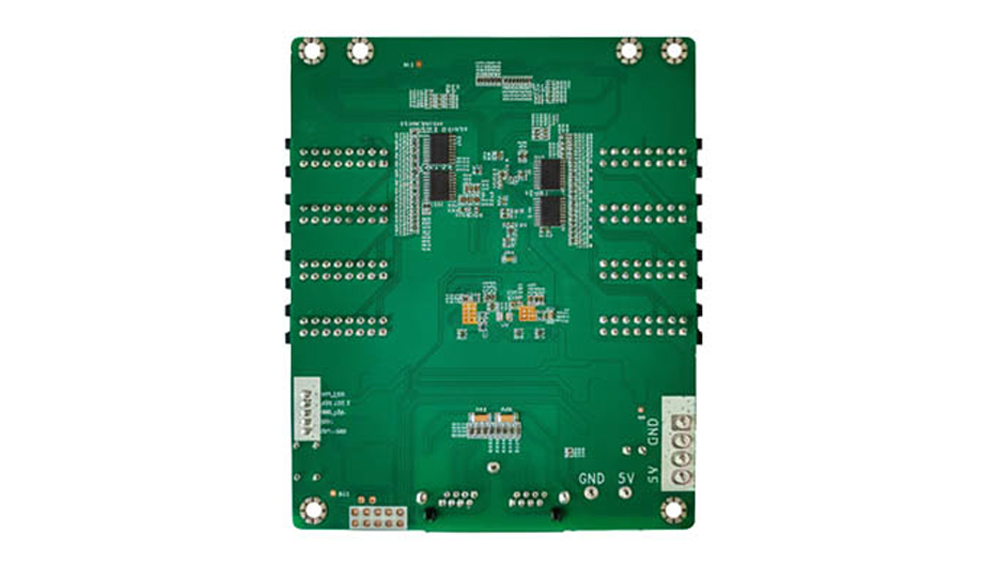
NovaStar NV7508 LED受信カード(HUB75Eポート8個搭載)
12.00ドル
NovaStar NV7508 receiving card with 8 HUB75E connectors and up to 16 parallel RGB data groups. With an M3 controller at 60 Hz, PWM loading is 512 × 512 for an 8-bit source or 512 × 256 for a 10-bit source; general driver IC limits differ. Includes Mapping 1.1 and loop backup.
在庫の10000
NovaStar NV7508 LEDディスプレイ受信カード
NovaStar NV7508は、最大16個の並列RGBデータグループをサポートする8-HUB75E受信カードです。LEDディスプレイシステム向けに、カラーマネジメント、キャリブレーション、キャビネットマッピング、バックアップ機能を提供します。
動作条件: NV7508仕様に記載されている最大解像度は、M3コントローラと組み合わせて使用した場合に適用されます。キャビネットの解像度を選択する前に、ドライバICの種類、ソースビット深度、およびコントローラを確認してください。
Technical Specifications and M3 Loading Limits
Maximum loading with an M3 controller at 60 Hz
| ドライバIC | 8ビットソース | 10ビットソース |
|---|---|---|
| PWM | 512×512 | 512×256 |
| 全般 | 512×384 | 512×192 |
These are the total loading limits for one NV7508 across its outputs together. Eight HUB75E connectors do not provide eight separate maximum-resolution loads. For another controller or cabinet configuration, confirm the applicable limits before ordering.
| 製品仕様 | |
|---|---|
| モジュールコネクタ / パラレルRGBデータ | HUB75E 8台 / 最大16グループ |
| 入力電圧 | DC3.8V~5.5V |
| 定格電流/電力 | 0.5A / 2.5W |
| 動作環境 | −20℃~+70℃、相対湿度10%~90%(結露なきこと) |
| ストレージ環境 | −40℃~+85℃、相対湿度0%~95%(結露なきこと) |
| 寸法/正味重量 | 95.3 × 109.4 × 19.3 mm / カード1枚あたり70.2 g |
電力と電流は、構成、環境、使用状況によって異なります。取り付け寸法とHUB75Eのピン定義については、PDFファイルを参照してください。
Connect the NV7508 to Your LED Cabinet
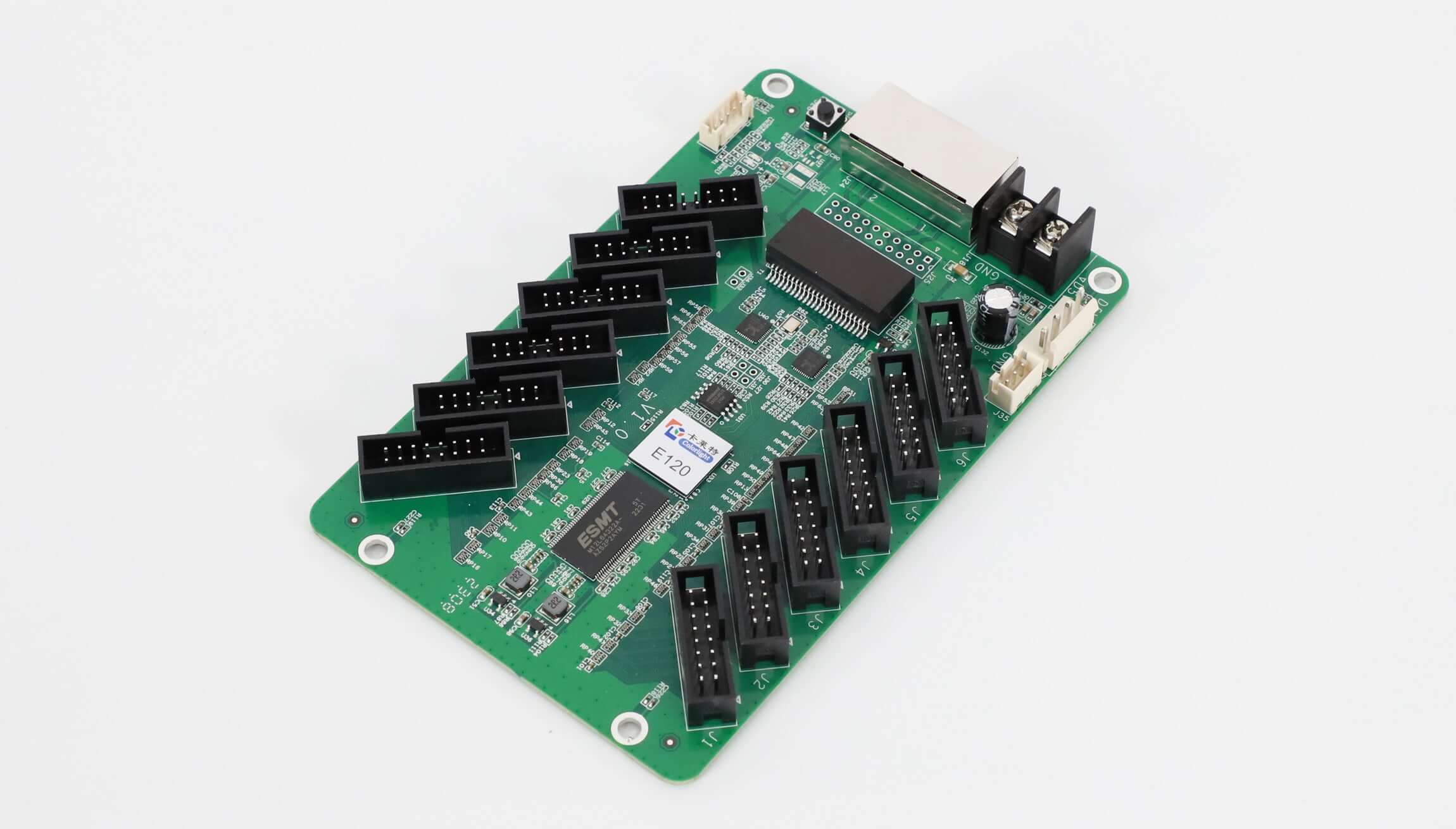
The Gigabit Ethernet ports receive display data from a sending card and cascade other receiving cards; either port can be used as input or output. The eight HUB75E connectors connect to LED modules. A 5-pin LCD connector supports a cabinet LCD module.
Use a DC supply within 3.8–5.5 V. The rated 2.5 W figure is for the receiving card; calculate the module power separately. The 95.3 × 109.4 × 19.3 mm card footprint and connector clearances should match the cabinet mounting arrangement.
校正および表示機能
カラーマネジメント機能には、Rec.709、DCI-P3、Rec.2020、およびカスタム色域が含まれます。18ビット以上のカラーマネジメントにより、低輝度時のグレースケール損失を補正します。ピクセルレベルの輝度および色度キャリブレーションはNovaStarキャリブレーションシステムと連携し、クイックシーム調整とマルチバッチ調整により、隣接するモジュール間およびキャビネット間の差異を補正します。
キャリブレーション係数は、アップロード、読み出し、保存、消去が可能です。独立したRGBガンマ調整には、NovaLCTと対応コントローラが必要です。このカードは、90°刻みの回転と、3D対応コントローラによる3D機能をサポートしています。受信カードの1フレーム遅延を実現するには、RAM内蔵のドライバICが必要です。
セットアップとメンテナンス
データグループマッピングでは、各データグループの位置が示されます。マッピング1.1では、キャビネット上のコントローラ、イーサネットポート、受信カードの番号が表示されます。保存イメージ設定では、起動時、ケーブル切断時、ビデオソースの喪失時の状況がカバーされます。
NV7508は、温度および電圧監視、筐体LCD、ビットエラー検出、ファームウェア読み出し、および設定読み出しをサポートしています。ループバックアップはプライマリ接続とバックアップ接続を使用し、デュアルプログラムバックアップは2つ目のファームウェアコピーを保持します。
カードの注文または交換を行う前に
- Record the original model, hardware revision, firmware and working cabinet configuration before removing the card.
- Confirm the sending controller, module driver IC, scan configuration, source bit depth and total cabinet pixel dimensions. Keep the M3 condition with the loading values above.
- Check the eight HUB75E connections and up to 16 parallel RGB data groups against the module wiring and pinout.
- Check the DC input, card footprint and mounting clearance. Similar connector counts do not establish replacement compatibility.
Send your controller model, cabinet layout and module details for NV7508 selection assistance. If the cabinet needs more module connections, review the NovaStar NV7516 with 16 HUB75E connectors and confirm its own controller and loading requirements.
製品画像とPDF
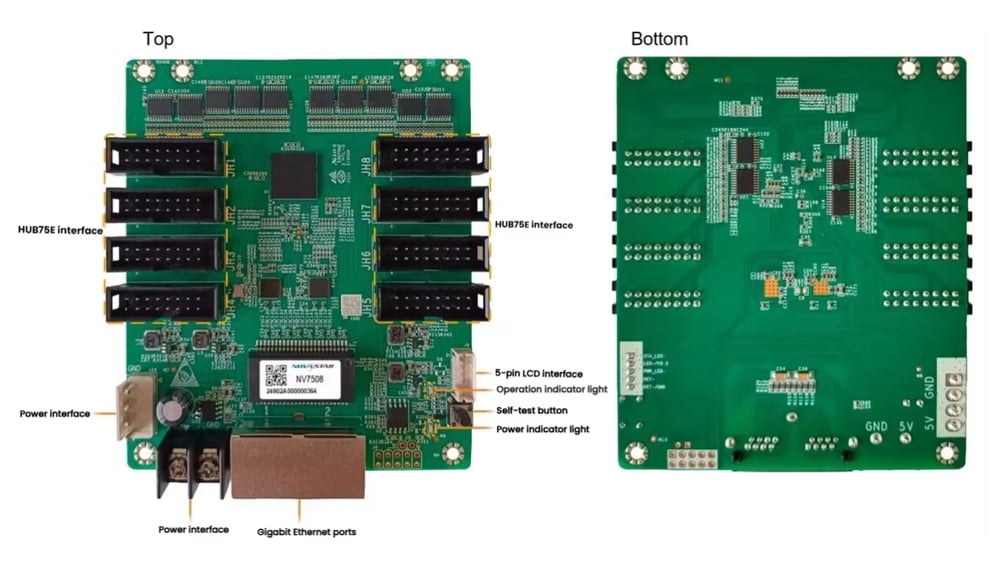
Download NV7508 specification V1.0.2 — August 5, 2025 (Chinese PDF)
よくある質問
NovaStar NV7508にはHUB75Eポートがいくつありますか?
標準のHUB75Eコネクタが8個あり、最大16個の並列RGBデータグループをサポートします。
NV7508の最大負荷制限に対応するコントローラーはどれですか?
仕様書には、M3コントローラと併用した場合の最大読み込み解像度が記載されています。これらの数値は、ドライバICとビデオソースのビット深度にも依存します。
NV7508は10ビットソースをサポートしていますか?
はい。M3を60Hzで使用した場合、規定の10ビット制限は、PWMドライバICの場合は512×256ピクセル、汎用ドライバICの場合は512×192ピクセルです。
NV7508の仕様には、デュアル構成バックアップが含まれていますか?
バージョンV1.0.2では、デュアル構成パラメータバックアップが機能リストから削除されました。ドキュメントに記載されている信頼性機能は、ループバックアップとデュアルプログラムバックアップです。構成パラメータの読み出し機能は引き続きサポートされます。
設置前に確認すべき電圧と物理的なサイズは?
入力電圧範囲はDC 3.8V~5.5Vです。寸法は95.3×109.4×19.3mm、正味重量は70.2gです。PDFのピン配置図と取り付け図を筐体と照らし合わせてご確認ください。
Is the maximum loading resolution per card or per HUB75E connector?
The limits apply to one receiving card across all its outputs together. Select the value for the driver IC and video source bit depth, under the stated M3 controller condition.
What information is needed to confirm an NV7508 replacement?
Provide the original card model and revision, firmware and cabinet configuration, controller model, module driver IC and scan configuration, pixel layout, power supply and mounting dimensions. This allows the wiring and loading conditions to be checked together.
| 重量 | 1キロ |
|---|
「NovaStar NV7508 LED受信カード(HUB75Eポート8個搭載)」の最初のレビューを投稿してください
レビューを投稿するにはログインが必要です。
私は税関と税金を請求されますか?
当サイトに表示されている価格は非課税(米ドル)です。つまり、ご注文の商品を受け取った後、輸入税や税金を支払う必要がある場合があります。輸入税、関税、および関連する通関手数料は、ご注文の商品が最終目的地に到着した時点で、現地の税関によって決定されます。
これらの追加料金および税金はお客様のご負担となりますので、弊社は一切責任を負いません。関税、税金、または関連手数料の支払いや払い戻しについても、弊社は一切責任を負いません。これらの料金の詳細については、最寄りの税関にお問い合わせください。
配送
世界中のほぼすべての住所に発送できます。 一部の製品には制限があり、一部の製品は国際的な目的地に出荷できないことに注意してください。
ご注文の際には、商品の在庫状況や選択した配送オプションに基づいて配送日と配送日を見積もります。 選択した配送業者に応じて、出荷日の見積もりが配送見積もりページに表示されることがあります。
また、当社が販売する多くのアイテムの送料は重量ベースであることにも注意してください。 このようなアイテムの重量は、詳細ページで確認できます。 私たちが使用する運送会社のポリシーを反映するために、すべての重量は次のフルポンドに切り上げられます。
返品ポリシー
新品の未開封の商品は、配達後30日以内に返品して全額払い戻しを受けることができます。 返品がエラーの結果である場合(間違った商品や欠陥のある商品などを受け取った場合)、返品の送料もお支払いします。
荷送人に荷物を配達してから4週間以内に払い戻しを受け取ることを期待する必要がありますが、多くの場合、払い戻しがより迅速に行われます。 この期間には、配送業者からの返品(5〜10営業日)、返品を受け取った後の返品(3〜5営業日)、および所要時間あなたの銀行が払い戻しリクエストを処理する(5〜10営業日)。
アイテムを返品する必要がある場合は、アカウントにログインし、[マイアカウント]メニューの[注文完了]リンクを使用して注文を表示し、[アイテムの返品]ボタンをクリックします。 返品された商品を受け取って処理したら、払い戻しをメールでお知らせします。
関連製品

レビュー
口コミはまだありません。