
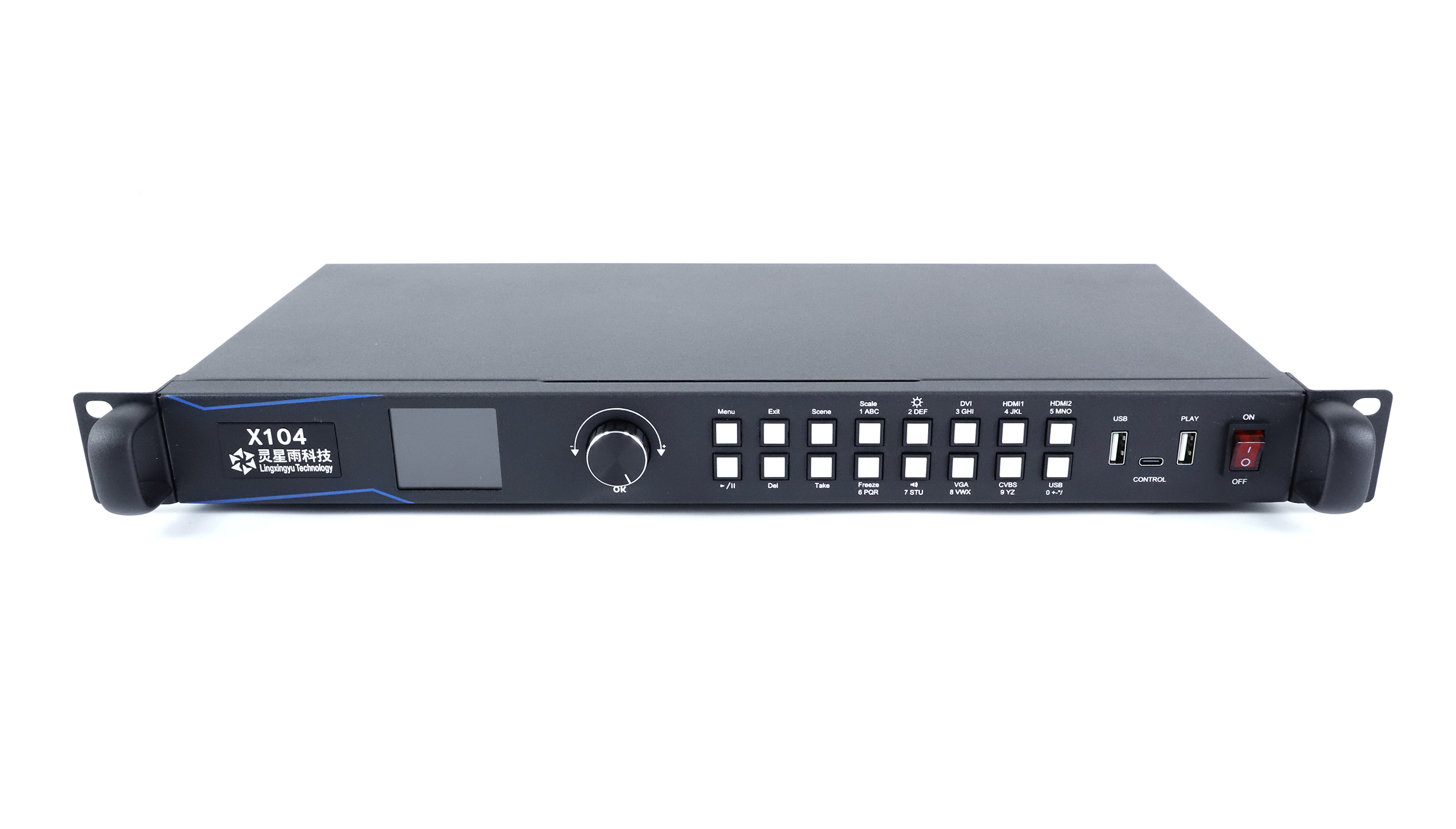
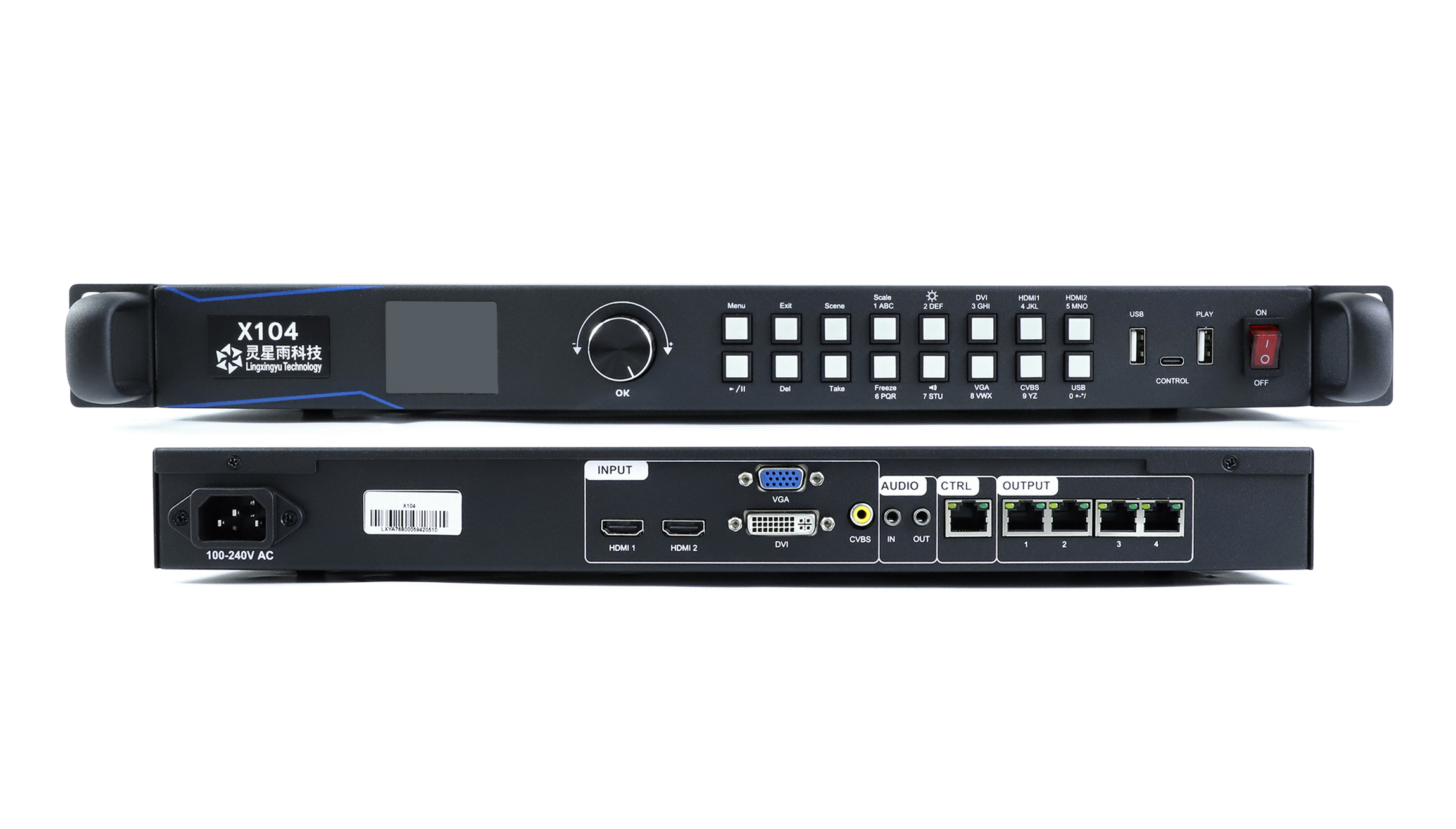
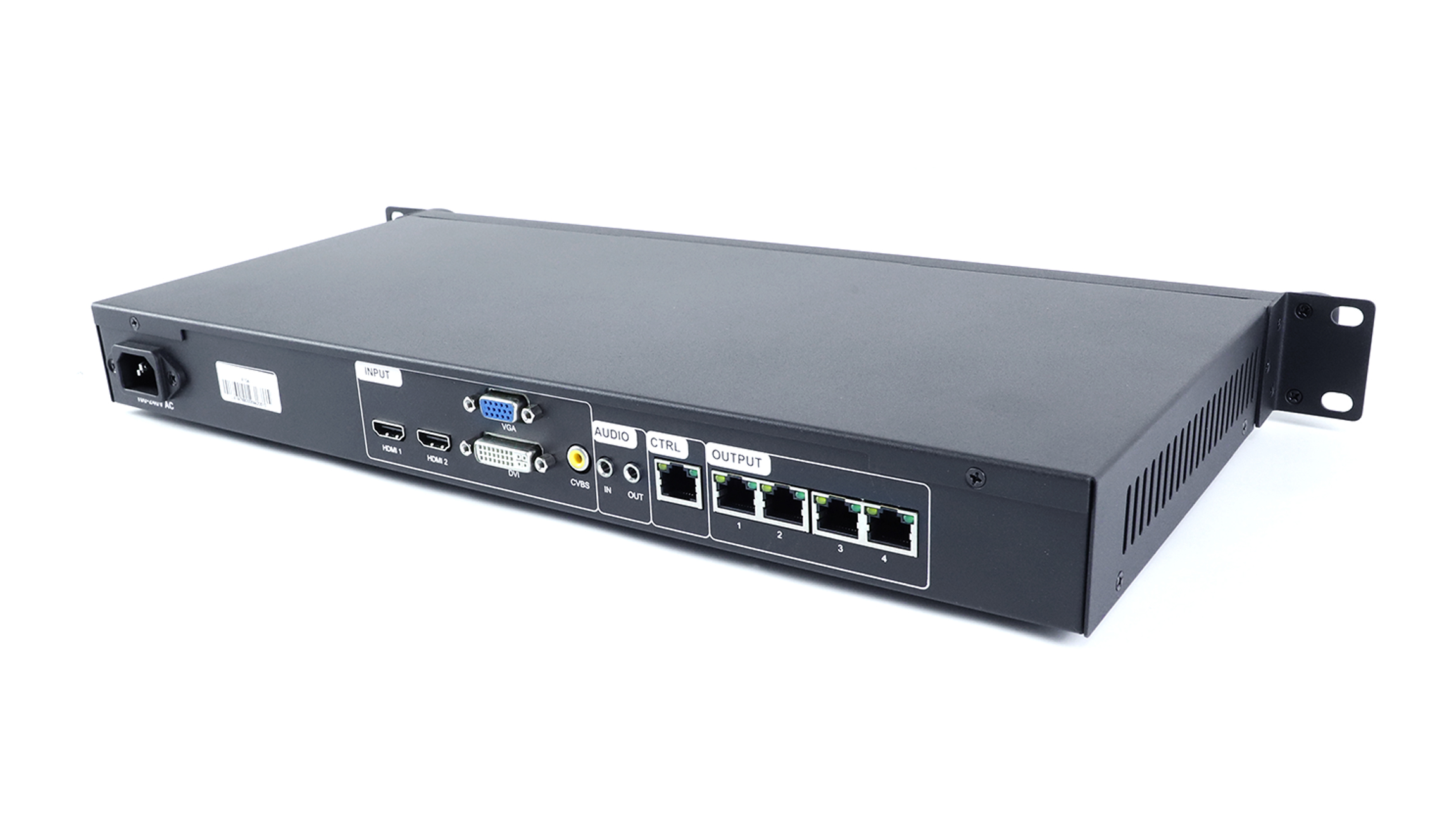
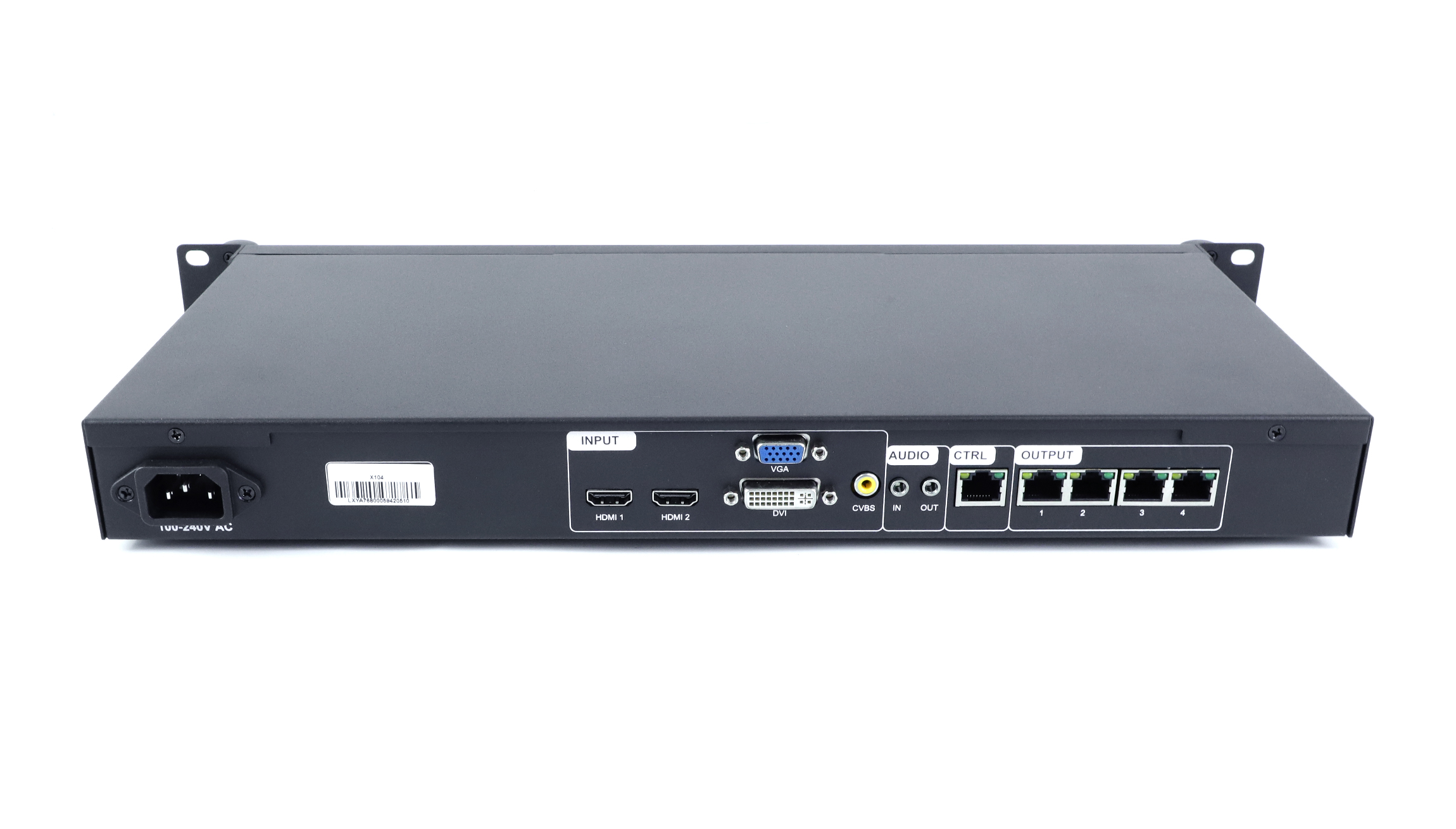
Видеопроцессор для светодиодного экрана Linsn X104
176.00 $
The Linsn X104 is discontinued. For a replacement enquiry, start with the Линсн X104S.
- Four LED network outputs
- Всего до 2.3 миллионов пикселей.
- HDMI, DVI, VGA and CVBS inputs
- USB flash drive playback and front-panel scene recall
Нет на складе
Linsn X104 for fixed LED screens
The Linsn X104 combines a video processor, an LED sender and USB playback in one unit for small fixed installations. If you’re servicing an existing screen, start by checking the video inputs and how the cabinets are split across the four outputs.
LED output and screen limits
| Параметр | Параметр |
|---|---|
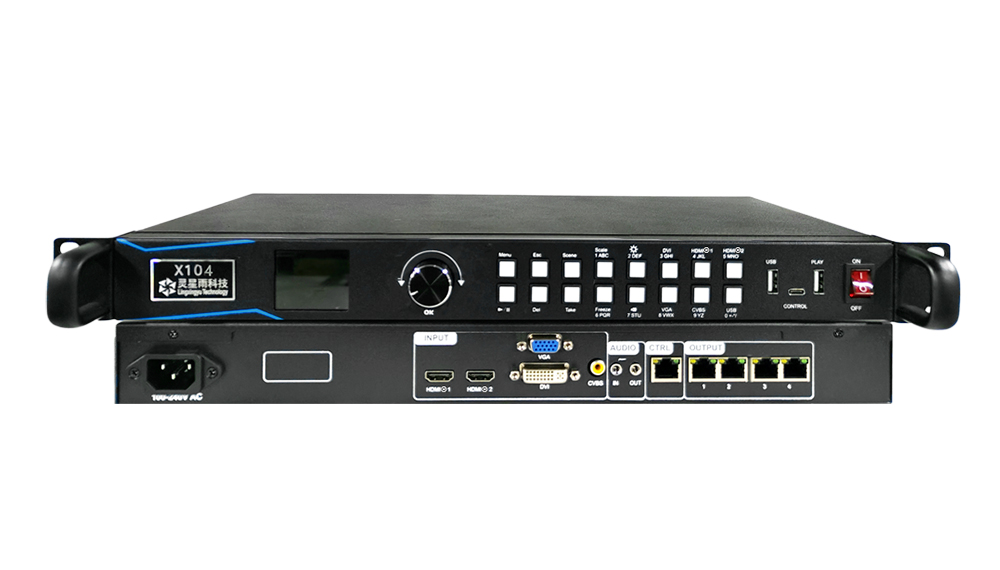
| Выходы светодиодной сети | 4 ports, labeled OUTPUT 1–4 |
| Total screen load | До 2.3 миллионов пикселей |
| Максимальная ширина экрана | 3,840 пикселей |
| Максимальная высота экрана | 1,920 пикселей |
Check the pixel total as well as the width and height. A screen measuring 3,840 × 1,920 pixels would exceed the X104’s total load limit.
Inputs, playback and control
| Параметр | Параметр |
|---|---|
| Видео входы | 2 × HDMI 1.3, 1 × DVI, 1 × VGA и 1 × CVBS |
| Аудио | Audio input and output, with synchronized audio and video switching |
| Воспроизведение | Plug-and-play USB flash drive playback and scheduling |
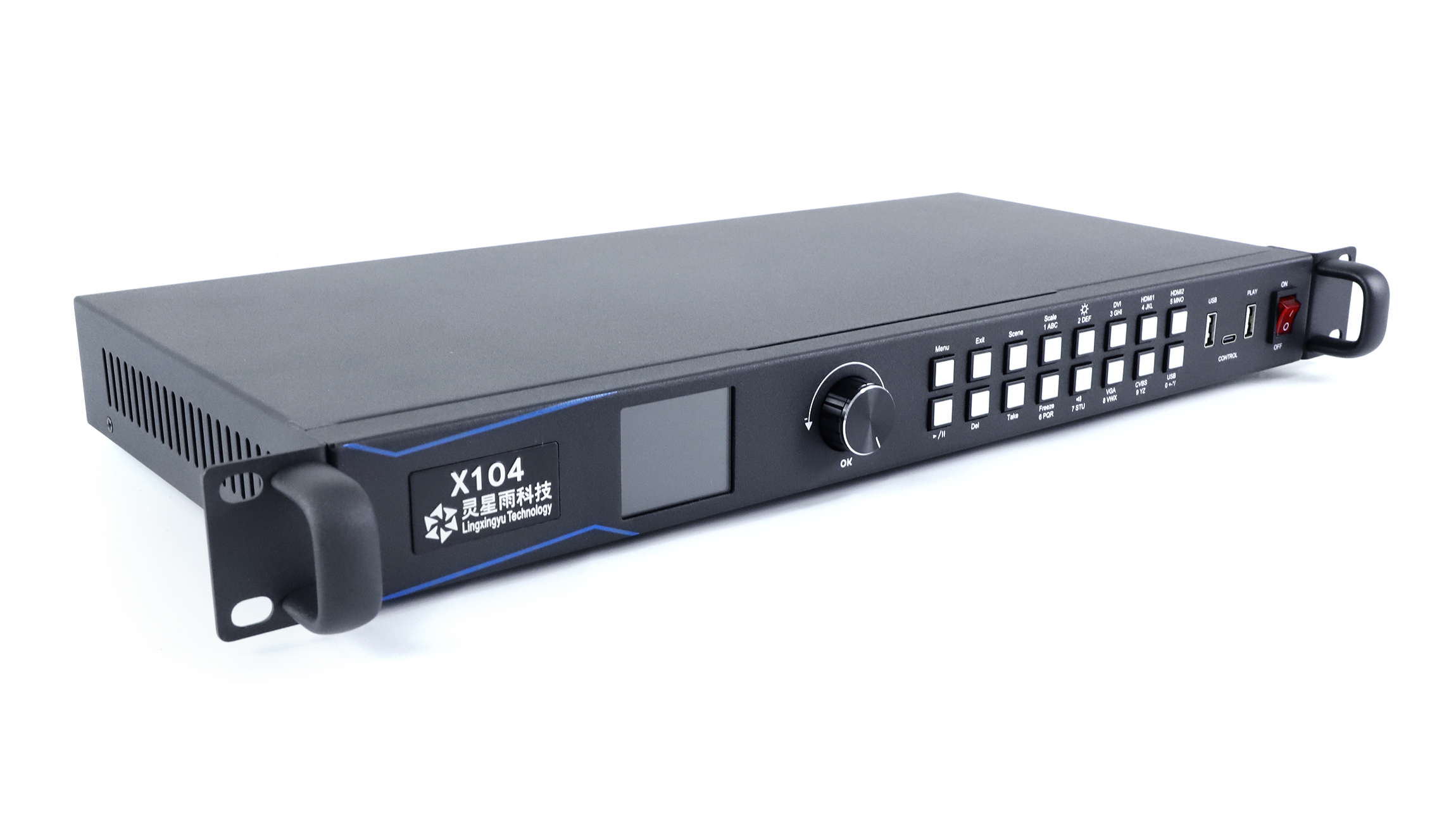
| Scene controls | Save up to 100 scenes. Recall 10 from the front panel. |
| Live controls | Input switching, instant scene switching, brightness adjustment and freeze |
| Резервное копирование видео | Hot backup for video sources |
| Настройка и обновления | Setup over a network cable or USB-C. Updates via cable or USB. |
| Настройки и диагностика | Back up and restore settings via USB flash drive or cloud. Check network output connections on the unit. License issuance is supported. |
Фотографии и технические характеристики товара
Download the Linsn X104 V1.0 specification (PDF). The document covers hardware version V1.6.13, dated September 2023.
Часто задаваемые вопросы
Q1Which ports go to the LED receiving cards?
Use the four rear ports numbered OUTPUT 1–4. The separate CTRL port is for configuring the processor over the network.
Q2Can I play content without leaving a computer connected?
Yes. Use the front PLAY port for a USB flash drive with supported files. The V1.0 specification lists the supported image and video formats.
Q3What should I check before replacing an X104?
Note which video inputs you use, the screen’s pixel dimensions and the model of your receiving cards. Keep a copy of the current settings and compare the connection layout with the proposed replacement.
Replacement and order information
Contact LED Mall with your current model and screen configuration if you need help choosing a replacement. For an order, review the Доставка политики и политика возврата. The Taxes, Shipping & Returns tab has the store’s ordering information.
| Вес | 3.5 кг |
|---|
Будьте первым, кто оставит отзыв о “Видеопроцессор для светодиодного экрана Linsn X104”
Для того чтобы оставить отзыв, необходимо войти в систему .
Буду ли я платить таможенные пошлины и налоги?
Цены, отображаемые на нашем сайте, не облагаются налогом (в долларах США), что означает, что вам может потребоваться оплатить импортные пошлины и налоги после получения вашего заказа. Импортные налоги, пошлины и связанные с ними таможенные сборы будут определены вашей местной таможней, когда ваш заказ прибудет в конечный пункт назначения.
Обратите внимание, что ответственность за эти дополнительные сборы и налоги лежит на вас, и мы не несем за них никакой ответственности. Мы не обязаны оплачивать или возмещать какие-либо таможенные пошлины, налоги или связанные с ними сборы . Для получения более подробной информации об этих сборах, пожалуйста, свяжитесь с вашей местной таможней.
Доставка и оплата
Мы можем отправить практически по любому адресу в мире. Обратите внимание, что существуют ограничения для некоторых продуктов, и некоторые продукты не могут быть отправлены в другие страны.
Когда вы размещаете заказ, мы оценим даты доставки и доставки для вас на основе наличия ваших товаров и вариантов доставки, которые вы выберете. В зависимости от поставщика доставки, который вы выберете, на странице цен на доставку могут появиться оценки даты отправки.
Также обратите внимание, что цены на доставку многих товаров, которые мы продаем, основаны на весе. Вес любого такого предмета можно найти на его странице с подробностями. Чтобы отразить политику судоходных компаний, которые мы используем, все веса будут округлены до следующего полного фунта.
Возвраты и возвраты
Перед отправкой товара обратно свяжитесь с led-mall для получения разрешения на возврат. Ознакомьтесь с политикой возврата и возмещения средств led-mall, чтобы узнать о условиях возврата, сроках, сборах и инструкциях по возврату.
Сопутствующие продукты
Отзывы
Пока еще нет отзывов.