
LEDMallブログ
VX400 Pro Input Backup: Can Your Two Sources Pair?
11月
VX400 Pro input backup requires two sources whose input connectors have identical capacities. Two cables carrying the same picture size do not establish that condition. Before ordering a second playback source, confirm the proposed connector pair and decide how the system should behave when the primary signal returns.
This explanation is for a rental AV technician preparing an equipment request for a presentation or event. It addresses the source side of redundancy: whether a proposed pair can be configured, what material each source must provide, and what the purchasing team should ask the supplier to demonstrate.
The technical basis is NovaStar’s VX400 Pro Specifications V1.4.0, released July 30, 2026, and the input-backup section of the VX Pro Series User Manual currently supplied in NovaStar’s downloads. The procurement examples are hypothetical. They describe questions to resolve before purchase, rather than results from a tested installation.
1. Check the VX400 Pro input backup pair
The manual makes equal connector capacity a pairing requirement and gives each source only one backup partner. Keep a source’s connector capacity separate from the resolution of the picture arriving at it. A photograph of two laptops displaying matching desktop resolutions leaves the capacity setting unanswered.
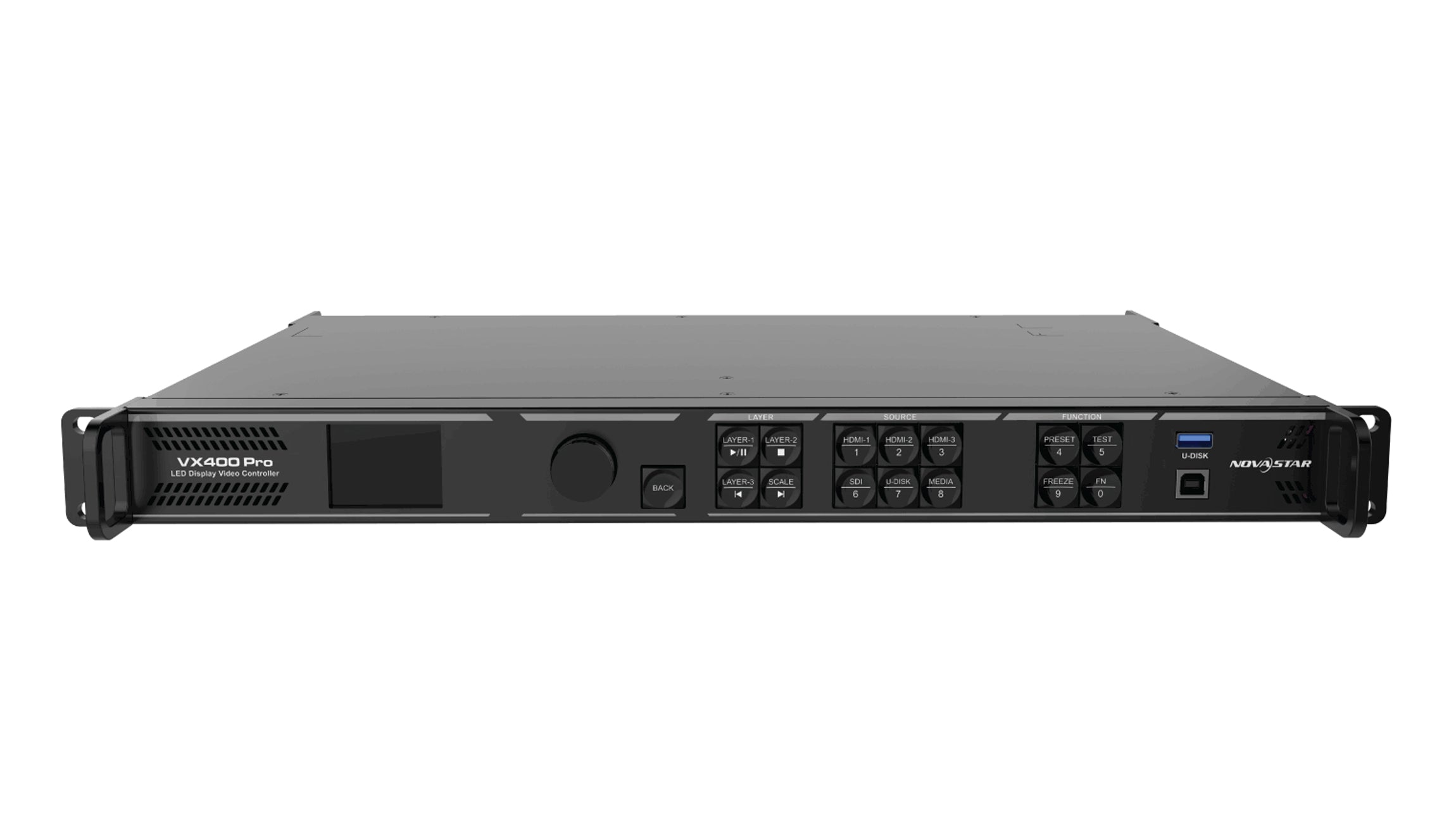
Begin with the exact controller model and firmware offered. On the VX400 Pro製品ページ, the Pro suffix identifies the product under discussion. Retain it in the equipment request, then have the supplier identify the proposed input labels and relevant settings on that model.
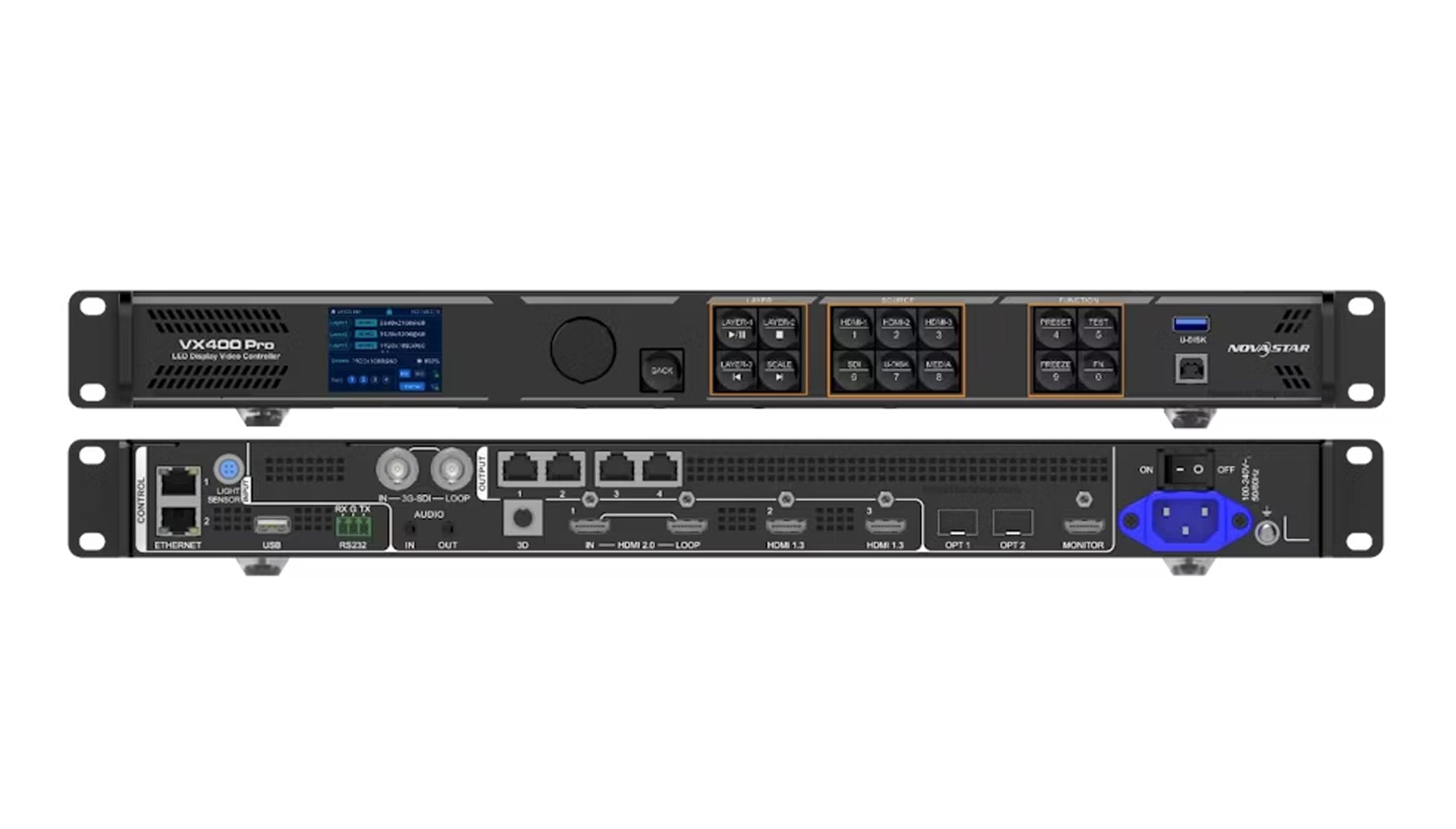
A useful VX400 Pro input backup request names source A, source B and the connector used by each. Ask the supplier to confirm the applicable capacity on both sides. If either value is missing, the pair remains an open technical question even when the quotation lists two available inputs.
For example, suppose a hypothetical equipment schedule assigns one source to a connector configured for 4K capacity and the other to an SL-capacity connector. Showing the same small presentation image on both does not resolve the documented mismatch. Ask for a supported pairing proposal and review the consequences for the required source formats before approving the equipment.
This pairing check is separate from the controller’s layer-resource budget. Establishing a source relationship does not approve every simultaneous layout. Keep the accepted layout with the source schedule so purchasing staff can see that both requirements have been addressed without combining them into one blanket compatibility claim.
2. Specify what both playback sources must provide
VX400 Pro input backup provides a relationship between inputs; the production team must still prepare the intended content. Decide what the audience should see from the alternate source. That could be the same presentation under a coordinated operating procedure, or an approved holding graphic with a separate recovery plan.
A hypothetical quote for “one backup laptop” leaves several purchasing questions unresolved. Does it include the required playback software, media preparation, adapters, configuration and rehearsal? Who owns the approved content revision? Write those scope items into the request so a hardware-only offer can be compared fairly with a prepared playback package.
| 引用項目 | 識別するもの | 要求する証拠 |
|---|---|---|
| 一次情報 | Playback device, input label and intended program | A source schedule tied to the accepted show layout |
| 代替情報源 | Its own playback device, connection and approved content | Confirmation of who prepares and operates it |
| 接続ハードウェア | Each adapter, cable and endpoint in the proposed route | An itemized supply list matched to the drawing |
| Return to primary | The production team’s chosen recovery behavior | A recorded setting and an agreed rehearsal result |
| Unresolved conditions | Missing configuration or an untested show state | A named owner and a question to close before acceptance |
Identify whether the two feeds originate from independent playback devices or from two outputs of one computer. Those proposals have different shared dependencies. If the intended requirement is recovery after the playback computer becomes unavailable, a second cable from that same computer leaves the source-device question unresolved. Have the production team identify the failure it wants the alternate source to cover before choosing the hardware package.
Use the same content and equipment identifiers during the demonstration. If the supplier substitutes another laptop or an adapter, record the change. A pass for a different source combination may be useful evidence, but it should remain distinguishable from approval of the specific combination being purchased.
3. Choose the behavior when the primary returns
VX400 Pro input backup includes a Primary Source Preferred setting. With it enabled, a returning primary signal takes priority. With it disabled, the layer stays on the available backup until that backup fails while the primary has a signal. Agree which behavior the event requires before the rehearsal.
These choices can produce different operator expectations. For a hypothetical presentation using an approved holding graphic, the production lead may want a deliberate recovery procedure before the main material is shown again. Another show may require the preferred primary to resume automatically. Record the agreed choice rather than leaving it to an installer to infer.
Ask the responsible operator what “recovered” means for the show. A source can have an available signal while its content still needs attention. Include the production team’s content check and communication procedure in the handover. The controller setting and the decision that the presentation is ready are separate parts of that procedure.
For a recurring rental package, retain the chosen VX400 Pro input backup setting with the job record. A controller used on a previous event may carry a recovery preference suited to that event. Review it against the new production requirement before reusing the package.
4. Request a source-specific acceptance demonstration
Agree what will be observed before testing. Identify the controller and versions, two sources, connector capacities, content revision, selected layer and return preference. The demonstration should use the proposed equipment combination and the show state being approved, with a responsible technician coordinating any signal interruption.
For VX400 Pro input backup, record normal primary operation, operation after the defined primary-source interruption, and behavior when the primary returns. Note the active source and visible content at each stage. Keep omitted conditions marked as unverified so a short demonstration does not become an unsupported promise about every possible event fault.
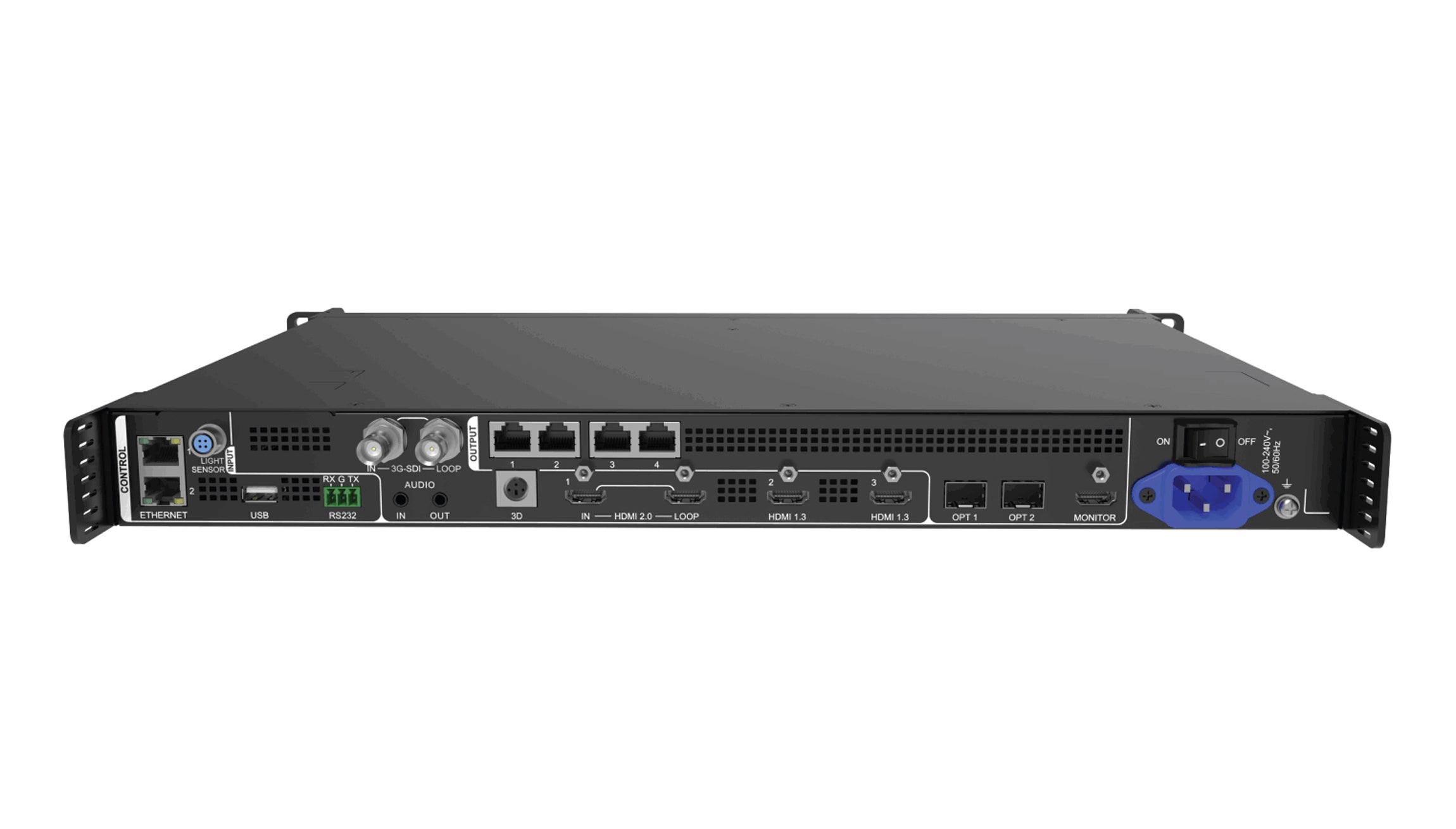
Separate source-side approval from the Ethernet-port backup requirement on the screen-data side. A demonstrated alternate picture does not document every downstream path. Keep the scope clear enough that purchasing staff know which redundancy work is included and which remains a separate item.
Retain a short exception list with the result. For example, the supplier may have demonstrated the presentation layout but not the camera layout, or used a temporary adapter while the specified one was unavailable. Keep those differences visible and obtain the missing result when required. An exception list makes the acceptance boundary practical for both the buyer and the technician.
After a source, adapter or show requirement changes, compare the new arrangement with the accepted record. Repeat the relevant checks for material differences. That record gives a substitute technician a concrete starting point and helps the buyer avoid ordering an accessory based only on the number of spare sockets.
よくある質問
Can one source serve as the backup for several others?
The cited manual assigns each primary or backup source only one partner. For a larger source plan, ask the supplier to identify supported pairings rather than assuming one spare source can protect every input.
Can USB playback participate in an input-backup relationship?
The current manual includes the USB source. Obtain confirmation for the offered firmware, media and proposed pairing before treating that statement as approval of an existing USB program. File preparation and source pairing need their own checks.
Will backup detect a wrong slide or a frozen application?
Do not use the input-backup feature as evidence of content monitoring. A project that must detect the wrong material or an application problem needs an explicit detection requirement and a demonstration addressing that condition.
Prepare the source-backup inquiry
Send the two source models, input labels, known capacity settings, required formats, show layout and preferred recovery behavior. List adapters and content-preparation responsibilities. Ask LED Mall to review the proposed VX400 Pro input backup pair so the supported arrangement and remaining acceptance conditions are clear before purchase.