
LEDMallブログ
NovaStar VX6S Replacement: Can the VX600 Pro Take Over?
11月
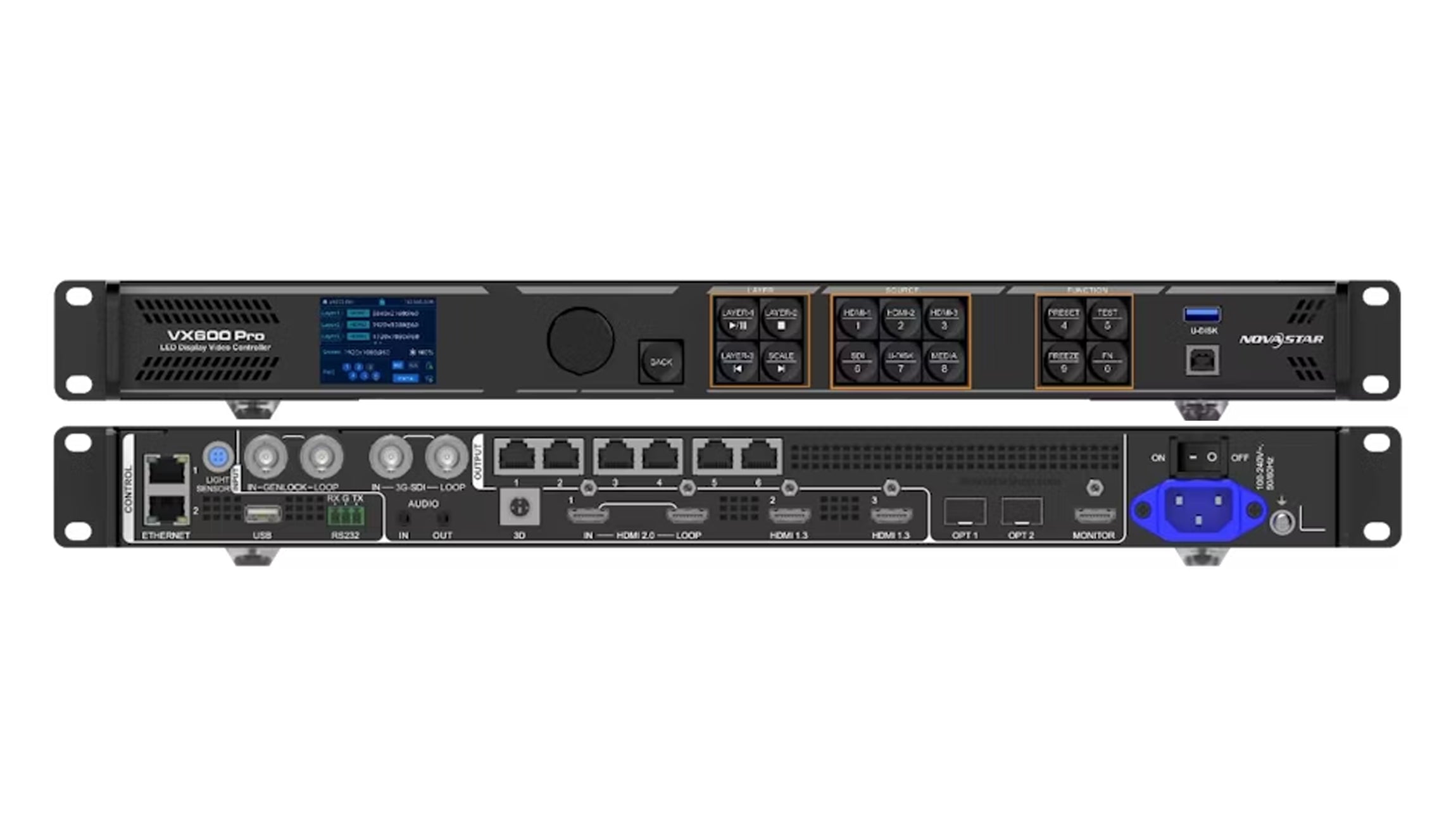
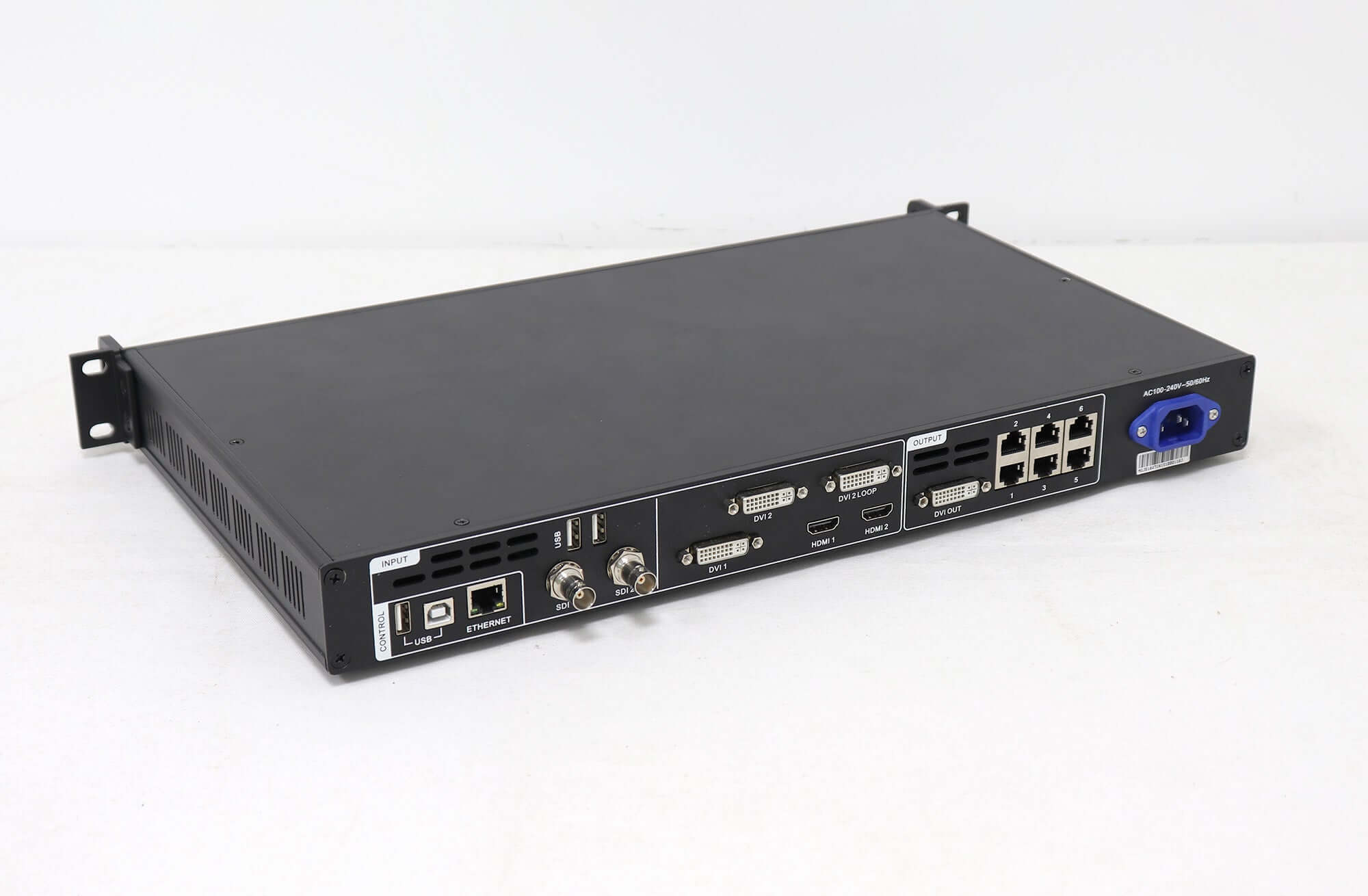
A NovaStar VX6S replacement can use the VX600 Pro if the installed LED wall fits its output limits and the show’s sources, monitoring and cue changes work in the new signal path. Both controllers have six LED data outputs and a stated maximum load of 3.9 million pixels. The ports operators use before the LED output differ. The VX6S has two native DVI inputs and two 3G-SDI inputs. The VX600 Pro specifies HDMI inputs, one 3G-SDI input and an HDMI monitor output.
For a live-event integrator replacing the controller without rebuilding the wall, the purchase decision is whether the existing show can run as rehearsed. Use the old patch list and one actual cue sequence to decide whether a chassis, an adapter or a separate upstream switcher belongs on the quote.
Compare connections before approving a NovaStar VX6S replacement
Start by photographing the old rear panel and labeling each active cable at both ends. Write down the source device, its output format, and the cue that uses it. A connector inventory without cue information is easy to misread: the second camera may only be patched during the awards sequence, and the DVI monitor may be the operator’s only way to see a prepared image before it goes live.
その VX6S product page provides the legacy specification and lists the model as discontinued. The earlier VX600 listing is also marked discontinued and points to the Pro. Use the full model name on the quote. The reference documents for the following checks are VX6s specifications V1.3.0 and VX600 Pro specifications V1.0.1.
| Existing VX6S connection | What the VX600 Pro lists | Evidence needed before the order |
|---|---|---|
| A DVI source on either input | Native DVI input is absent from the connector list. | Test the source’s actual timing through the proposed source or conversion path. Include any second DVI source in the same test. |
| Two active 3G-SDI sources | One 3G-SDI input with loop. | Plan the second source through another verified path. If the two pictures are visible at once, check simultaneous inputs and layer use. |
| Dedicated DVI monitor for PVW or PGM | HDMI monitor output at 1920 × 1080, 60 Hz. | Test the monitor input and the actual preview-to-program sequence separately. |
| Six cable runs serving a mapped wall | Six Gigabit LED data outputs and up to 3.9 million pixels overall. | Confirm per-port loads, receiver compatibility, cable order and any configured backup assignments. |
For a NovaStar VX6S replacement serving a single HDMI presentation source, the patch work can be modest. For one serving two SDI feeds and a legacy DVI playback computer, the same chassis order may leave two sources without a direct socket. The SDI loop forwards the existing SDI input. Count it once in the input schedule. If both cameras need to appear at the same time, test the routes that will be used concurrently. A selection test that shows each camera individually leaves that requirement unanswered.
Check the cabinet map before moving the six output cables
A NovaStar VX6S replacement keeps your cable plan only if the cabinet layout and port assignments are supported in the new configuration. Photograph the current labeling, record cabinet dimensions in pixels and capture the sequence of cabinets on every output. Keep a verified copy of the receiving-card configuration and any calibration records used by the wall. Record the software and firmware versions that were used to save them. Confirm the supported import or rebuild path before the production window.
As a simple planning example, imagine a 2,560 × 1,280 wall divided evenly among four outputs. The wall totals 3,276,800 pixels. Equal shares would be 819,200 pixels per output, above the VX600 Pro’s published 650,000-pixel reference per Ethernet output at 8-bit input. The deciding evidence is the actual load on each supported cabinet chain. A six-way redistribution might fit if cabinet boundaries, port limits and the configuration permit it. Any dedicated backup assignments also need to fit the port plan.
When a NovaStar VX6S replacement includes a change of bit depth, input timing or standby assignments, ask the supplier to review those conditions with the map. A drawing that lists cable numbers and cabinet counts will catch more retrofit problems than a photo of the front of the screen. Bring that drawing to the bench test and check a numbered test image against each physical zone.
Rehearse preview, take and recovery with the actual operator
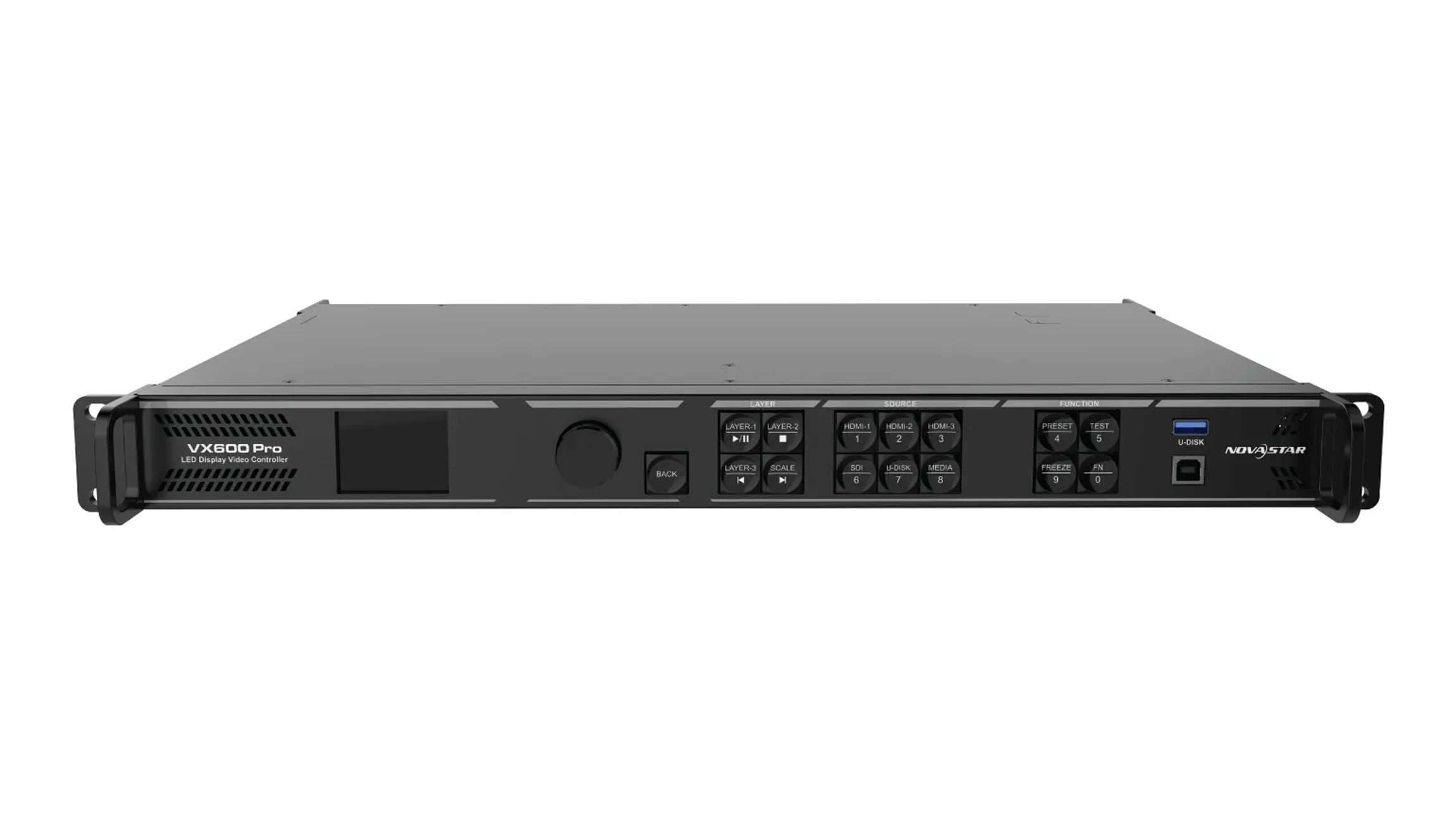
On the VX6S, preview (PVW) is the picture prepared for the next cue. Program (PGM) is the picture on air. Its Switcher mode uses TAKE to send preview to program. Put that sequence into the NovaStar VX6S replacement acceptance test. Use the operator’s actual control method, the proposed monitor and the real mix of live sources. Ask the operator to prepare the next cue, verify it privately, take it to the wall and return to the holding slide.
Keep a cue that exposes the difference between seeing a source and seeing its composed result. For example, play the presenter’s camera behind a lower-third graphic and position the label close to the edge of the display. A source loop can show the camera, while a preview of the composed picture is needed to confirm the label placement. If you have planned an upstream switcher to preserve the workflow, include its preview monitor in the test and give the operator one written sequence for the show.
Test the loss and return of the source during a planned rehearsal. Record the observed screen state, the operation required to restore the cue and the fallback picture the venue will use. Include anyone who runs the system without an engineer at the console. Their ability to identify the current source and restore a known preset is part of accepting a NovaStar VX6S replacement.
If the NovaStar VX6S replacement still needs an external converter or switcher after rehearsal, write that equipment into the bill of materials along with its mounting, power and cable requirements. Give each device a label that matches the cue sheet. Specify whether the venue or the integrator will supply the monitor, conversion stage and verified spare media. A proposed setup that depends on a converter borrowed for the test is still missing an order line.
よくある質問
Will the existing USB show drive work in the replacement?
Test the actual files and drive. The VX6S specifications list several containers. The VX600 Pro V1.0.1 specifies MP4 video using H.264 or H.265, with codec-specific resolution and frame-rate limits. Re-export an emergency clip in a verified format and play it on the proposed unit.
Can the old VX6S stay in the rack as a spare?
Only count it as a spare after demonstrating a swap to it using known inputs, working monitoring and the documented old cabinet configuration. Keep the old patch plan available if the new signal chain changes connector assignments.
What if the VX6S failed before its presets could be saved?
Gather the operator’s cue sheet, cable labels, screen photographs and any project backups. Use those to identify the essential inputs and rebuild the show on the proposed controller before the scheduled installation.
Should a NovaStar VX6S replacement quote include on-site configuration?
Specify the scope explicitly. For some racks, the integrator can test and label the whole rack at a bench before it ships. An installation with a wall that cannot be replicated off-site may need a scheduled screen-mapping and cue-check session in the venue.
Quote the complete retrofit
確認 VX600 Pro specifications and pricing inquiry. For a NovaStar VX6S replacement quote, send LED Mall the active source list, input formats, preview monitor model, cabinet pixel map, receiving-card model and any backup outputs you need to retain. Include one real cue sequence so the proposal can cover the connections and controls a technician will actually use. Request a controller and signal-path quote.