

LEDMallブログ
Huidu HD-B8Hポスターの合成:8.29万画素以上
11月
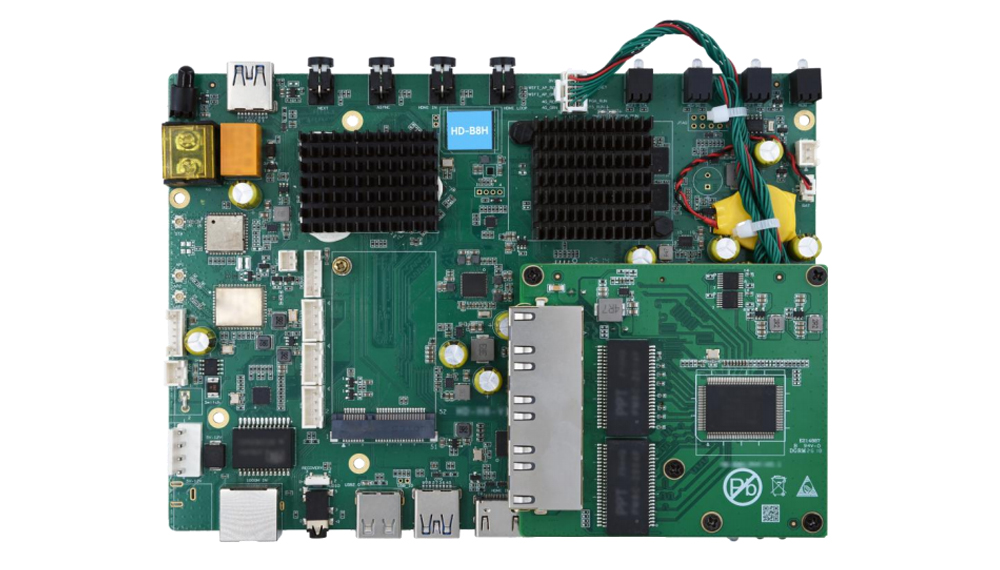
Huidu HD-B8H poster splicing has a smaller video-window allowance when the joined LED canvas exceeds 8.29 million pixels. Huidu lists up to 8.8 million pixels in the HDMI-spliced configuration, but above the 8.29-million threshold it lists one 4K, three 1080p, five 720p, or ten 360p video windows as alternative configurations. A wall can therefore fit the joined pixel limit and still need its content plan revised.
If you are specifying a multi-poster display, calculate the pixels on each poster and the joined canvas before choosing the players. Then run the actual program on a sample in the required HDMI splice mode. Keep the approved layout and program together so the quote reflects both.
1. Huidu HD-B8H poster splicing: Read the limits by mode
01. Check each poster and the group
Huidu lists up to 2.6 million pixels on a single HD-B8H poster controller and up to 8.8 million across a supported HDMI splice. The family table also lists up to 14 spliced B8H units. All three checks apply. A group with fewer than 14 players can exceed the combined pixel limit, and a group that fits the combined limit can still assign too many pixels to one member.
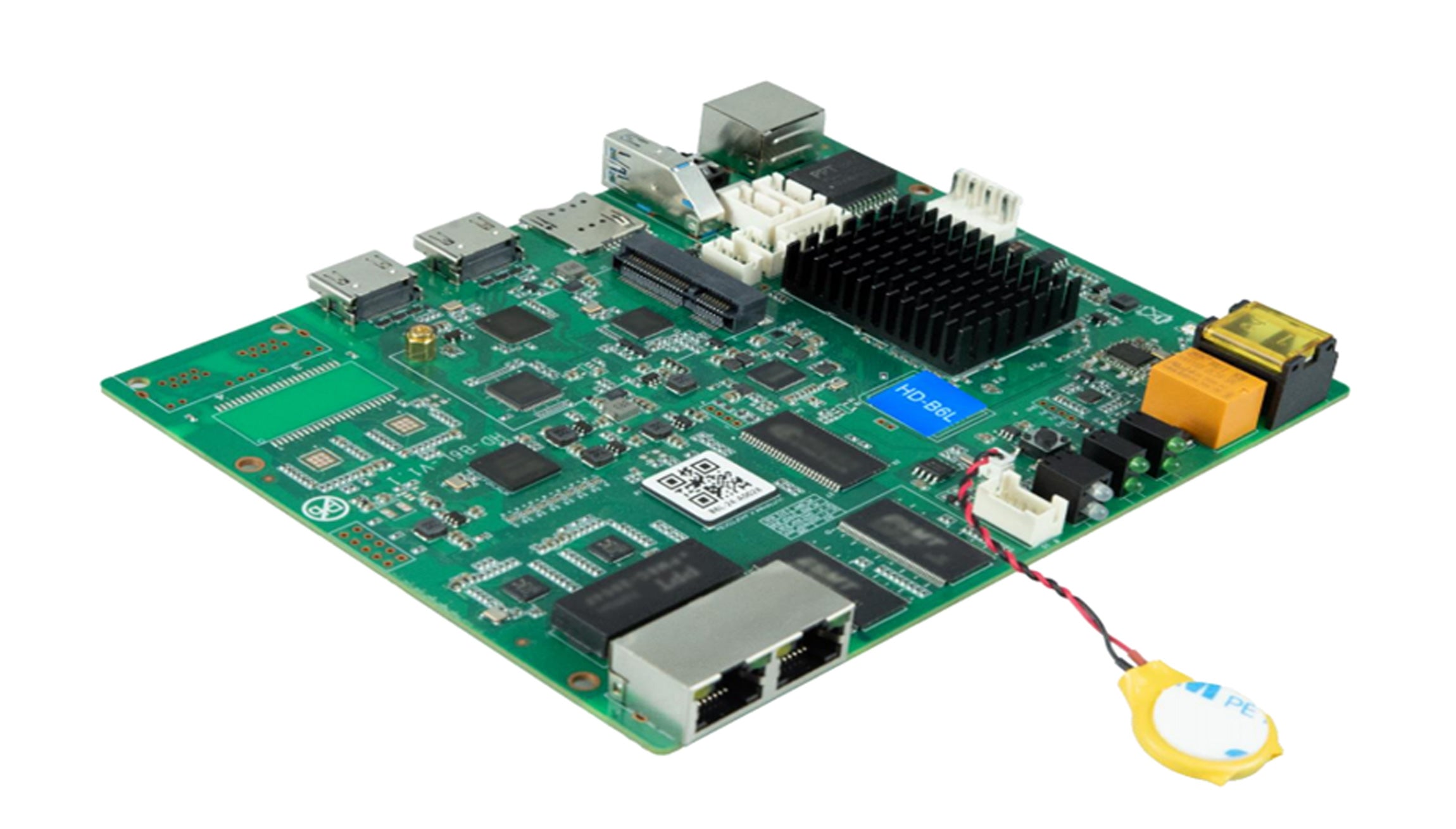
The two related controllers have different limits. Huidu lists 1.3 million single-unit pixels and up to 5.24 million in a splice for the HD-B8L。 のために HD-B6L, it lists 1.3 million on one unit and up to 2.6 million for the joined display. The shop’s linked B6L V1.0 仕様 also documents the 2.6-million combined figure. Use each model’s limits with its own documented architecture. Check the exact configuration and hardware revision before pricing a substitution.
| モデル | Listed single-unit load | Listed joined load | Listed maximum units | 購入に関する示唆 |
|---|---|---|---|---|
| HD-B8H | 2.6万画素 | 8.8万画素 | 14 | Check the reduced video-window allowance when joined load exceeds 8.29 million. |
| HD-B8L | 1.3万画素 | 5.24万画素 | 14 | Check combined pixel load even if every member fits on one player. |
| HD-B6L | 1.3万画素 | 2.6万画素 | 10 | Confirm the joined area and proposed mode before quoting multiple units. |
02. Give the content team its own limit
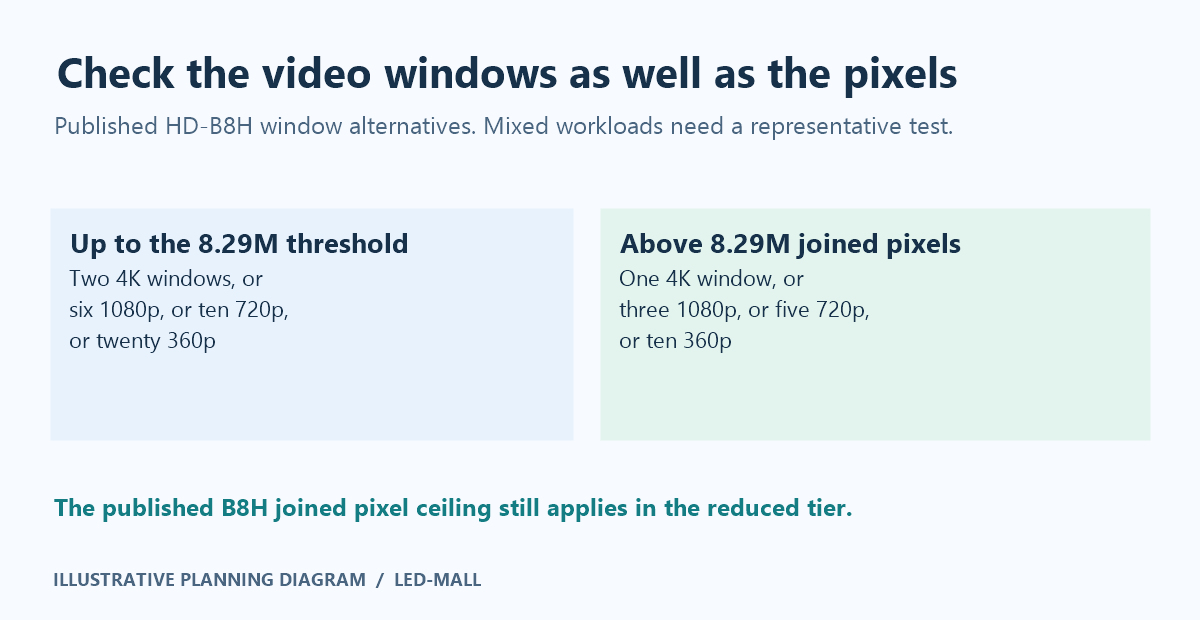
For the B8H, Huidu lists alternative decoding configurations of two 4K, six 1080p, ten 720p, or twenty 360p video windows and identifies a reduced allowance above 8.29 million joined pixels. The reduced configurations are one 4K, three 1080p, five 720p, or ten 360p. These are alternatives in the manufacturer’s table. If the job mixes source sizes, graphics or live feeds, have the supplier confirm the exact combination instead of treating these rows as a formula for mixed programs.
Ask the artist for a list of the videos that must move at the same time on each page of the program. Include the file dimensions, format, frame rate, planned area and whether audio matters. An installation that loops one large clip has a different requirement from one running separate moving tiles and a full-width banner. Confirm it in the selected splice mode, even if the same clips played correctly when a poster was tested alone.
2. Work out the load before laying out the video
01. Count actual LED pixels
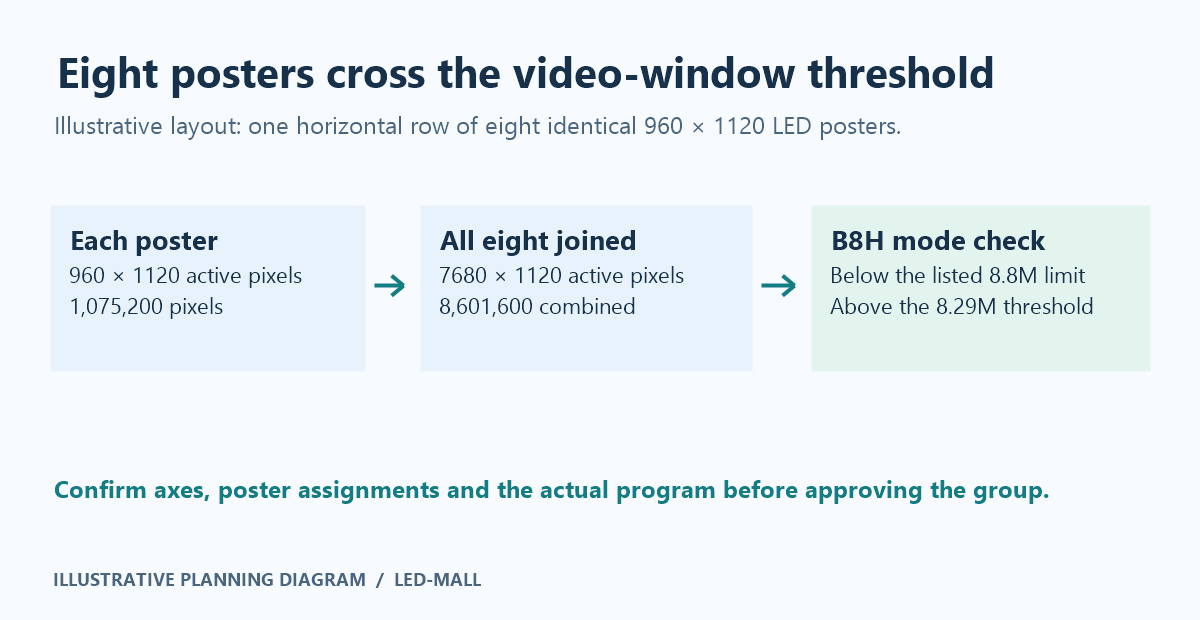
Record the active LED pixel dimensions for each poster. Keep the physical width, pixel pitch and video file dimensions in their own fields. A cabinet that accepts a 4K source can still contain far fewer than 4K physical pixels. For identical, touching posters in one horizontal row, multiply their number by the active width of one poster and keep the height. For example, eight 960 × 1120 posters make an uninterrupted 7680 × 1120 pixel canvas under the arrangement used here.
Each hypothetical poster contains 1,075,200 pixels. Eight of them contain 8,601,600 pixels, within the B8H’s listed 8.8-million splice budget and above the published 8.29-million window threshold. There are only eight units in the layout. The calculation clears those headline numbers while putting the proposed program into the reduced tier. It remains a candidate until the exact mapping, orientation, axes, hardware and media test pass.
| Poster count | Joined canvas | 結合されたピクセル | 検証の決定 |
|---|---|---|---|
| 4 | 3840×1120 | 4,300,800 | Fits the B8L and B8H catalog totals; check the precise splice mode and media list. |
| 6 | 5760×1120 | 6,451,200 | Exceeds the B8L’s 5.24-million total; B8H remains a candidate. |
| 8 | 7680×1120 | 8,601,600 | Within the B8H headline joined total and above its reduced-window threshold. |
| 9 | 8640×1120 | 9,676,800 | Exceeds the B8H’s listed joined total despite using fewer than 14 units. |
02. Put rotated or separated posters on a drawing
For different poster sizes, gaps or rotated units, give the integrator a coordinate drawing. Add the active rectangle for each element, its orientation, the strip or receiver map within it and its intended place in the logical canvas. Ask how the selected mode calculates the canvas and whether it includes unused regions. A simple sum of lit pixels is enough for the flush example in the table. A real irregular layout also needs confirmation in the software and a test with the specified group.
Check the separate axis limits in the document for the selected model and configuration. Huidu’s B-series table gives large maximum dimensions for some models. The maximum width and height are individual checks, and the joined total still applies. If the project specifies a custom asymmetric shape, ask the seller to confirm the final dimensions and mode in writing before the cabinets or controllers are ordered.
Budget a planned extension as a separate layout now if the cabinet order is expected to grow. The six-poster and eight-poster layouts in the example could use similar looking hardware. Adding two posters raises the joined load by 2,150,400 pixels and crosses the window threshold. If an opening-day program uses four simultaneous 1080p clips, carry that requirement into the future version. A quote that approves only the first geometry leaves the content team without a tested upgrade path.
Keep a separate row for a portrait display if the designer proposes turning one unit at the end. Label the coordinates from the visitor’s view and show the image on a simple sample page before adding the videos. Where a gap appears between cabinets, decide whether the artwork should bridge it visually or move directly from one edge to the next. The chosen layout can affect the logical dimensions even when cabinet count remains fixed.
3. Define what the joined wall must play
01. Write down which windows overlap in time
For the eight-poster example, a draft with six independent 1080p videos at once follows the larger allowance, while the published reduced tier lists three 1080p windows. If all six must move simultaneously, flag the conflict before booking installation. Ask whether the publisher can combine artwork into a prepared clip, change which videos overlap in time, or use a different verified architecture. A change to the content plan still needs a rendering test on the intended canvas.
List the simultaneous windows for the opening screen, the busiest content page and any transition that leaves media running. Give each file a version name. A screenshot of the finished design shows where the art sits; the program timeline and actual files establish what the controller has to decode. Ask the buyer to approve the version used at the demo, including any intentional limits on content replacement.
When considering a single prepared clip, put the intended program into writing before pricing it. A prerecorded composition may let several areas move inside one video window, provided the export and desired presentation are supported and approved. It changes editorial flexibility. Replacing one region of the composition can require a new export of the whole asset. Let the content owner choose whether that constraint works for its update schedule and confirm the delivered file on the joined wall.
If the operator needs independently updated regions, keep the moving windows separate in the media list. Group pages by their peak simultaneous requirement, including transitions with more than one active item. Treat a live source used during special events as another condition to validate under the selected mode. Ask for two test pages when an event layout and the everyday schedule make materially different demands.
02. Map the chain and choose a commissioning pattern
Provide a signed-off sketch of the front view and number the posters in their intended image order. Label the source unit and each downstream HDMI connection with the relevant hardware and splice mode. A receiver or module path within a poster is a separate part of the map. Have the installer confirm how the firmware and manual assign source and destination roles for the project; a product with an HDMI connector on both ends still needs a supported topology.
Make a sample page that includes large poster numbers, left and right edges, a moving bar across the joins, and the actual video files the customer expects to use. Give each key file or window a mark that stays visible. From the viewing position, check whether the entire artwork remains in frame, adjacent tiles agree on the boundary and the intended windows play together. A static numbering page helps isolate orientation and mapping before the full motion program puts the decoder under load.
4. Run a sample test in the actual joined mode
01. Check the pattern first, then the real workload
Record the exact controller SKU, board and firmware revision, installed software versions, pixel dimensions and media inventory in the test sheet. With the intended hardware linked and configured, check each poster ID, rotation, edge and first or last module group. Run the busiest planned program for the agreed test interval. Observe window initiation, playback through a complete loop, image boundaries and any required audio. Use the buyer’s acceptance criteria for dropped content, frame interruptions or recovery time.
| チェック | 証拠 | 決定 |
|---|---|---|
| Logical canvas | Configured dimensions and orientation match the approved plan; every ID appears once in the right place. | Resolve geometry or order before changing the media. |
| Busiest program page | All approved windows play together through a complete loop on the joined canvas. | Revise the workload or hardware if the specified program fails. |
| サービスに戻る | Recorded motion page and joined layout are restored after a controlled restart. | Agree on the recovery workflow and demonstrate it again if required. |
| サービス記録 | Verified cable order, configuration export and media versions are stored with the quote and delivered equipment list. | Finish the record before accepting a recurring installation or ordering spares. |
02. Preserve the reference program for later changes
Save a clean copy of the accepted content and keep the player configuration with it. Under the approved service procedure, return the system to its normal state after a controlled restart. Check that the map, source selection and visible page match the expectation. A restart test matters whenever a location opens without an integrator present. Give the operator the approved configuration and the version of the installation diagram that matches the completed group.
For a rollout of several groups, keep a reference for each geometry rather than sending the same configuration to all sites by default. A future content upload can change the required number of active windows. Agree who approves a new layout and what they test before it goes live. If the content style depends on the higher window allowance, request a separate approval before expanding a group beyond the documented threshold.
5. Carry the tested design into the purchase
01. Ask for a linked equipment and program schedule
Attach the equipment list to the joined drawing and the tested program. On the equipment list, show the exact controller SKU for each position, the receiver configuration, the proposed cable order and any spares. On the program sheet, list the approved window counts and sizes. A quote can identify a replacement model or hardware revision, but the buyer still needs to know which approved geometry and program that part was tested against. Ask the supplier to state the test assumptions if a quoted configuration differs.
For an existing group, start with photos of the labels and installed connections. Record the unit that supplies the primary picture and the cables feeding each subsequent poster. Export the supported configuration and save an unedited copy. If the existing group can display a numbered test pattern, capture a front-view photo against the connection drawing. That record gives the buyer a way to judge whether a proposed spare is a drop-in replacement or requires a revised setup.
02. Make the handover repeatable by the site team
Have an operator start with the saved configuration and open the agreed program without being told the intended outcome. Ask them to identify the first poster, the mode running across the group and the file revision being displayed. Give them an approved way to return to the reference program after an update. A successful handover lets someone at the site confirm the expected layout without reconstructing the commissioning process.
List the changes that require a fresh test. Splicing more posters, swapping a controller revision or introducing additional moving content changes the conditions in this guide. Add those triggers to the support record. If the facility expects changes to the content without a technician on site, arrange a sign-off for editing tasks and keep a protected copy of the approved program for recovery.
In the acceptance report, record a specific opening picture, a test loop and the orientation rule for every poster. Document the chosen media format and original exports as well as the edited program. When a unit is replaced later, the site team can compare the restored layout with the same reference and look for a mismatch at an identifiable boundary. This is especially useful for a poster group that moves between venues as a single installation.
よくある質問
Do fourteen B8H players always fit in a splice?
Check total joined pixels, individual poster load, axes, model pairing and media demand against the configuration. The unit limit and pixel limits are separate.
Does a single 4K clip require a physical 4K LED surface?
Media decoding and LED pixel loading describe different parts of the design. Verify the supported file and the intended scaling or placement on the actual canvas before signing off.
Do all the alternative video-window counts apply together?
Read the listed configurations independently. For mixed resolutions or a combination of live and stored content, confirm the exact program through the supplier and a representative playback test.
Can I use one B8L as a spare in a B8H group?
Ask for an approved substitution and verify the permitted models, firmware, geometry and workload. A visually similar controller can have a different joined load and different feature support.
What if the calculated group is near the 8.29-million threshold?
Keep exact integer pixel dimensions in the configuration evidence. Ask which threshold the supplied firmware applies before relying on the larger video-window tier.
What if a new advertisement adds two more motion windows?
Compare the updated page’s simultaneous demand with the approved window plan and retest it on the joined wall. Saving the approved version gives the operator a known program to restore.
Request a quote using the joined layout
Send LED-Mall your poster geometry and media list. Include the width and height in pixels of each unit, intended joined canvas, orientation, connection order, source mode and highest simultaneous program demand. Ask which exact controller, hardware revision, accessories and test assumptions the quote covers. If the project crosses the published 8.29-million threshold, ask for explicit confirmation of the proposed windows and the configuration used to demonstrate them.