

LEDMall-Blog
VX1000 Pro HDMI Loop: Plan the Six-Device Limit
November
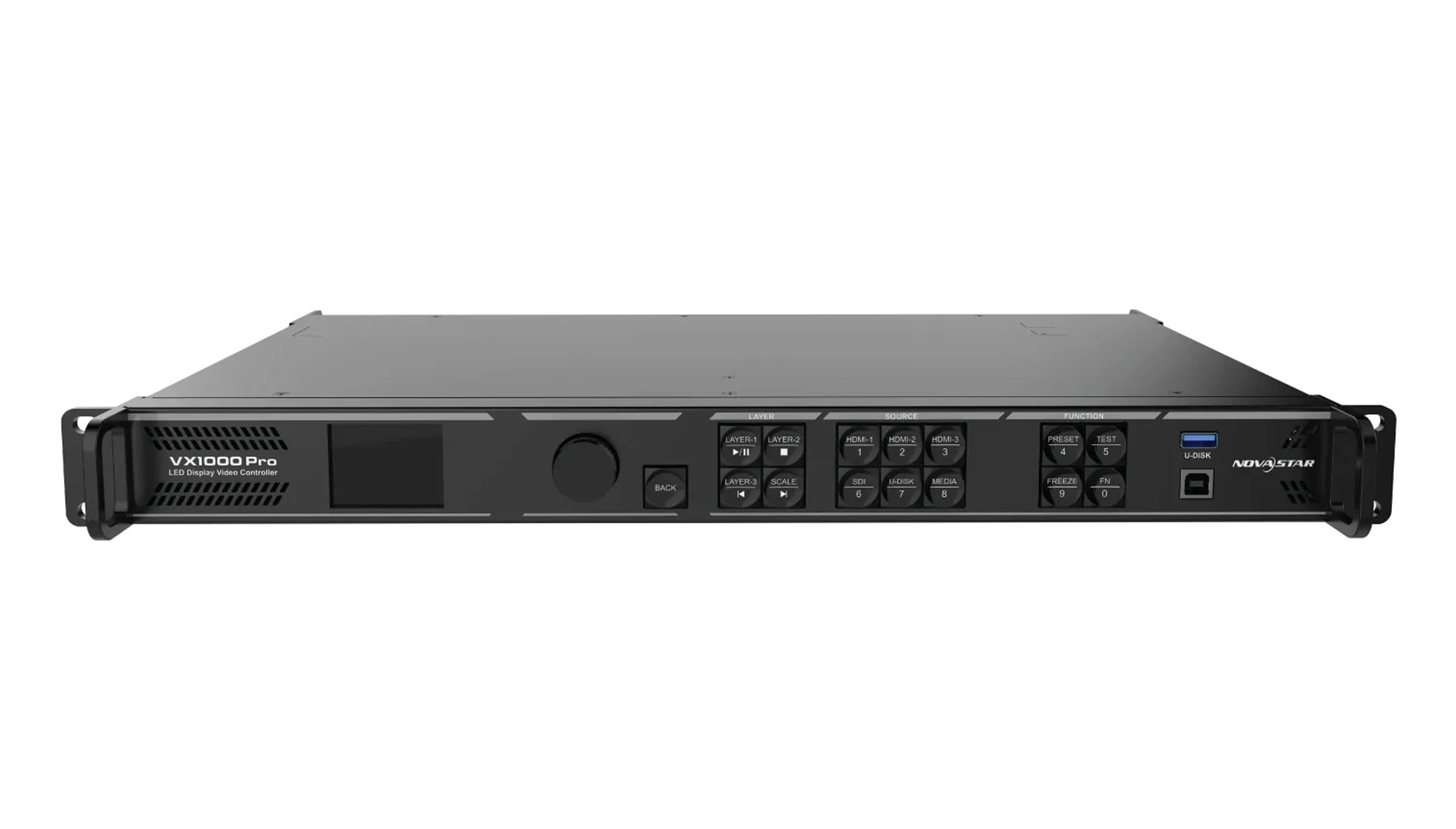
VX1000 Pro HDMI loop planning starts with the device count. NovaStar’s Specifications V1.4.0 supports HDMI 2.0 loop output with up to six devices cabled in one loop. Record every controller in the proposed sequence, confirm the source format and verify each connection before accepting the equipment list.
This guide is for an AV integrator specifying how to distribute an HDMI source across several controller positions. The purchase needs an identifiable signal route, the correct connector at each endpoint and a demonstration of the intended sequence. Include every required position in the acceptance record.
The technical reference is the VX1000 Pro All-in-One Controller Specifications V1.4.0, released July 30, 2026. The examples illustrate hypothetical purchasing reviews. Confirm the specific source, controller versions, cables and adapters with the supplier.
Count the devices in the proposed sequence
For VX1000 Pro HDMI loop approval, list the controllers in their intended order and count the complete proposed sequence. Apply the published limit of six devices to the loop as a whole, starting with the first controller in the route.
Consider a hypothetical quotation that specifies one controller at the operating position and six additional units farther along the route. The proposal requires seven controllers. Ask the supplier for a documented distribution arrangement that accommodates all seven before accepting the equipment and cable list.
Das VX1000 Pro product reference identifies the model under discussion. Keep its full name in the request. If the equipment list uses the VX1000 Pro alongside another model, ask the supplier to confirm that exact combination against the applicable documentation for each device.
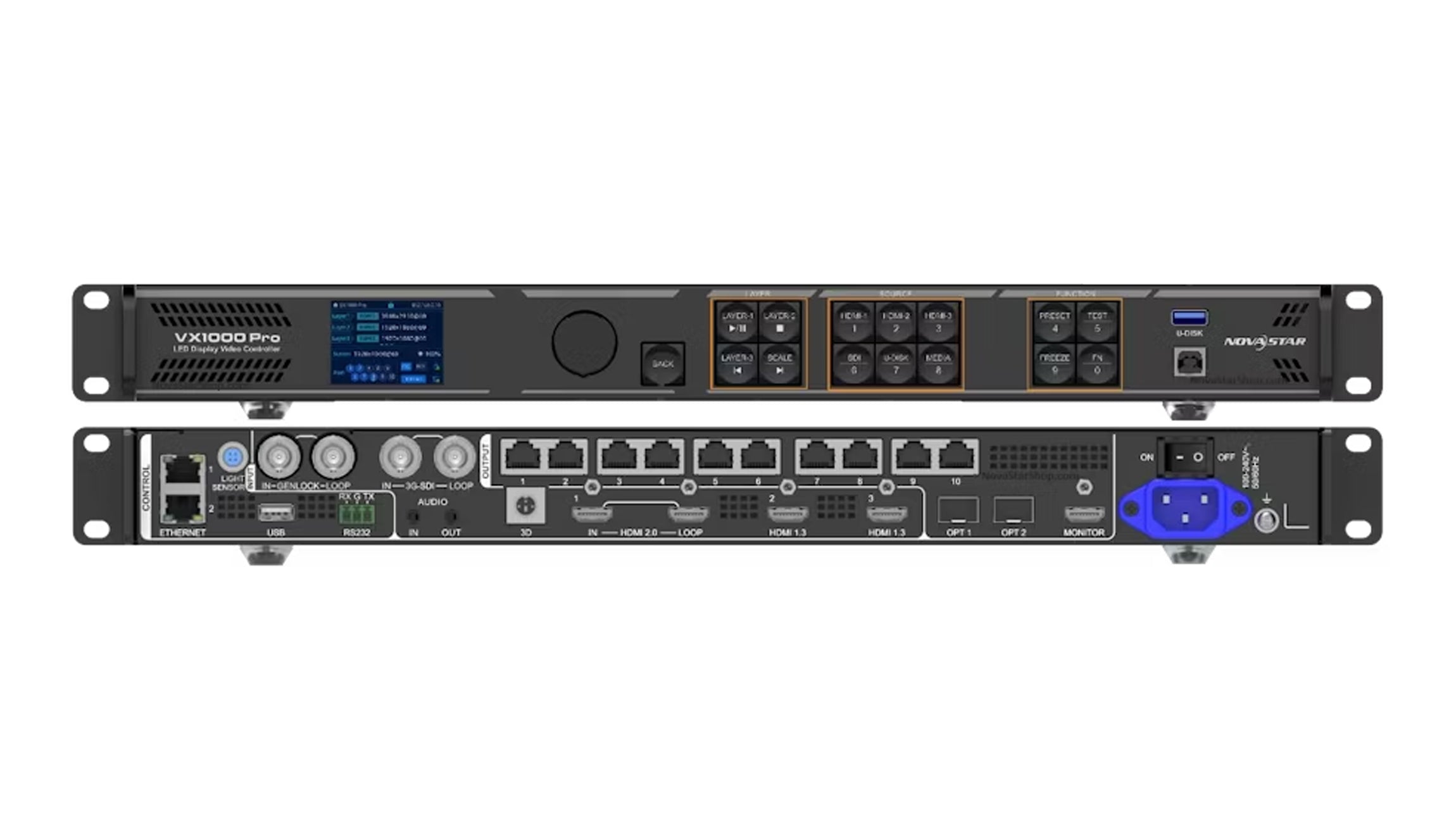
Write the source separately from the controller sequence. Give each controller a location or an equipment identifier so the supplier can relate the drawing to the order. Include the endpoints of each cable to make the device count and commissioning order clear.
Identify the VX1000 Pro HDMI loop connection
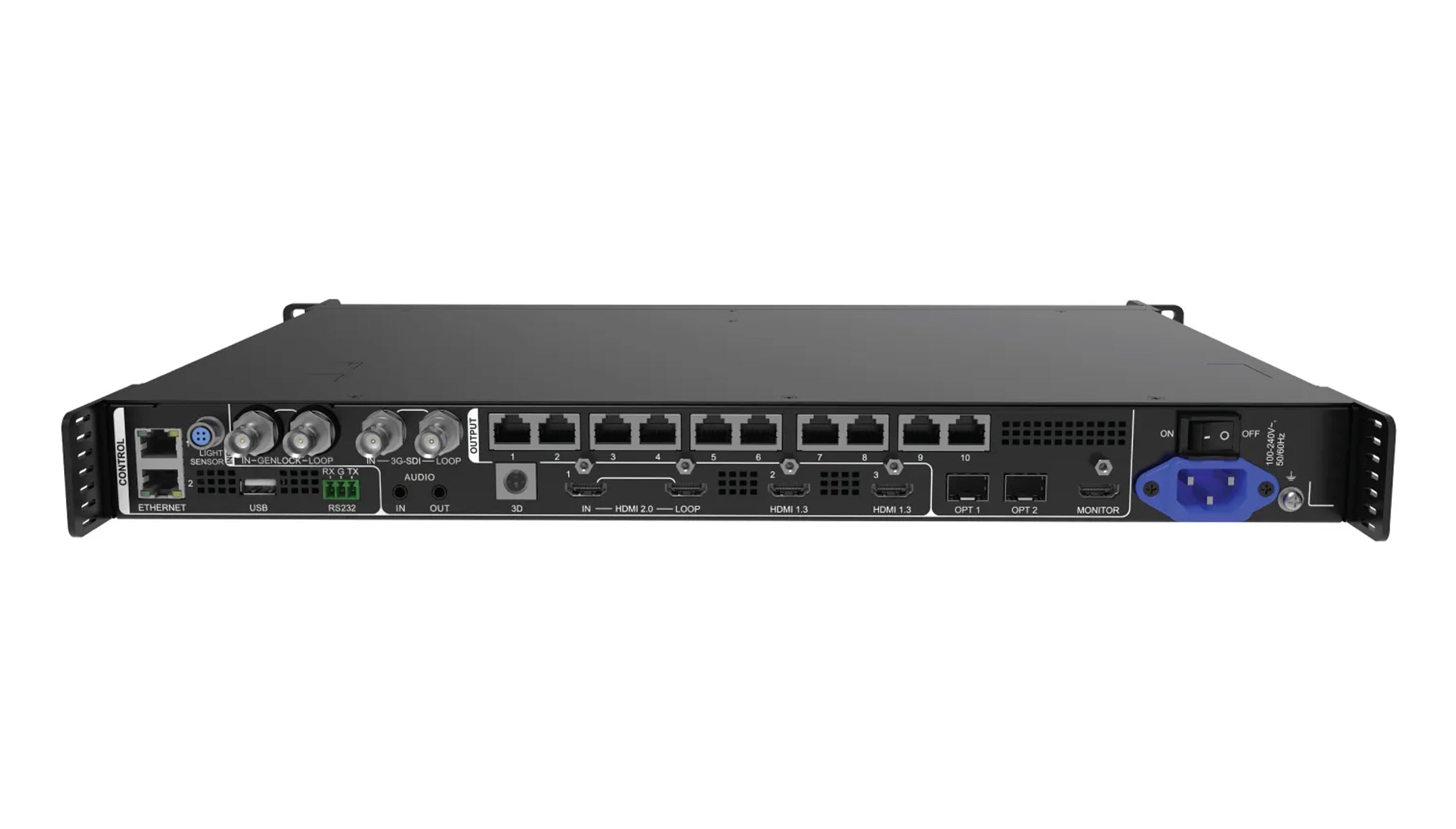
The specification associates loop output with the HDMI 2.0 input and identifies a separate HDMI 1.3 output for monitoring. Label the exact connector at each end of every proposed link. Match those labels to the quoted units when reviewing the rear-panel layout.
A VX1000 Pro HDMI loop request should state what the next device needs to receive. If it requires a processed layout, a different selected source or USB playback, ask the supplier to confirm the supported signal arrangement for that requirement. Retain the answer with the connection drawing.
Keep computer-control communication on its own drawing layer or schedule. Test software access to the intended controllers and verify the HDMI picture at the required positions. The two checks validate different parts of the installation.
| Verbindungsanforderung | What the drawing should identify | Anzufordernde Nachweise |
|---|---|---|
| Source entering a controller | Source-device output and actual HDMI input label | Source format and the intended picture at that controller |
| Continuation to another controller | The HDMI LOOP endpoint and the next device’s input | The complete proposed device sequence, within the documented limit |
| Überwachungsanzeige | The separately designated monitoring output and display | Confirmation that its output meets the monitoring requirement |
| Computersteuerung | Computer, control connection and addressed controller | The required software operation on the intended equipment |
If a drawing shows the MONITOR port feeding the next controller, verify the intended signal and correct the connector labels before ordering. Specify which feed the technician should see on the monitor and which feed each controller should receive.
Review the source and every link in the route
VX1000 Pro HDMI loop device count is one check within the source review. Record the actual resolution, frame rate, color format, bit depth and any content-protection requirement. Have the supplier confirm the exact combination and the proposed connection hardware for that route.
List each cable and any adapter or extender as an identified item. Include its intended endpoints and installed length. The six-device statement gives a device-count limit. Ask the supplier to confirm the required cable lengths and accessories for the actual signal format.
For a hypothetical installation, the supplier may demonstrate one short bench link while the final route includes several longer links and an adapter. Record the differences in the purchase file. List which connection details can be demonstrated before shipping and which require a site test.
Use the same source record when requesting VX1000 Pro HDMI loop accessories. If an integrator changes the playback laptop or an accessory after approval, document the substitution and repeat the affected checks. This gives the installation crew a record of which equipment was demonstrated with each timing and signal format.
Die getrennte VX1000 Pro USB playback explanation addresses local file playback. If the show calls for a stored program, document that source path separately and check when the operator is expected to use it.
If a backup player is part of the show, give it its own source line in the purchase file. Two players can share a resolution while using different color settings, so ask the vendor to confirm the actual output from each device. Identify which segments are venue-supplied and mark any model or length that is pending. During the handover, compare the installed cable list with the approved one and carry forward any connection that still needs a test.
Define what the supplier will demonstrate
A VX1000 Pro HDMI loop acceptance record should identify the source, controller models and versions, connection sequence and exact cable or accessory list. State the required picture at each position and record the result for the complete arrangement. Identify any remaining position as an open acceptance item.
Ask the supplier to demonstrate the intended format through the proposed sequence. Use an identifiable reference picture and confirm the result at each required controller position. The responsible integrator should select the procedure, record which connections were exercised and note any temporary substitute or omitted position.
Record any failure-coverage requirement separately from normal operation. If the project needs a defined response to loss of the source, a controller or a connection, specify which positions must remain available and ask the supplier to demonstrate the supported design under that condition.
Identify who supplies the source equipment, cables and conversion devices, who prepares the settings and who performs the demonstration. The equipment quote and acceptance scope should name the same route. If a service is optional, ask the supplier to quote it separately so purchasing can compare the complete scope.
Häufig gestellte Fragen
Is the MONITOR connector an alternative UHD continuation output?
The specification gives the separate HDMI 1.3 monitoring output a fixed resolution of 1920 × 1080 at 60 Hz. Check that output against the intended monitoring display’s input. For UHD continuation, have the supplier verify the proposed HDMI loop route and exact format.
Does the six-device limit apply to computer-control cascading?
The specification separately lists up to five devices cascaded through the USB and Ethernet control arrangement. Check the proposed management connection against that control limit and keep the HDMI device count in the video-route record.
Will later devices keep receiving the picture if an earlier controller loses power?
Powered-off pass-through requires separate verification. If the show depends on it, request a model-specific answer and demonstration with the proposed equipment. Record which positions remain available during the agreed failure scenario.
Request a loop-route review
Send the source model and exact format, the ordered controller sequence, each connection endpoint, cable lengths and accessory identities. Include the monitoring and control requirements as separate items. Ask LED Mall to review the VX1000 Pro HDMI loop proposal before finalizing the equipment list and acceptance scope.