

LED商城博客
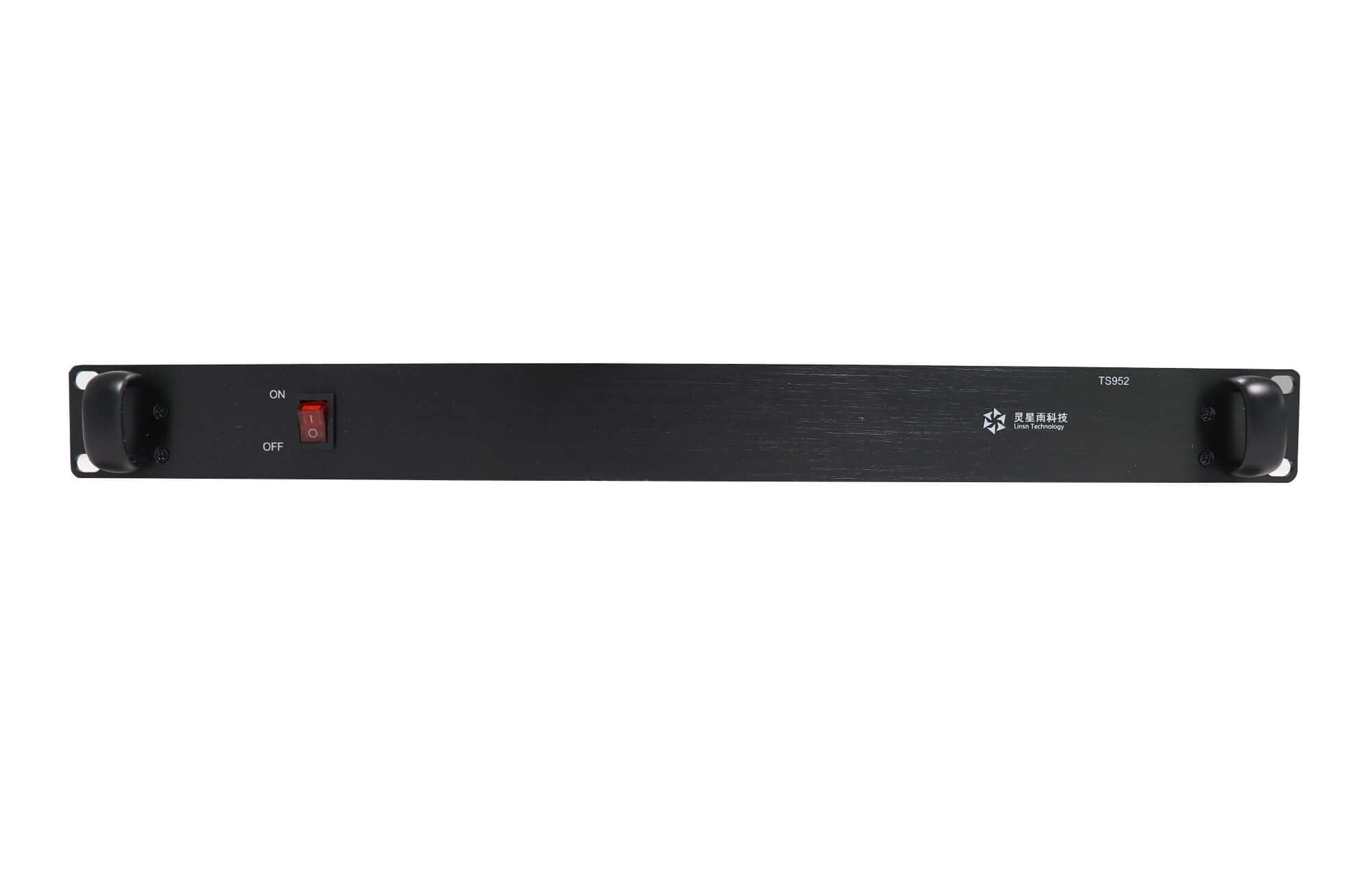
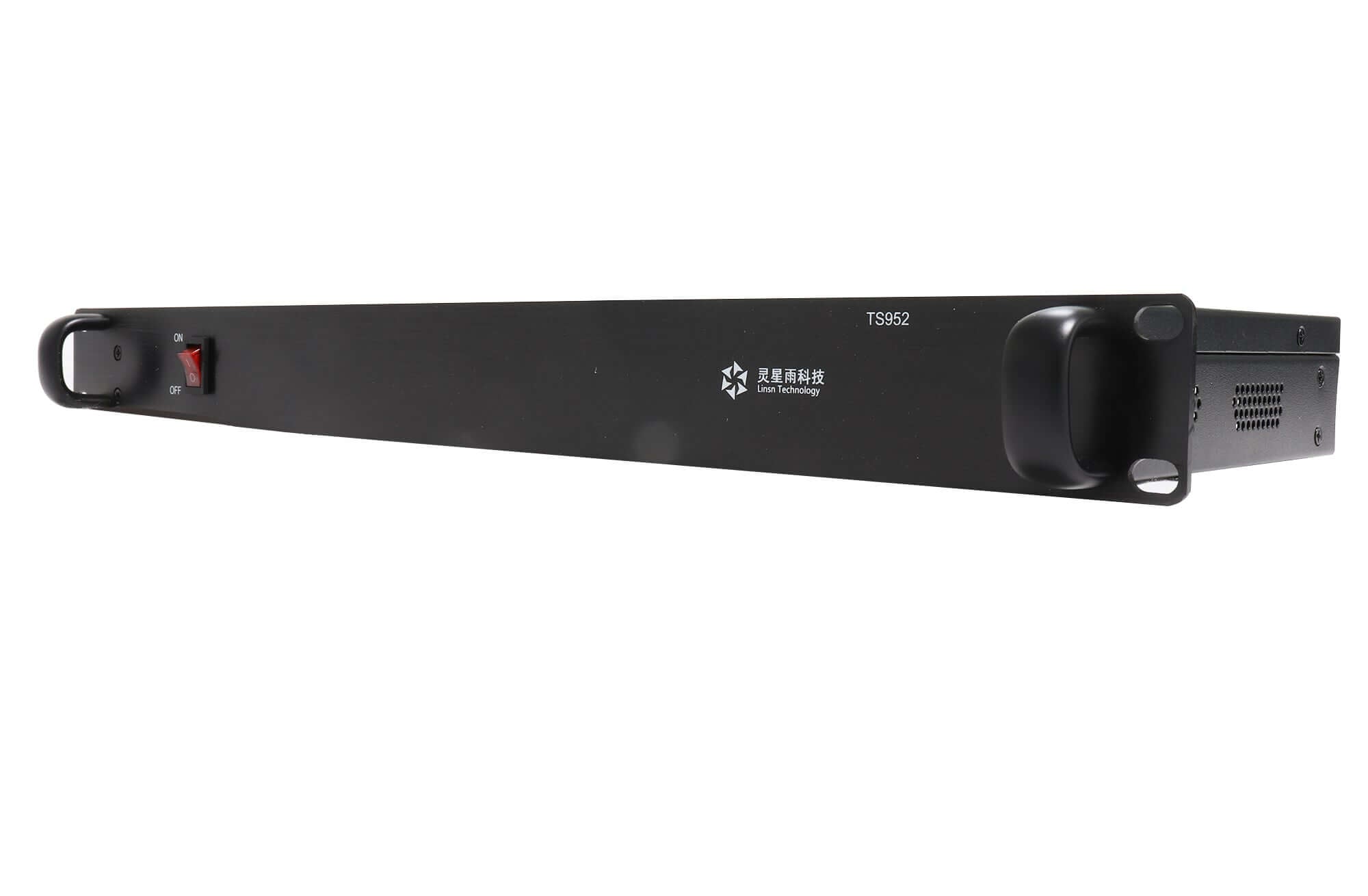
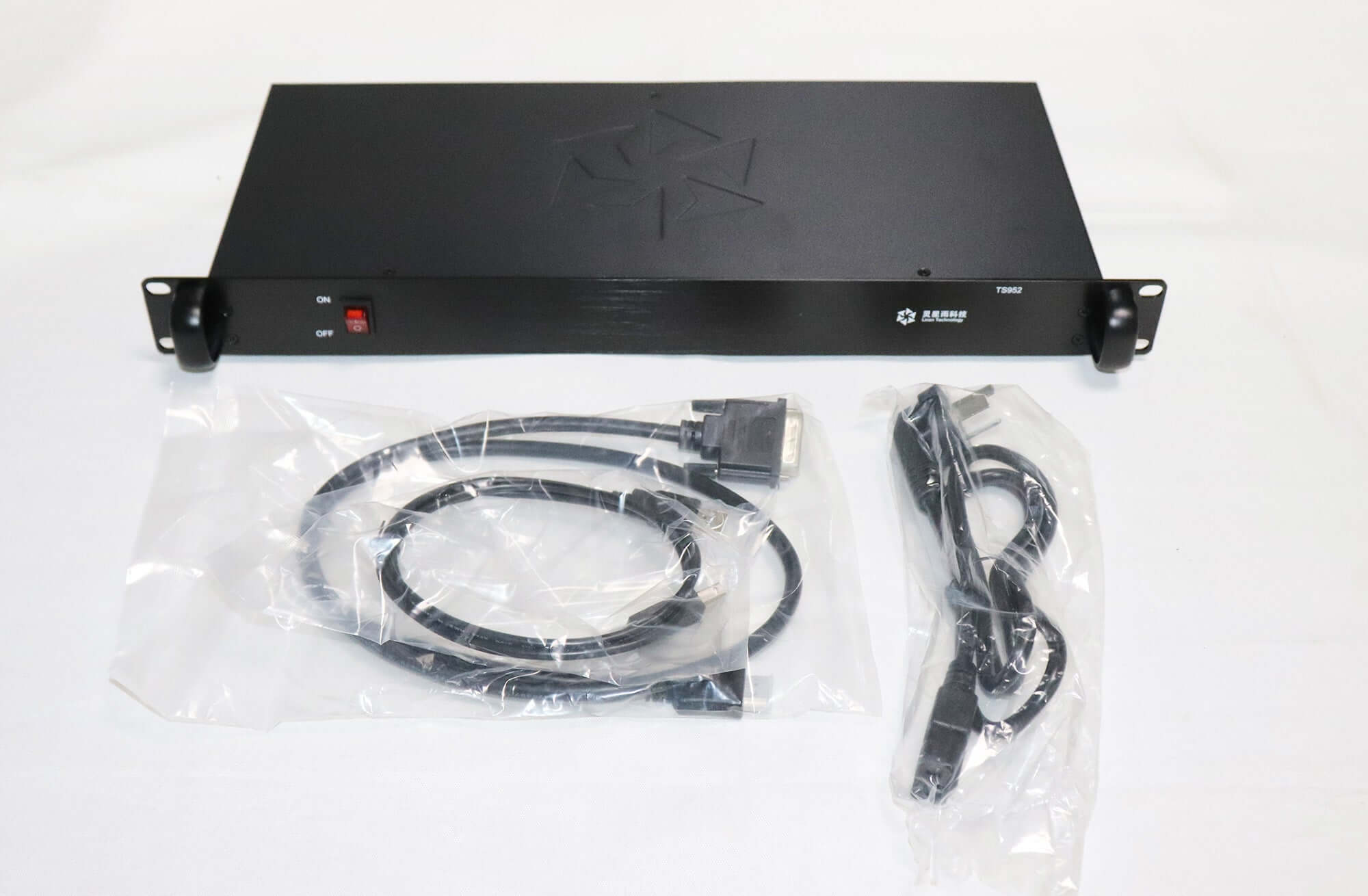
Linsn TS952 自動亮度調節器,配備 LP210 感應器
十一月
Commission Linsn TS952 automatic brightness by checking three things on the installed display: whether the LP210 sees the right ambient light, whether the sender responds at the right times, and whether the resulting picture meets the site’s daytime and evening limits. Linsn’s TS952 specification identifies a dedicated light-sensor connection for automatic adjustment. The LP210 listing names the TS952 among the supported senders. That pairing gives you a way to adjust brightness. The project still needs its own location, settings, and acceptance checks.
Consider a storefront LED screen that faces afternoon sun and shares a street with apartments. The display needs to stay readable in the sun, then dim before its brightness becomes a problem after dark. A sensor recessed under a canopy may report shade all afternoon. A probe aimed at the road may respond to headlights after dusk. Both can make a compatible sender and sensor a poor fit until the installer moves the probe or changes the way the system uses its readings.
1. 檢查 Linsn TS952 自動亮度調整硬體
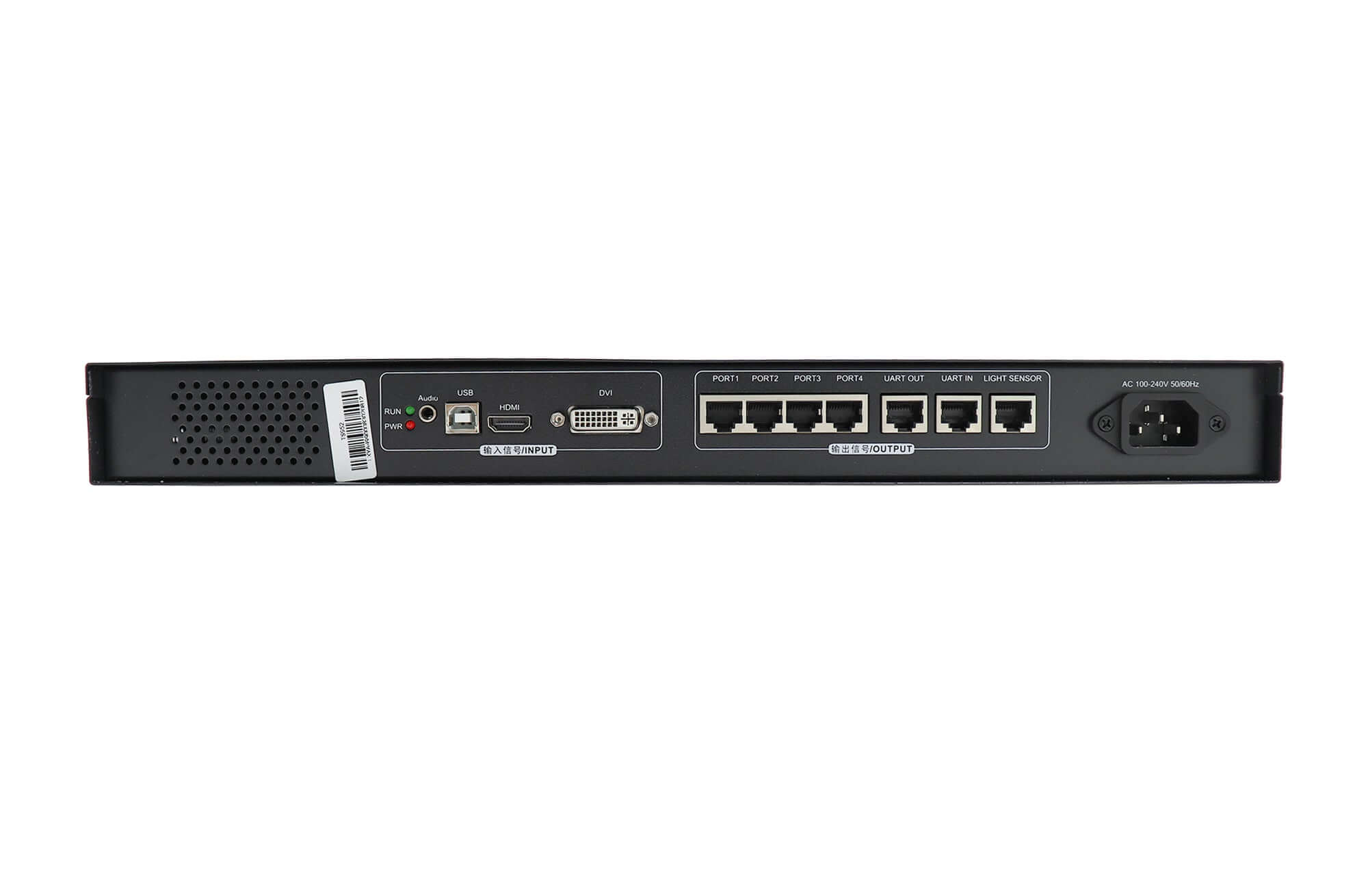
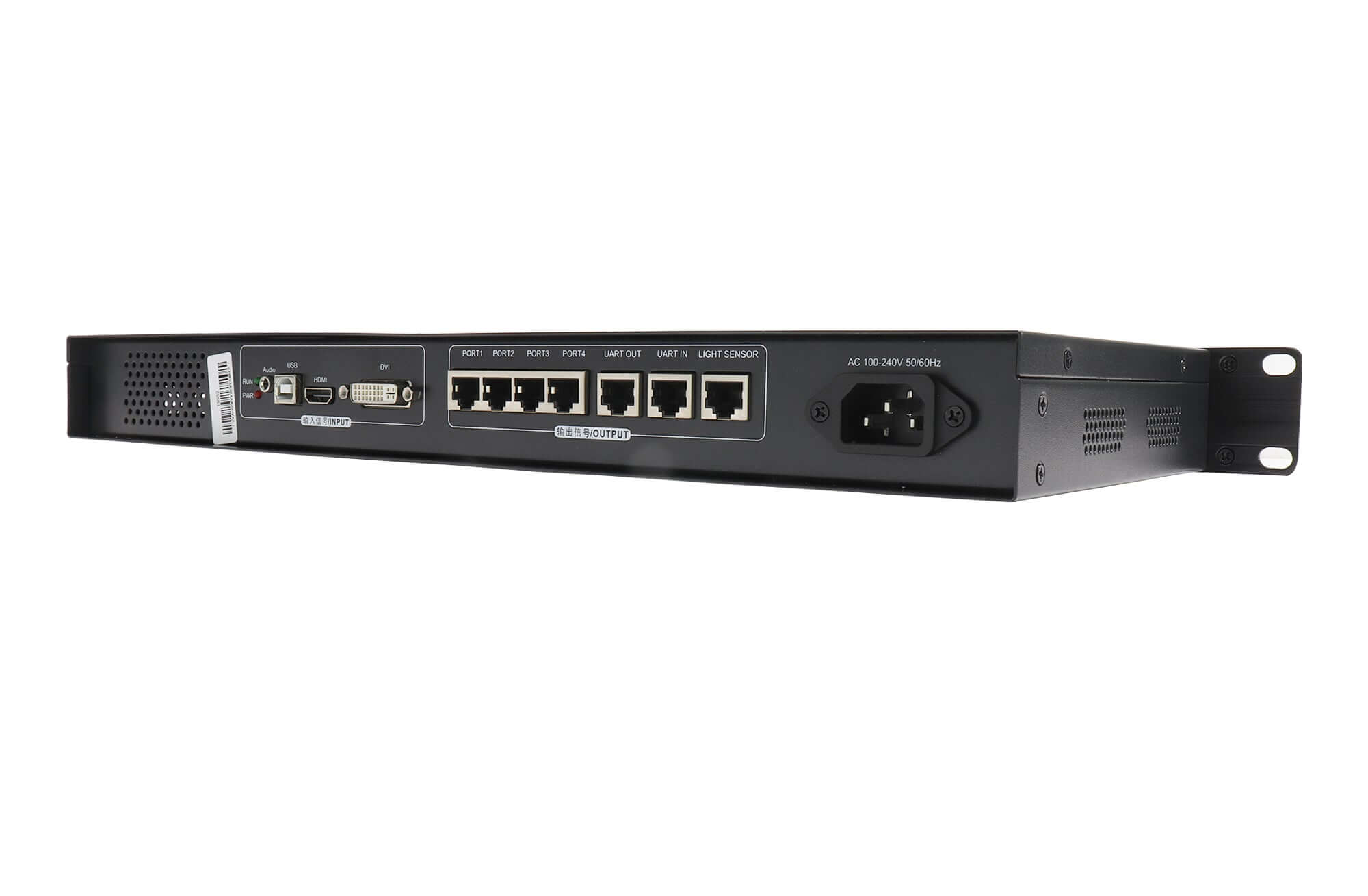
查看底盤上的標籤。 Linsn TS952 sending box and match its rear panel to the specification for that exact model. The V1.4 rear-panel diagram identifies position 11 as the light-sensor connection for automatic brightness. The LP210 sensor listing 型號包括 TS952、TS952 Plus 和 TS962。請供應商確認您將收到的 TS952 的探頭和配套連接器。如果您已有外殼或舊電纜,請提供兩端的清晰照片,並在訂單中註明所提供線束的名稱。
01. Confirm the sensor path in the real installation
Linsn’s broad automatic-brightness support article describes a multifunction-card installation. Its LedSet V2.7.6 manual also identifies options for allowing light-intensity sensing at a sender. The exact TS952 specification shows a dedicated sensor connection at the sender. Use that model-specific hardware drawing and confirm the instructions for the delivered LP210 and software revision. A screenshot of a different sender or multifunction card may name useful features while showing a different sensor path.
記錄設備讀取探頭的方式以及 Linsn TS952 自動亮度調節的啟用位置。在預組裝過程中,使用臨時遮光罩或適當的測試光源輕輕改變感測器處的光線,並觀察讀數是否按預期方向變化。如果讀數保持不變,請檢查所選軟體視圖是否顯示了目標設備,以及是否啟用了感測功能。在變更輸出值之前,請檢查實體連接和所有提供的線束。請遵循製造商的操作和連接步驟。
02. 記下所有影響亮度的設定。
Record the existing manual brightness, any schedule, and the automatic adjustment mode before you start. Include the sending box, its firmware, the LedSet version, the screen configuration, and any software that may change brightness at particular hours. A technician trying to tune a dusk response can misread a scheduled change as a sensor event. During the agreed test window, have the owner approve which controls should govern the screen, then record the active combination when taking measurements.
Keep a record of the approved manual operating value or action for use if the automatic input becomes unreliable. Linsn TS952 automatic brightness should be accepted as part of a real system with a named fallback procedure. Confirm with the supplier what the delivered unit actually does on loss of sensor data, including whether it holds a value or requires operator intervention. The exact result has to come from the tested build.
在車間,在機箱關閉前,使用預定的線纜組件準備相同的發射器和探頭。如果已安裝的線纜組件不同,請使用此線纜組件再次進行測試。記錄探頭讀數的來源以及保存配置的步驟。 Linsn TS952 自動亮度設定即使在斷電重新啟動前有效,也需要使用已批准的啟動順序進行持久性檢查。如果操作過程中的任何部分必須運行管理計算機,請記錄此依賴關係並確認負責人。
2. 選擇一個能接收到典型環境光的位置
在確定電纜長度或鑽孔安裝外殼之前,請先選定感測器位置。在擬定位置,觀察在可能出現的明暗時段的光線來源。遮光罩可保護探頭免受特定光線或天氣的影響,但該位置仍需能夠感知對顯示至關重要的環境變化。請核實所提供零件的環境等級和安裝要求,並使用經批准的防護措施和佈線方案進行安裝。
Walk to the approach where viewers use the screen. Ask how daylight washes across the LED face and whether the installer’s proposed sensor location experiences a similar change. For a shopping facade, the sensor could remain in building shadow while low sun reaches the screen. For a roadside display, broad evening dimming matters more than frequent changes caused by individual vehicles. The test point should be representative enough for the chosen brightness policy, even if its lux reading differs from the value measured at the wall surface.
觀察顯示器自身發出的光線。玻璃面板或光亮的支架可能會將大部分為白色的邊框反射到探頭上。為了發現這種情況,請在受控檢查過程中保持環境設定穩定,並在經過驗證的暗參考和亮參考之間切換。等待讀數穩定。如果顯示內容變化後感測器讀數發生較大變化,則需要檢查反射或移動探頭。這與LED顯示器上影像之間的正常亮度差異不同。
| 安置條件 | 潛在結果 | 安裝前如何驗證 |
|---|---|---|
| Probe under a deep canopy | 當強烈的陽光照射到牆上時,它的讀數仍然很低。 | 將建議的拍攝點與陽光直射顯示器時的第二個戶外拍攝點進行比較。 |
| 在街道或停車場入口附近探測 | 天黑後,臨時車燈光束可能會影響讀數。 | Observe a typical evening or use an agreed controlled light challenge from the relevant direction. |
| Probe near reflective trim or glazing | The LED wall’s own graphics can change what the probe sees. | 在穩定的外部光照下,將感測器的穩定讀數與暗色和亮色幻燈片參考值進行比較。 |
| Probe moved for easier cable reach | 現在它可能面臨不同的曝光風險,或者以後難以檢查。 | Take a placement photograph and retest the active Linsn TS952 automatic brightness curve. |
Have the installer record the mounting direction, relevant shade or glare sources, and the route to the controller. An independent ambient light meter can help compare locations. Place its sensor consistently and keep its orientation and exposure comparable between visits. Its reading is a field reference for the test. Establish whether the controller’s own sensor display reports lux or some other scale before comparing the two numerically.
For an accessible site with two proposed probe locations, compare the readings at both around the same afternoon and evening windows. Observe where the sign is exposed to sun or artificial light at each time. Keep the configuration fixed while collecting those readings. That comparison tells the installer which physical sampling point to revisit before tuning Linsn TS952 automatic brightness. If only one position can be reached safely for service, note the tradeoff and define how the owner will check it after cleaning, replacement or a facade change.
3. Test the brightness response with repeatable reference conditions
在三種穩定條件下,使用相同參考影像測試 Linsn TS952 的自動亮度調節功能。記錄環境亮度讀數、發送方報告的亮度設定(如有)以及觀察到的或測量的螢幕亮度結果。測試過程中更換影像會使記錄結果難以解讀。使用已定義的白色色塊或網格,並在進行亮度讀數時保持儀表幾何形狀和牆面校準狀態的一致性。
01. Keep three quantities distinct
Ambient illuminance measures light at a location, typically in lux. The sender’s brightness control is a setting or command scale. Screen luminance describes the light emitted toward the appropriate measurement direction, usually in cd/m². A setting of 25 percent on the controller does not establish a measured luminance or a linear percentage of the display’s full output. Modules, calibration, limiting behavior, image content, and measurement geometry all influence what the viewer sees.
例如,範例工作表可能記錄擬定探測位置在日光下亮度為 18,000 lx,黃昏後為 30 lx。這些讀數描述了測試時段的現場情況,但並不代表所需的控制百分比或允許的螢幕亮度。應與專案團隊合作,根據顯示器的測量結果和現場要求設定所需的反應值。在建立實際的 Linsn TS952 自動亮度記錄時,請移除範例值。
Suppose a hypothetical operator log also shows 60 percent on the sender in daylight and 20 percent after dusk. That is a change of 40 percentage points on the control scale. For an installed wall, use the observed screen result and the same test patch at both points to determine whether the actual output changed enough and stayed within the agreed limit. Include the instrument, location, displayed image and calibration state in the record. Avoid comparing an early reading from a white test picture with a later reading from a dim piece of content.
| 新舊程度 | 更改設定前請先截圖 | 項目驗收檢查 |
|---|---|---|
| Stable bright period | Time, probe position and reading, sender command, repeatable display patch. | 檢查已批准的日間能見度要求和任何輸出上限。 |
| 穩定的中間光 | 感測器響應、設定的亮度設定以及對應的螢幕顯示結果。 | Verify the approved intermediate response and look for distracting repeated changes. |
| 穩定的黃昏或夜晚 | Ambient value, active schedule, and measured or observed output from the agreed position. | 檢查該作業的晚間產量要求,並確認是哪個控制項產生的。 |
| 短雜散光 | Direction and duration of the transient, changes at sensor and sender, and screen response. | Confirm the route and available settings give the response required for that site. |
| Sensor unavailable and restored | Observed controller behavior, screen output or manual action, and recovery after restoration. | Acceptance is against the site’s documented behavior in the agreed test window. |
02. Repeat the transition and note how the screen settles
一次性測試可以告訴你螢幕最終停留的位置,而過渡測試則可以告訴你螢幕是如何到達那裡的。記錄從可重複光照條件開始到穩定反應所需的時間。與所有者商定“穩定”的定義,包括任何跳躍或反轉可以持續多長時間。如果測試採用連續的白天和黃昏觀察,請注意環境條件會自然變化。如果團隊需要單獨測量日落後的反應,則應使用穩定的可控光照變化。
Ask the operator to identify which part of the chain changed first. If the ambient reading rises and the control setting stays fixed, check the active mode, schedule and device assignment. If the setting moves and screen output stays unexpected, check the physical wall, its configuration and the reference scene. Movement in all three fields is still only one data point. Repeat in the opposite direction as well so the recorded Linsn TS952 automatic brightness response covers both a rising and a falling ambient level.
4. 移交已接受的曲線和恢復程序
現場驗收 Linsn TS952 自動亮度調整功能後,請保留最終配置、測試表和感測器位置照片。標記設備和軟體版本。保留測量所得的螢幕輸出影像及其測量設置,以便在後續維修後能夠重現測量結果。此記錄應有助於檢查新控制器是否使用相同的設置,以及更換探頭是否仍採集到相同的曝光數據。
錄音畫面在深夜仍保持明亮狀態時的責任方。操作手冊可為操作員提供經批准的手動設定或安全操作規程,以及用於檢查感測器和配置的聯絡資訊。如果當地法規或客戶規範對夜間亮度設定了上限,則應按照規定的測量方法進行驗證。如果初始測量是在模擬陰影或人工測試光源下進行的,則應約定在第一個完整的夜間週期結束後進行重複檢查。
對交付的探頭和線束進行詳細記錄。更換的探頭應與已批准的部件和佈線相匹配,並在至少一種穩定的光照變化下通過簡短測試。如果業主備有備件,請將已核准的零件標籤和最終設定的副本儲存在維護記錄中。如果附近的照明、外牆玻璃或標誌發生變化,請重新檢查探頭位置。
最後,請現場團隊在人工幹預後進行一次恢復自動運行的演練。交接時需包含目前運轉計畫、預期探頭讀數及輸出檢查結果。如果軟體同時支援定時和光觸發兩種運作模式,請確認已安裝的 Linsn TS952 自動亮度設定如何處理這兩種模式,尤其是在需要不同設定的情況下。在規定的時間內重現該情況,並將觀察到的優先順序記錄給操作員。
將經批准的操作說明放置在標誌控製附近。操作員應了解 Linsn TS952 自動亮度控制所指的發射器和螢幕,誰有權授權進行臨時調整,以及如何驗證是否已恢復到原始模式。當多個畫面共用一個控制工作站時,請參考正確的發送器。在所有者訂購備用硬體之前,請向其提供相關的零件識別碼和設定。
常見問題
Can I get the installation signed off before sunset?
白天進行的台架測試可以驗證 LP210 的響應能力以及發送器能否更改螢幕。安排一次代表性的晚間觀測,以檢查實際曝光和輸出目標是否符合運行要求。
Can the same brightness settings be copied to another sign?
Copying a working curve can give you a starting point. Validate the second sign’s sensor exposure, module output, calibration and local requirements before accepting it. Two controllers may report the same command while their physical screens produce different light levels.
外置照度計能否取代螢幕亮度測量?
Use an ambient meter to document the light around the sensor. If a contract specifies screen luminance, use the applicable measurement device and geometry to check emitted light against that requirement.
Can the sensor tell the controller which scenes should be dimmed?
Ambient sensing supplies a light reading for brightness control. If the owner wants different output constraints for certain content, identify which system implements those constraints and test it with the real media and schedule.
如果我用的是 TS952 Plus 或 TS962 呢?
LP210 產品清單包含兩種型號。請確認已安裝的標籤、連接器和線束,以及該設備的相應設定步驟。如果與交付的發送器規格相符,請使用TS952 Plus 規格。
What should I save if I have to restore Linsn TS952 automatic brightness?
請保留工作發送器和螢幕配置、硬體和軟體版本、感測器位置、支援的零件清單、任何適用的維護計劃以及驗收單。恢復檢查隨後可以比較恢復後相同的測試影像和場景條件。
Request the sender and sensor as a compatible set
When ordering Linsn TS952 automatic brightness hardware, provide the sending box model and revision, probe and connector photos, the required cable route, the display orientation, and the site’s operating hours and brightness requirements. Include who will verify the loss-of-sensor response at installation. Ask LED-Mall to check the TS952, LP210 and required connection so each part in the quote can be matched to the planned setup.