
LEDMall Blog
MX40 Pro Genlock: Welk referentiesignaal kunt u gebruiken?
november
MX40 Pro Genlock accepts Bi-Level, Tri-Level and Blackburst reference signals within the documented 23.98 Hz to 60 Hz input range. A purchase check must identify the generator’s actual output and the controller’s selected sync source. The presence of a connector does not approve every timing signal.
For an AV systems engineer considering this controller for a reference-driven installation, the decision involves both signal compatibility and the required operating mode. A normal video picture is useful evidence, but it does not establish that the controller is following the intended external reference.
This explanation uses NovaStar’s MX40 Pro LED Display Controller Specifications V1.5.1, released April 30, 2026, and User Manual V1.5.1. It focuses on reference selection and acceptance, rather than a complete camera-system design. The examples are hypothetical procurement checks, not field-test results.
1. Identify the MX40 Pro Genlock requirement
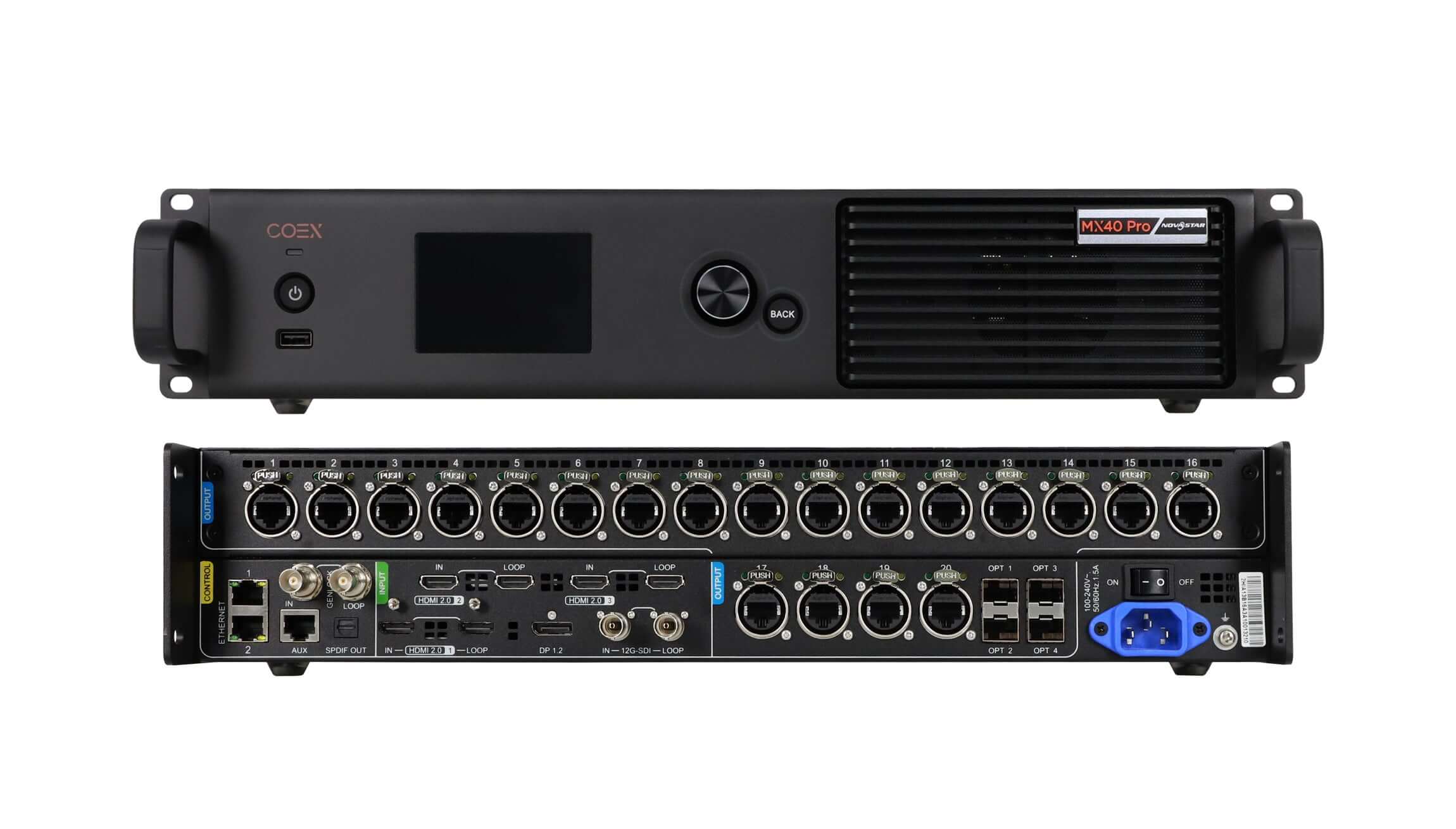
The specification identifies a Genlock IN connector for receiving a reference and a LOOP connector for passing that reference onward. Keep those roles separate from video input connectors and video-loop outputs. A signal diagram should name the actual port at each end instead of using a generic connector symbol.
The user manual also distinguishes three sync-source states: Active Input follows the current video input’s frame rate, Genlock follows the reference signal’s frame rate, and Internal follows the controller’s internal clock. Those are different timing choices, even when a picture is visible on the LED screen.
| Timingkeuze | Source described in the manual | Evidence for a purchasing check |
|---|---|---|
| Active Input | The current video input | Identify the actual video source and its selected frame rate. |
| Genlock | The external reference signal | Record the reference family, exact rate, generator and selected sync source. |
| Intern | The controller’s internal clock | State that internal timing is the intended requirement, rather than evidence of external reference acceptance. |
MX40 Pro Genlock approval should therefore include the selected sync source. A supplier demonstration that shows only the picture leaves the external-reference requirement unanswered. Retain the relevant controller status with the generator identity and the approved settings.
2. Record the generator’s actual timing
Ask for the reference family and exact output rate from the device that will feed the controller. Record the displayed value without rounding fractional rates to a nearby integer. If a proposal says only “60 Hz reference,” resolve whether that is the actual selected setting or a shorthand description.
Use the published MX40 Pro Genlock range for that reference input. A separate video-input or output-frame-rate feature does not extend it. For example, a hypothetical requirement for a 120 Hz reference is outside the cited 23.98–60 Hz range; a higher-rate capability elsewhere on the product sheet does not approve that reference.
Have the responsible system designer confirm any proposed generator setting and its compatibility with the other equipment. A rate acceptable to one device does not establish the whole system’s requirements. Record the approved setting before the purchasing team finalizes the controller and accessory list.
A useful quote attachment has one row for each required operating condition. For example, a hypothetical installation may use a Tri-Level reference at 59.94 Hz for one production setup and require a different setup for another event. List both conditions explicitly. One successful demonstration should be recorded against the condition it actually used; it does not automatically approve an untested setting.
Also identify any device between the generator and the controller. The relevant signal is the one actually reaching Genlock IN. A generator specification alone cannot describe an intermediate device’s selected output or prove that the final path matches the drawing.
3. Separate reference, picture and control paths
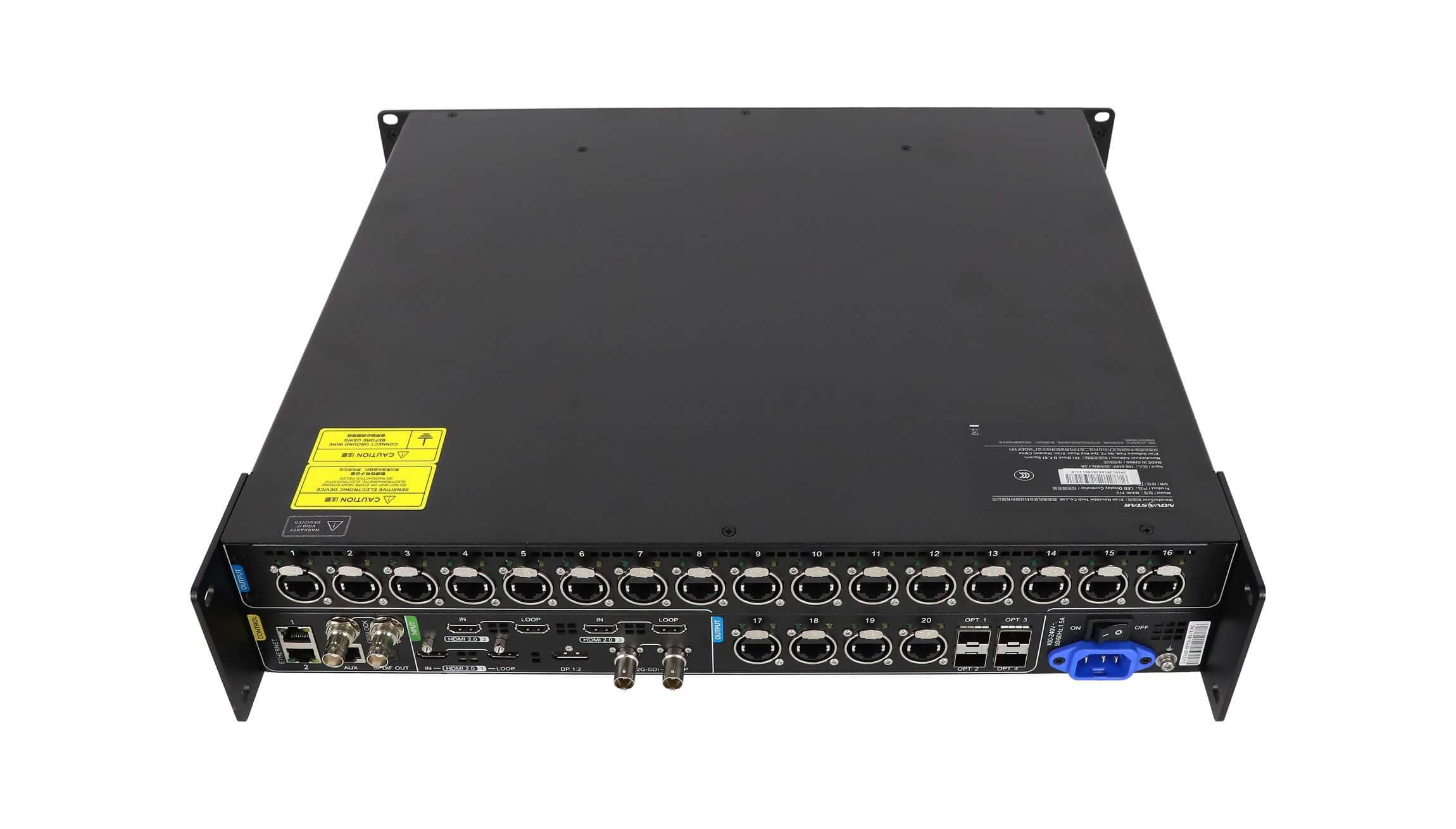
Keep MX40 Pro Genlock reference information in its own part of the signal schedule. List the video source and control connection separately. This helps the purchasing team see which requirement was demonstrated and which interface a quoted accessory is intended to serve.
For a hypothetical replacement, an existing rack drawing might show a cable entering an unspecified BNC connection. That drawing is not enough to approve a new controller. Ask whether the cable carries a timing reference or a video signal, identify the actual connector label, and update the proposed path before accepting the equipment list.
De LED Mall MX40 Pro product page identifies the controller being considered. Use its exact model with the applicable document revision. Do not borrow reference limits from a related controller or assume that similarly named ports have identical roles across a mixed rack.
When several devices must follow one reference arrangement, keep their identities and settings visible in the proposal. A common reference requirement does not, by itself, document the video content, the selected input on each device or the rest of the signal path. Those requirements need their own confirmation.
4. Resolve the low-latency requirement before ordering
MX40 Pro Genlock and the Low Latency function cannot be enabled together under the cited V1.5.1 documentation. The specification states that limitation, and the manual says the sync source cannot be set to Genlock while Low Latency is enabled. Do not combine separate feature claims into a simultaneous operating promise.
If a proposal requires both, ask the system designer to resolve the operating requirement before purchasing. The answer may involve revising the requirement or assessing another documented configuration. The supplier should identify what the proposed system will actually do, rather than leave the conflict hidden in a list of features.
Make MX40 Pro Genlock acceptance specific to the final operating mode. Record the generator output, sync selection, controller identity and relevant versions. If low latency or another mode was changed during the demonstration, retain that change with the result instead of treating the earlier setting as still approved.
Keep a concise acceptance record with the purchase. It can identify the controller under review, its firmware, the manufacturer document revision, generator model, selected output, sync source and test result. Give any unresolved condition an owner and a clear question. This lets the buyer distinguish an approved setup from an accessory, adjustment or additional test still needed.
For a repeat order, compare that record with the proposed replacement before reusing the old approval. A changed generator, different operating mode or revised system requirement warrants checking the relevant condition again. Keeping those changes visible is more useful than asking for an unsupported blanket statement that the new rack will work exactly like the previous one.
Agree the required observations before the demonstration begins. The controller status, intended picture and any project-specific camera result are separate evidence items. Record what was tested and leave omitted conditions marked as unverified. A still photograph is not a record of every timing behavior over a moving sequence.
When comparing MX40 Pro Genlock proposals with other LED video processing options, compare the required reference and feature combination first. Additional equipment, configuration and acceptance work should be explicit scope items. The catalog does not establish that every listed product meets the same timing requirement.
Veelgestelde vragen
Can any source be looped through twenty controllers?
The V1.5.1 specification permits up to twenty MX40 Pro devices when using standard Genlock signal generators. Keep that source condition with the number. Do not treat it as an unconditional guarantee for every source, cable arrangement or mixed-device chain.
Does an accepted reference guarantee an artifact-free camera image?
No such complete camera-system approval follows from the reference check alone. Define the camera-related result the project needs and demonstrate it with the actual arrangement. MX40 Pro Genlock compatibility is one requirement; record other necessary conditions and observations separately.
What does a blue Sync status establish?
The manual uses blue for a normal sync signal and red for an abnormal one. Read that status together with the displayed sync-source label. A normal status is not, by itself, proof that every project requirement or downstream device has passed acceptance.
Request a reference-signal check
Send the reference generator model, selected signal family and rate, proposed connection diagram, controller versions and any low-latency requirement through De informatiepagina van LED Mall. Include the intended operating mode. An MX40 Pro Genlock review can then address the actual reference and the remaining conditions for purchase approval.