
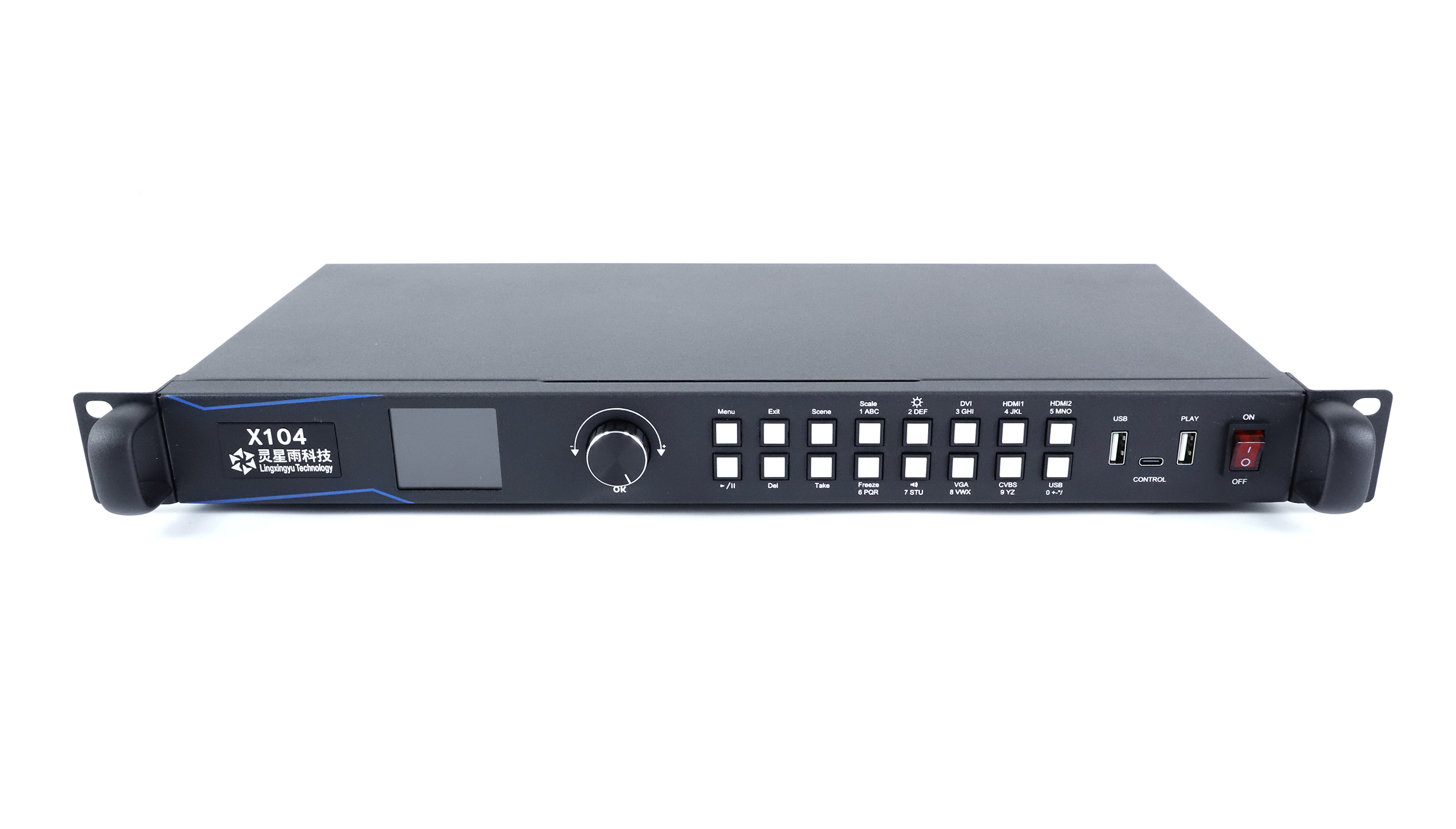
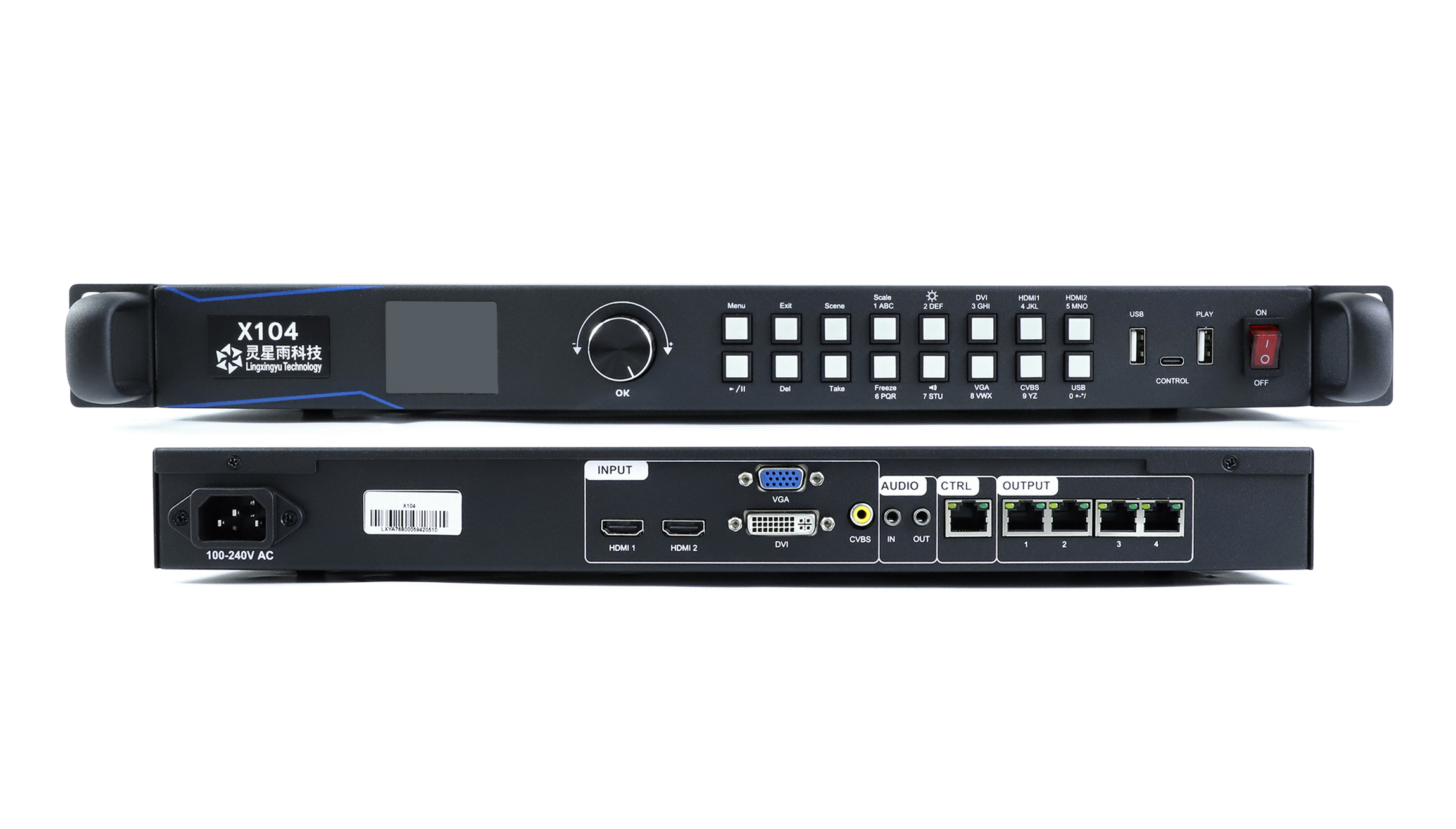
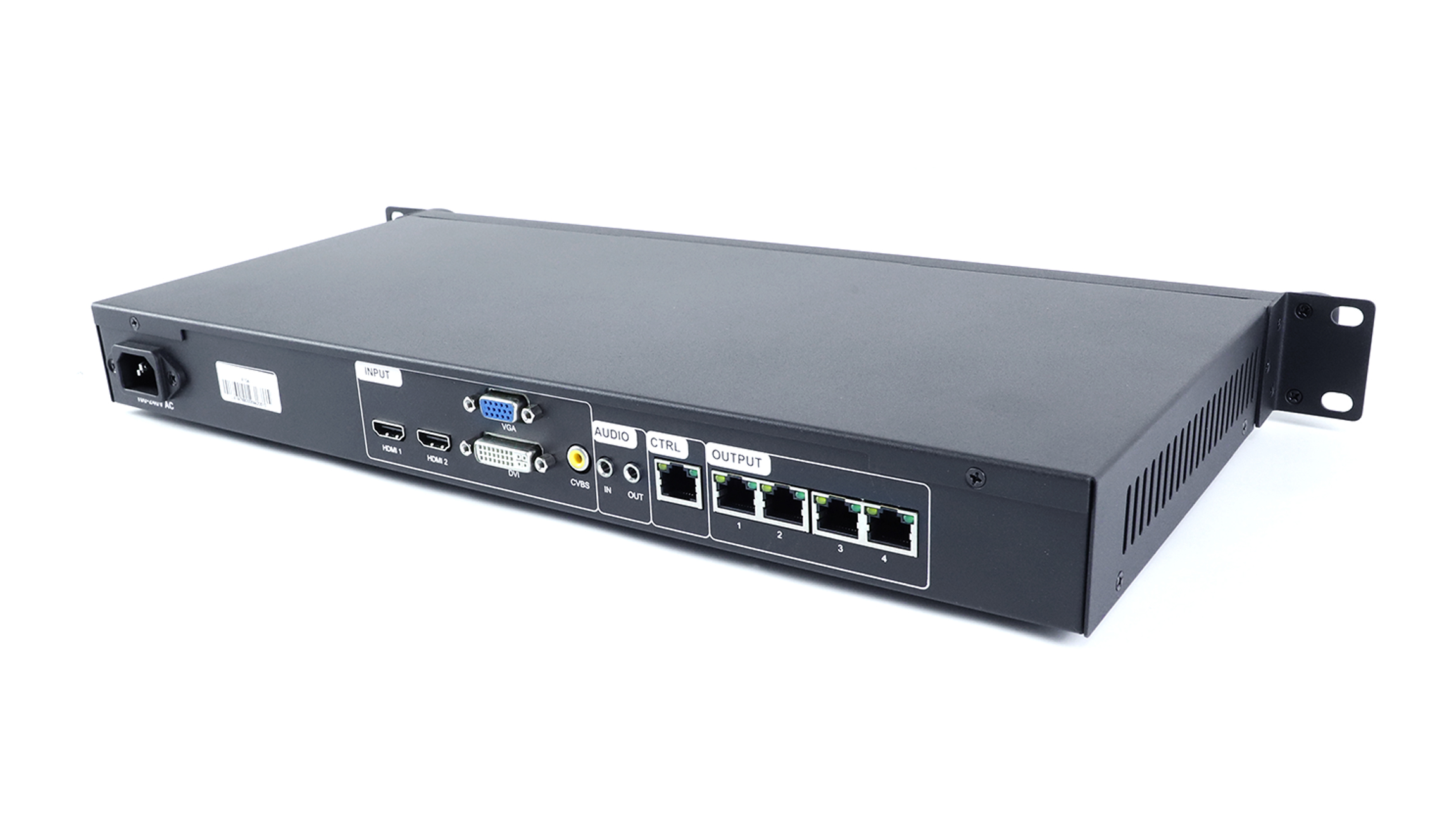
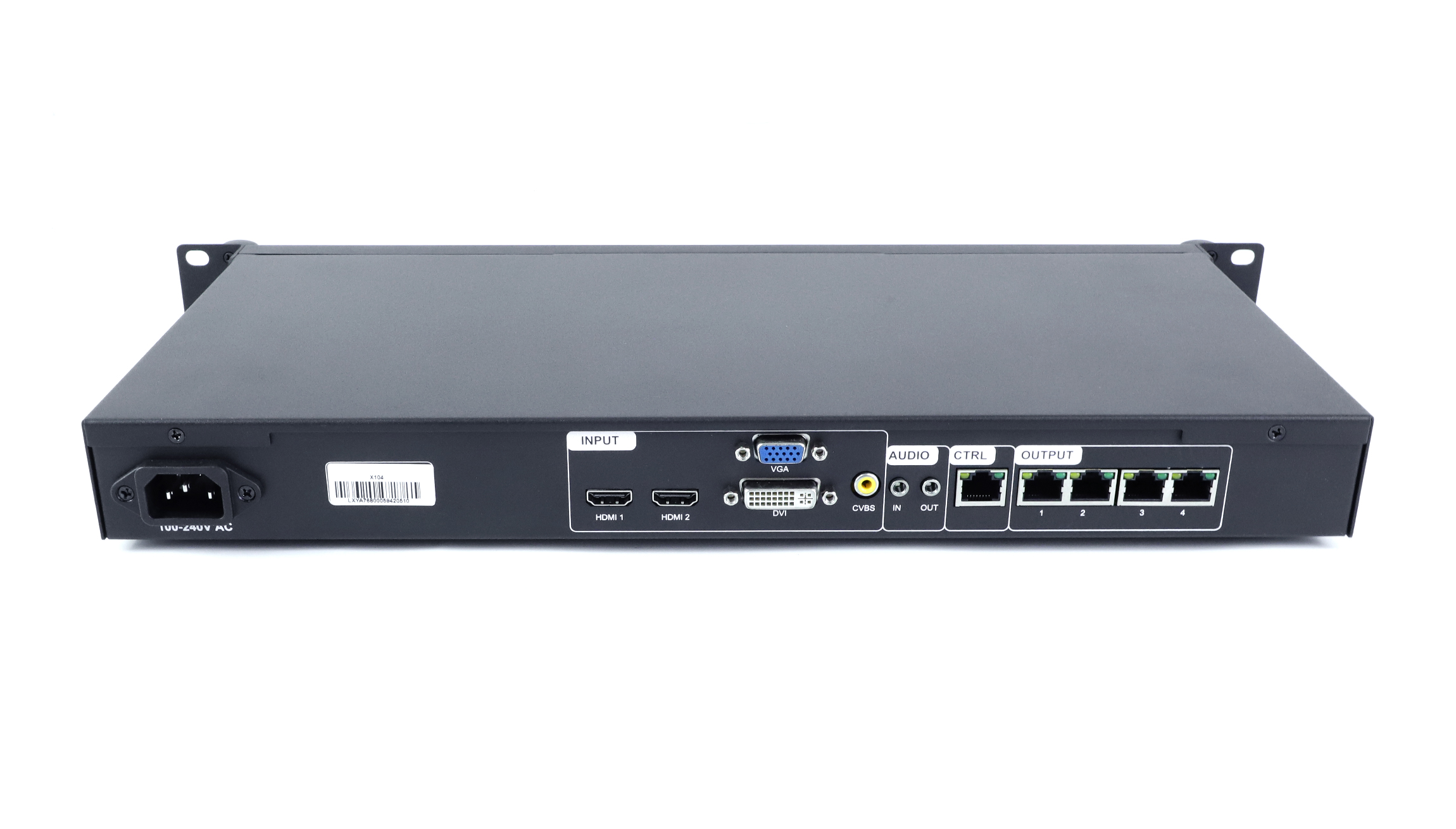
Linsn X104 LED 디스플레이 화면 비디오 프로세서
176.00 달러
The Linsn X104 is discontinued. For a replacement enquiry, start with the 린슨 X104S.
- Four LED network outputs
- 총 최대 2.3만 화소
- HDMI, DVI, VGA and CVBS inputs
- USB flash drive playback and front-panel scene recall
품절
Linsn X104 for fixed LED screens
The Linsn X104 combines a video processor, an LED sender and USB playback in one unit for small fixed installations. If you’re servicing an existing screen, start by checking the video inputs and how the cabinets are split across the four outputs.
LED output and screen limits
| 항목 | 스펙 |
|---|---|
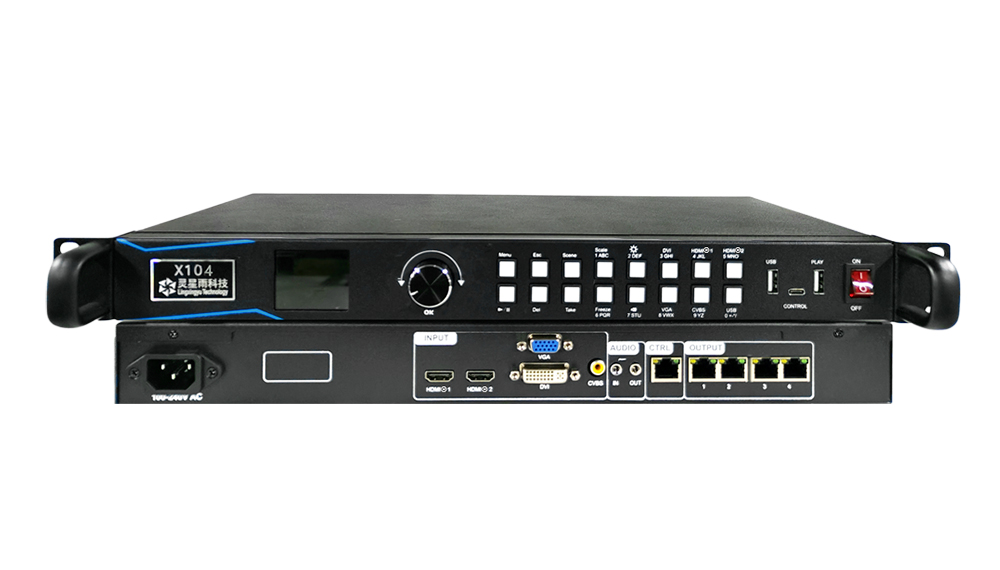
| LED 네트워크 출력 | 4 ports, labeled OUTPUT 1–4 |
| Total screen load | 최대 2.3만 화소 |
| 최대 화면 너비 | 3,840 픽셀 |
| 최대 화면 높이 | 1,920 픽셀 |
Check the pixel total as well as the width and height. A screen measuring 3,840 × 1,920 pixels would exceed the X104’s total load limit.
Inputs, playback and control
| 항목 | 스펙 |
|---|---|
| 비디오 입력 | HDMI 1.3 2개, DVI 1개, VGA 1개, CVBS 1개 |
| 오디오 | Audio input and output, with synchronized audio and video switching |
| 재생 | Plug-and-play USB flash drive playback and scheduling |
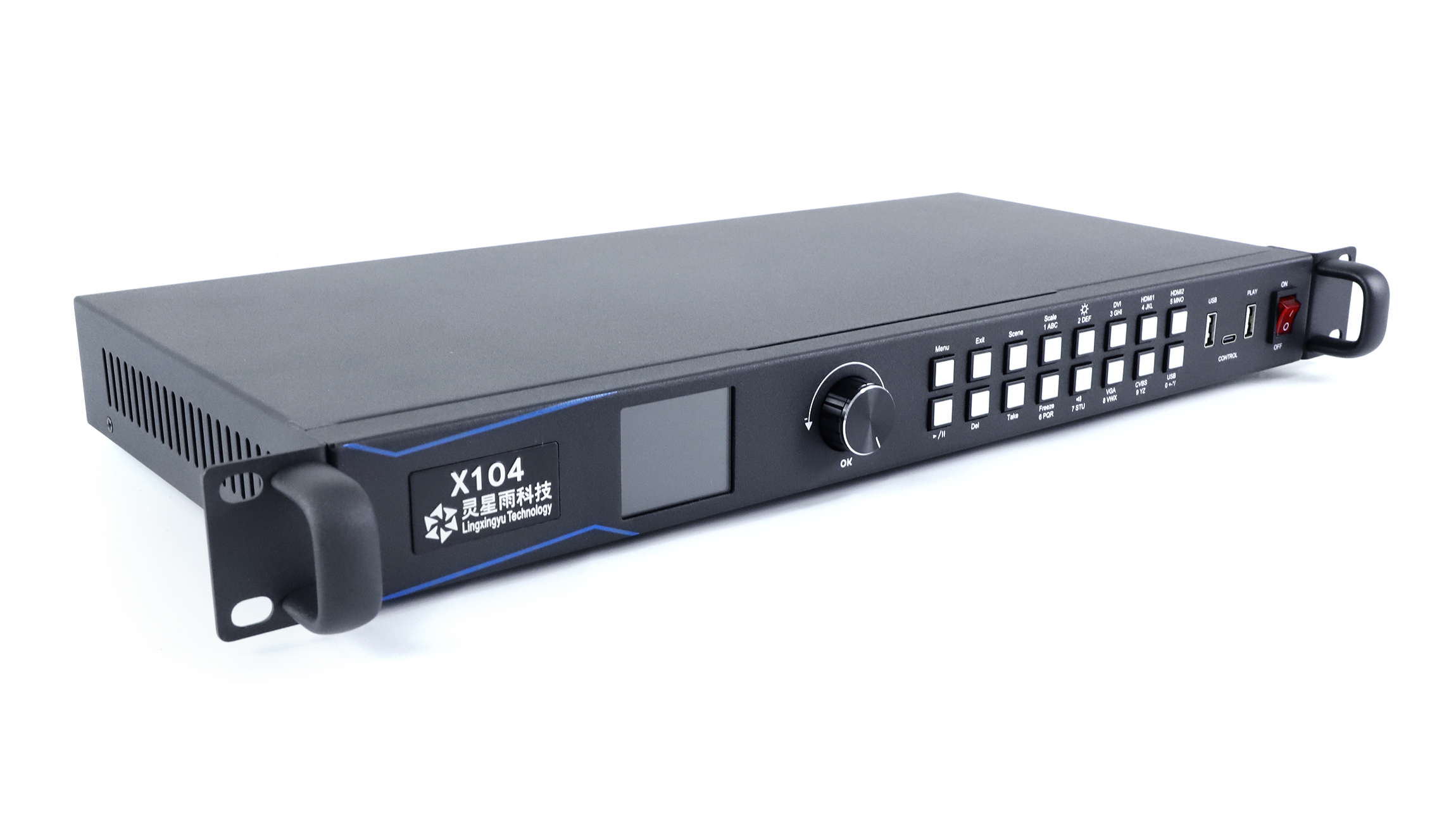
| Scene controls | Save up to 100 scenes. Recall 10 from the front panel. |
| Live controls | Input switching, instant scene switching, brightness adjustment and freeze |
| 비디오 백업 | Hot backup for video sources |
| 설정 및 업데이트 | Setup over a network cable or USB-C. Updates via cable or USB. |
| Settings and diagnostics | Back up and restore settings via USB flash drive or cloud. Check network output connections on the unit. License issuance is supported. |
제품 사진 및 사양
Download the Linsn X104 V1.0 specification (PDF). The document covers hardware version V1.6.13, dated September 2023.
자주하는 질문
Q1Which ports go to the LED receiving cards?
Use the four rear ports numbered OUTPUT 1–4. The separate CTRL port is for configuring the processor over the network.
Q2Can I play content without leaving a computer connected?
Yes. Use the front PLAY port for a USB flash drive with supported files. The V1.0 specification lists the supported image and video formats.
Q3What should I check before replacing an X104?
Note which video inputs you use, the screen’s pixel dimensions and the model of your receiving cards. Keep a copy of the current settings and compare the connection layout with the proposed replacement.
Replacement and order information
Contact LED Mall with your current model and screen configuration if you need help choosing a replacement. For an order, review the 배송 정책 정책을 반환합니다.. The Taxes, Shipping & Returns tab has the store’s ordering information.
| 중량(평량) | 3.5의 kg |
|---|
“Linsn X104 LED 디스플레이 화면 비디오 프로세서”에 대한 첫 리뷰를 남겨보세요.
리뷰를 작성하려면 로그인 해야 합니다 .
관세와 세금이 부과됩니까?
당사 사이트에 표시된 가격은 비과세(미국 달러)이므로 주문을 받으면 수입 관세 및 세금을 지불해야 할 수 있습니다. 수입 세금, 관세 및 관련 세관 수수료는 주문이 최종 목적지에 도착하면 해당 지역 세관에서 결정합니다.
이러한 추가 요금 및 세금은 고객님의 책임 이며 , 당사는 이에 대해 어떠한 책임도 지지 않습니다. 당사는 관세, 세금 또는 관련 수수료를 납부하거나 환불할 의무가 없습니다 . 이러한 요금에 대한 자세한 내용은 해당 지역 세관에 문의하십시오.
배송
우리는 세계의 거의 모든 주소로 배송 할 수 있습니다. 일부 제품에는 제한이 있으며 일부 제품은 해외로 배송 할 수 없습니다.
주문할 때, 우리는 귀하의 품목의 가용성 및 귀하가 선택한 운송 옵션에 따라 귀하의 운송 및 배달 날짜를 추정합니다. 선택한 운송 업체에 따라 운송 날짜 견적이 운송 견적 페이지에 나타날 수 있습니다.
우리가 판매하는 많은 상품의 배송비는 중량 기준입니다. 그러한 품목의 무게는 세부 사항 페이지에서 찾을 수 있습니다. 우리가 사용하는 운송 회사의 정책을 반영하기 위해 모든 중량은 다음 파운드로 반올림됩니다.
반품 정책
개봉 후 30 일 이내에 개봉하지 않은 대부분의 새 제품을 반환하면 전액 환불받을 수 있습니다. 또한 반품으로 인해 당사의 오류 (잘못된 품목 또는 결함 품목 등)가 발생한 경우 반품 배송 비용을 지불합니다.
패키지를 반환하는 발송인에게 4 주 이내에 환불을받을 것으로 예상되지만 대부분의 경우 환불을보다 빨리 받게됩니다. 이 기간에는 배송 업체로부터 5 (10 영업일 기준)까지의 반품 시간, XA가 접수 된 후 3 (5 영업일)에 소요되는 소요 시간 거래 은행에서 환불 요청을 처리해야합니다 (5 ~ 10 영업일).
상품을 반품해야하는 경우 계정에 로그인하고 내 계정 메뉴의 "완료 주문"링크를 사용하여 주문을보고 반품 버튼을 클릭하십시오. 반품이 접수 및 처리되면 환불 이메일을 이메일로 알려드립니다.
관련 상품
후기
리뷰는 아직 없습니다.