
Blog di LEDMall
NovaStar CVT4K-S Fiber Backup: Which Links Are Protected?
novembre
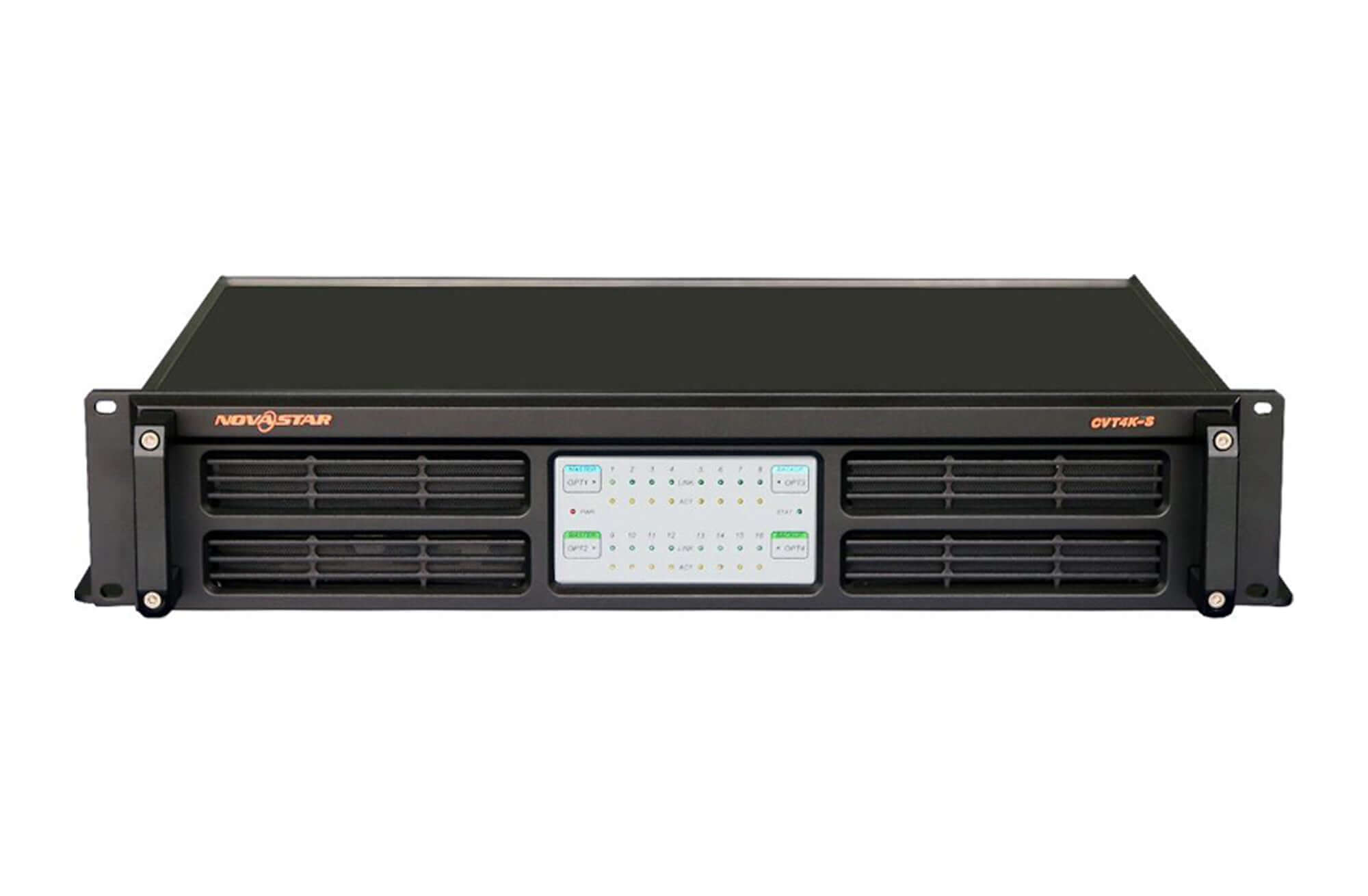
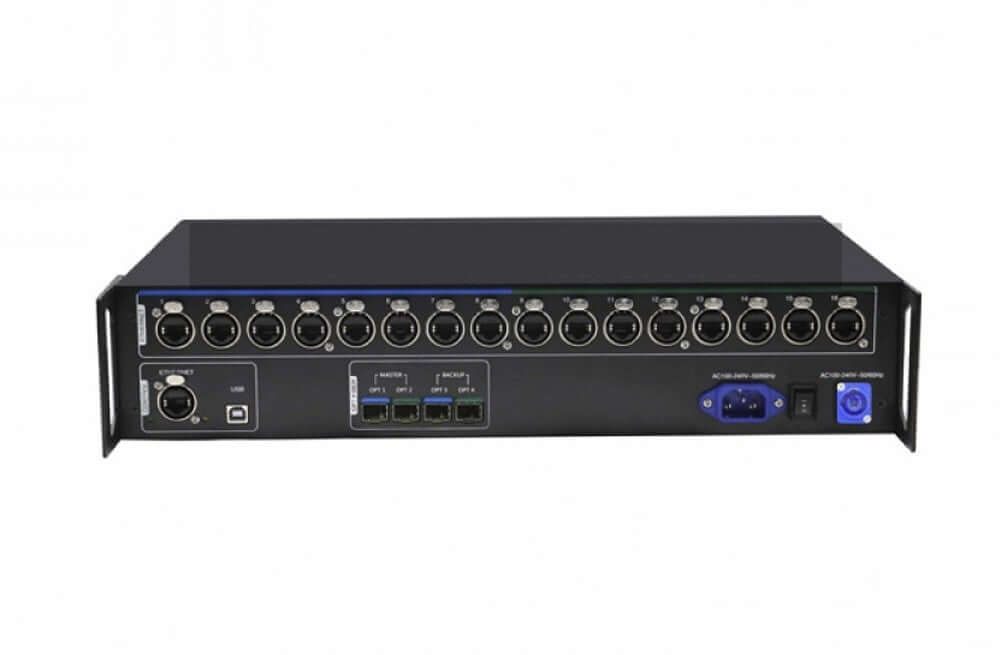
NovaStar CVT4K-S fiber backup protects two optical signal groups when the sender delivers the matching backup feeds and the routes are wired correctly. OPT3 backs up OPT1 for Ethernet ports 1–8. OPT4 backs up OPT2 for Ethernet ports 9–16. A backup feed for the first group leaves the second group without optical backup unless you provide its own matching feed.
For an AV systems integrator ordering hardware for a permanent LED wall, the practical question is what the screen must keep showing after a specific link fails. The answer determines how many converter units, optical connections and usable fiber routes belong in the proposal, and what the crew needs to prove before handover.
Label both groups before ordering NovaStar CVT4K-S fiber backup
Migliori CVT4K-S product listing provides the manufacturer’s V1.0.2 specification. Its optical assignments also appear in NovaStar’s V1.0.6 revision. In a typical optical-in installation, each group has a primary optical feed and a matching backup. Label both ends of every route with the group they carry and the cabinets served. An installer should be able to tell whether a loose fiber belongs to the first group without unplugging another connection.
| Converter Ethernet ports | Primario | di riserva | Prova da registrare |
|---|---|---|---|
| 1-8 | OTT1 | OTT3 | Source endpoint, normal and alternate route IDs, and cabinet chains carried by this group. |
| 9-16 | OTT2 | OTT4 | Source endpoint, normal and alternate route IDs, and cabinet chains carried by this group. |
| Both groups in use | OPT1 e OPT2 | OPT3 e OPT4 | The complete display remains mapped when each primary route is individually unavailable during the test. |
Copy each group label from the wiring drawing onto the sender port schedule, optical patch panel and screen-side converter. Port numbers are local to each device. Verify what data the sender actually puts on a given optical connector, even when the sender and converter use matching OPT labels. Confirm the sender’s model, optical interface, mapping and relevant firmware before assuming that every chain on the wall will reach the correct converter output.
The manufacturer specifies twin-core OS1/OS2 single-mode fiber with LC connectors for CVT4K-S, with 1310 nm modules and a documented 10 km transmission distance. For a NovaStar CVT4K-S fiber backup quote, measure the installed route rather than the straight-line distance. Include patch panels, couplers and any splices. Have the installer check route continuity and optical loss against the requirements for the supplied equipment before treating the link as ready.
Choose the failure your backup route needs to cover
Write down the failure before selecting materials. If the requirement is to survive loss of one optical patch lead, test that scenario with the spare path in service. If the requirement includes a cut backbone, specify separate physical routes with separate exposure to the problem you want to cover. Two fibers in the same damaged trunk can be lost together. Two fiber labels in the same tray can also share a vulnerability at the same patch panel or building entry.
NovaStar CVT4K-S fiber backup covers the defined optical link between compatible equipment. The product also specifies redundant power supplies. Treat power, the sender, the converter chassis, the cabinet-side copper chains and the LED receiving cards as separate parts of the availability design. A plan to survive failure of the converter chassis needs an additional verified system path. If the requirement is power-source redundancy, ask the qualified installation team to check which approved power feeds serve the equipment and how they are distributed.
For a concrete example, suppose a display uses chains 1–6 from the first group and chains 9–12 from the second. If the bill of materials includes only the OPT1 and OPT2 primaries plus OPT3 as backup, the first group has a planned optical alternative. The cabinets fed by chains 9–12 still depend on OPT2. A requirement to cover optical link loss in either group needs the group-two backup feed and route on the quote as well.
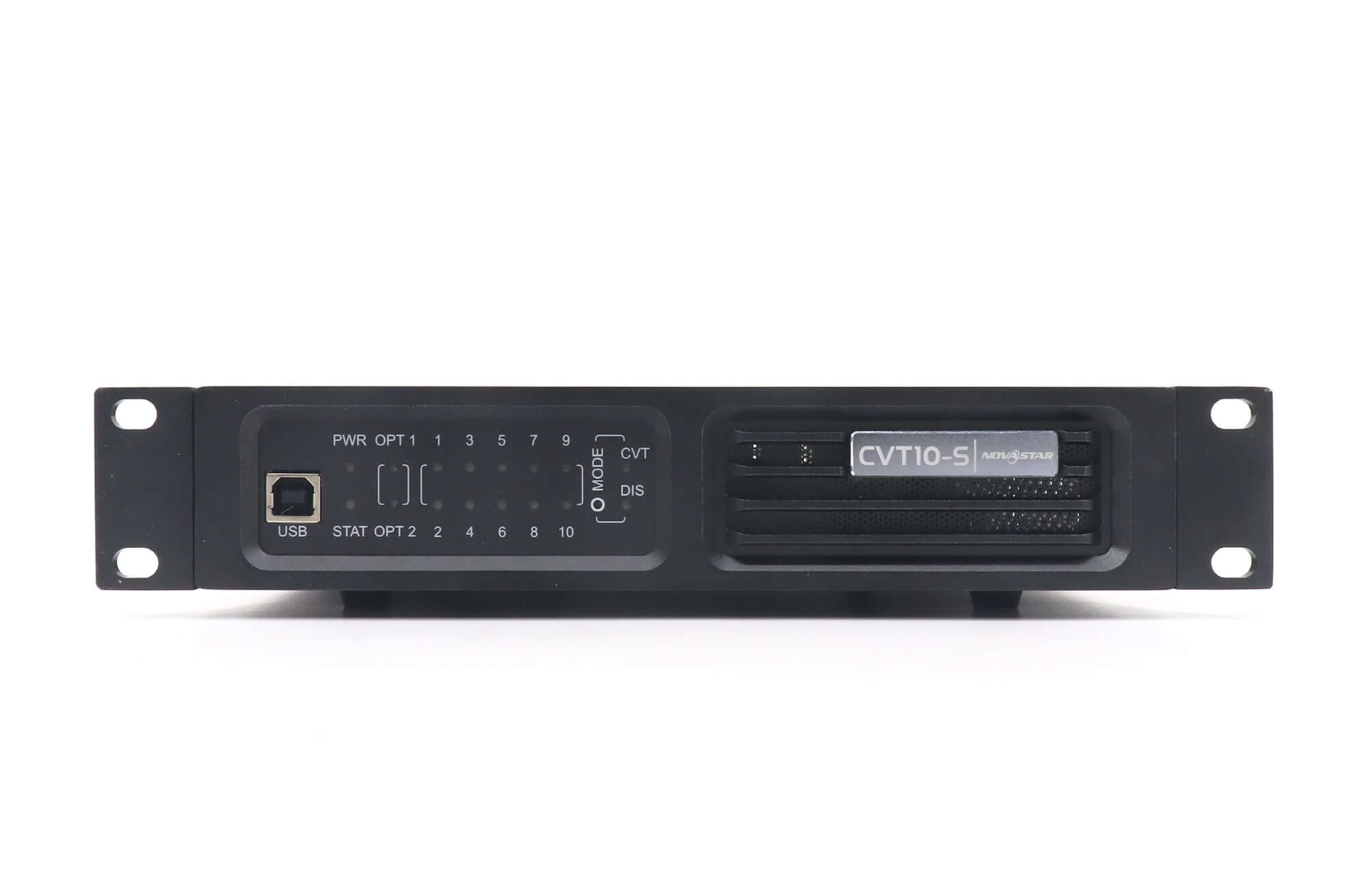
Confronta il file CVT10-S’s sender-dependent port availability only if that converter family is on the shortlist. Its CVT mode defines OPT1 as primary and OPT2 as backup, with the usable screen-end Ethernet count depending on the sending equipment. Matching fiber type alone leaves grouping and capacity questions open. Verify the complete channel arrangement if you are considering the CVT10-S for a separate branch.
Prove optical backup with the screen map
A useful acceptance test shows a different identifier on every cabinet chain. Start with all planned routes connected and record the normal result. Check the expected sender, converter and screen data assignments, then schedule a controlled test with the technician responsible for the LED wall. Under agreed maintenance conditions, have the technician isolate the first primary optical path and record what happens to that group and to the second group. Restore the normal path and repeat the test for the second primary.
During a NovaStar CVT4K-S fiber backup test, use the front-panel optical and Ethernet indicators as observations alongside the picture. The manufacturer distinguishes a normal Ethernet cable connection from data transmission, and a normal optical connection from a verified cabinet image. Record whether any numbered zones drop, the interruption you observe, and whether the display returns to the required operating state. Define the allowable interruption with the site team before testing; it belongs in the acceptance criteria.
Repeat the same test after a firmware or route change that affects the linked equipment. Store the port schedule, route labels and results together. If only half the wall fails during an event, the schedule should tell the technician which upstream group to verify and whether the alternate path was part of the tested configuration.
If the site has a second converter on the shelf, define where it can replace a failed unit and which optical modules it must contain. A spare unit can reduce repair time while NovaStar CVT4K-S fiber backup addresses a planned path failure. Record separately which components the operator can swap during an event and which work needs a maintenance window.
Domande frequenti
Can I add NovaStar CVT4K-S fiber backup to a sender with Ethernet outputs only?
The quick-start guide depicts a two-converter arrangement for a compatible Ethernet-fed sender: one unit converts to optical at the source, and one converts back to Ethernet at the screen. Verify the converter count, input mapping and backup design for the actual sender before you order.
Can I use a spare OPT port to add more cabinet chains?
OPT3 and OPT4 are the documented backups for the two primary groups. Size the wall from the mapped data groups and the sending controller’s available loads. Check an additional sending or conversion path if you need more independent cabinet chains.
What if both optical routes appear healthy but one group is blank?
Verify the source data group and the affected Ethernet chain next. The fiber status indicates the optical connection. A source map, disabled output or downstream cable issue can still prevent the intended picture from appearing.
Build the fiber link quote
For a NovaStar CVT4K-S fiber backup quote, include the sender’s full model and firmware, the converter location, the fiber schedule, the receiving-card model and each cabinet chain assigned to the two groups. List the failures the wall is required to survive. Compare the route against the CVT4K-S specification, poi ask LED Mall to check the two-endpoint equipment list prima di ordinare.