

Blog LEDMall
Entrée mosaïque VX2000 Pro : Choisissez le bon ensemble de sources
novembre
NovaStar’s V1.4.0 specification lists two HDMI source sets for VX2000 Pro mosaic input. The controller can combine two HDMI 2.0 inputs or four HDMI 1.3 inputs, with a maximum HDMI mosaic resolution of 4K × 2K. Verify the proposed unit against that specification before ordering and request separate confirmation for any mixed input set.
For an event graphics engineer specifying a controller, identify which feeds belong to one combined picture, which images must remain separate, and how the complete show layout will use the controller. Counting available sockets alone leaves those requirements unresolved.
This explanation uses NovaStar’s VX2000 Pro Specifications V1.4.0, released July 30, 2026. The examples describe hypothetical equipment reviews. Confirm exact source formats and the resulting configuration for the offered controller and software.
Choose the VX2000 Pro mosaic input source set
The specification describes the two HDMI combinations separately. The documented two-input HDMI set uses HDMI 2.0. The four-input set uses HDMI 1.3. Keep the connector family and the intended source count together in the equipment schedule.
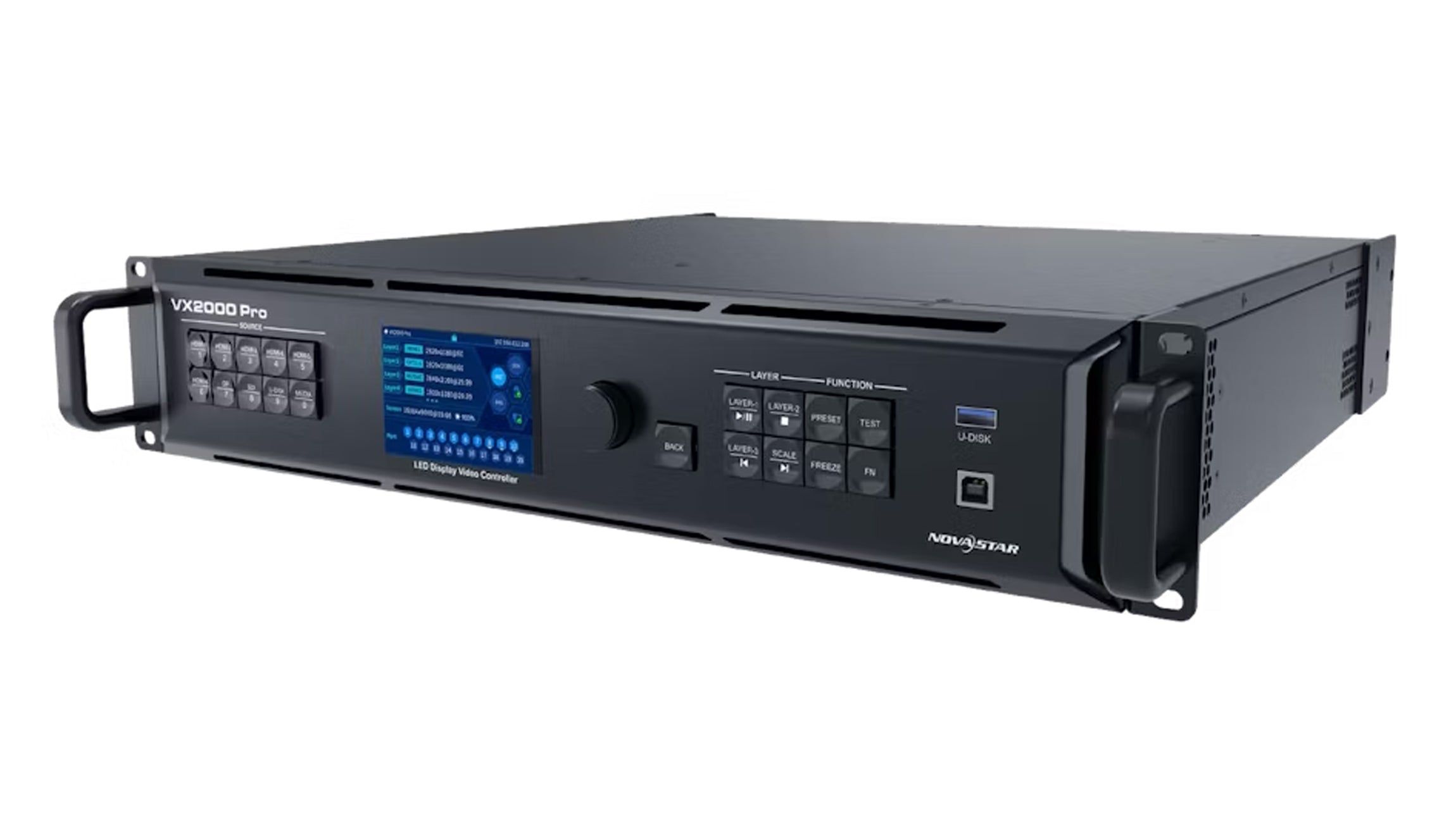
Le Référence produit VX2000 Pro identifies the controller. Retain the Pro suffix and the offered hardware revision in the quotation. Confirm which source sets that unit supports.
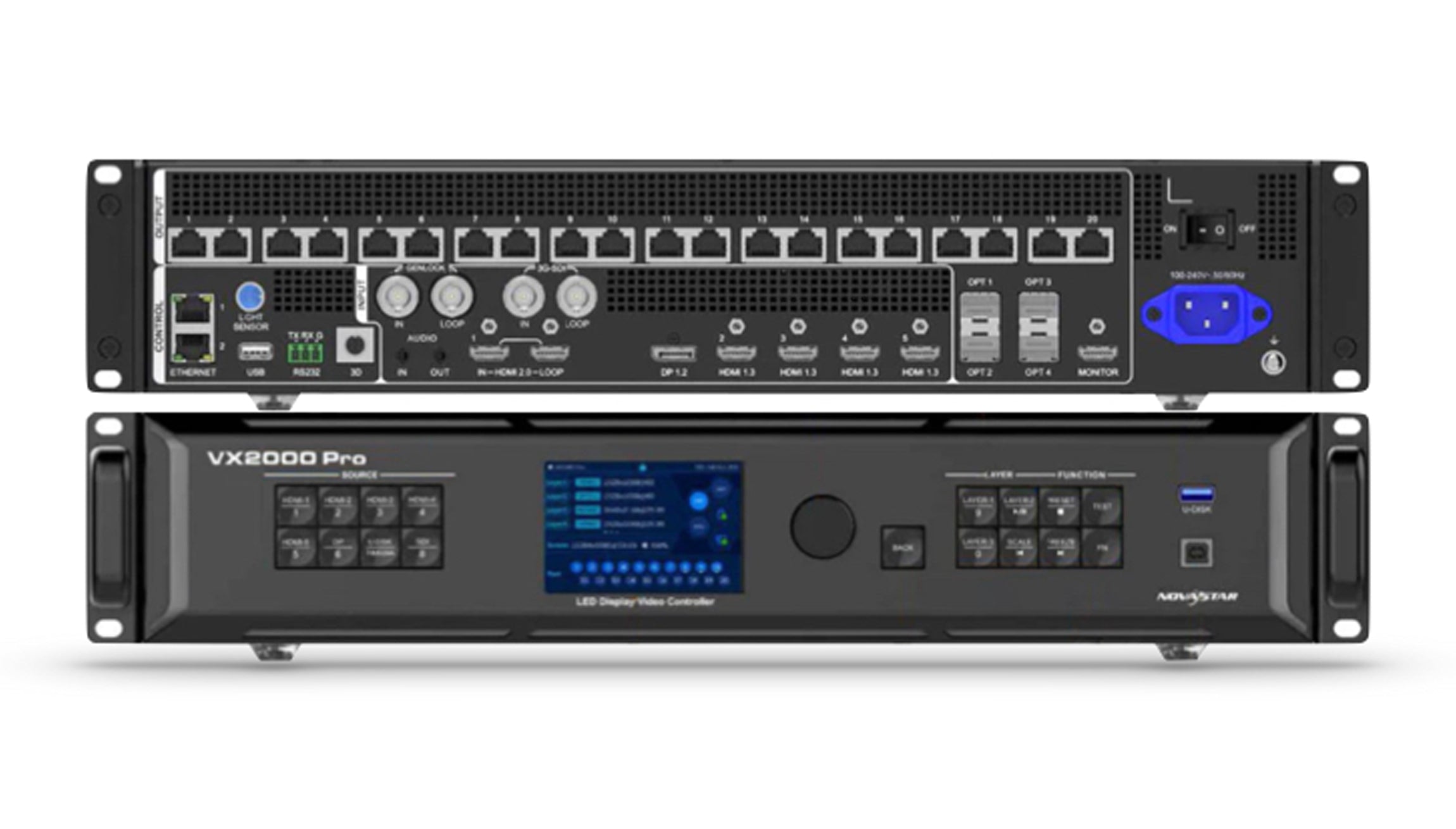
The catalog composite shows why the offered unit needs its own rear-panel photograph. Its HDMI 2.0 IN/LOOP marking identifies a loop connection, which serves a different role from an independent input. Ask the supplier for the proposed unit’s model marking, rear-panel labels and revision information, then match them to the documentation used for approval. The photographs alone leave the reason for the different labels unresolved.
For a hypothetical VX2000 Pro mosaic input request, a graphics operator might propose two feeds from one workstation. Ask which connector family will carry those feeds and which part of the combined image each is intended to contain. Confirm the workstation’s ability to provide the required outputs as a separate check.
| Proposed source arrangement | Base publiée | Ce que le fournisseur doit identifier |
|---|---|---|
| Two HDMI feeds | Two HDMI 2.0 inputs, with an HDMI mosaic maximum of 4K × 2K | The actual two inputs, source formats and intended combined picture |
| Four HDMI feeds | Four HDMI 1.3 inputs, with an HDMI mosaic maximum of 4K × 2K | All four source identities and their intended positions |
| OPT 1/2 sources | Sources received through OPT 1/2 may be used independently or combined | Compatible upstream equipment, optical input roles and the proposed composition |
| A different or mixed input set | Nécessite une vérification séparée | An applicable manufacturer reference and confirmation for the proposed arrangement |
Include the proposed resolution, frame rate, color format and bit depth with each feed. Ask the supplier to check the exact combination against the applicable documentation and the offered equipment. Record the supported format as part of the purchase specification.
Keep the content assignment clear as well. Four outputs from a graphics system might carry parts of one picture or separate images for different purposes. Describe the intended result directly. Ask the supplier to confirm what the operator will see when all four outputs are present.
For a proposed left-and-right split, draw a boundary between the two feeds and label the intended source content area on each side. Ask the graphics engineer to include a reference line or a sliding object that crosses the boundary during rehearsal. Check that it appears in the intended order, at the expected size, and with the correct alignment. If the feeds are designed as independent graphics, list the position and visible area of each image instead.
Check the complete composition and its resource demand
Review VX2000 Pro mosaic input in the context of the full layout. The controller has twelve 2K × 1K layer-resource units. The specification assigns four units to a 4K × 2K layer, two to a 4K × 1K layer and one to a 2K × 1K layer, according to the input connector capacity used to open the layer.
Ask the supplier to identify the actual source configuration and layer arrangement in the proposed show. Record the connector capacity used to open the mosaic layer and the resources available for the remaining images. Retain those answers with the accepted layout.
For a hypothetical presentation, the team may require a combined background plus a camera image and a separate presenter graphic. Put those requirements on one drawing. Ask to see all three elements together, with their intended sizing and placement.
Review VX2000 Pro mosaic input together with every required show state. An opening sequence and a discussion session may use different arrangements. Identify the states that affect the purchase, then ask which ones the supplier has checked. Record any show state left for a later rehearsal.
Le VX2000 Pro optical-port explanation addresses output-group and copy or backup roles. Use the source layout to document how feeds are combined, and the cabinet-output map to document where the processed picture is sent. Keep both records with the same installation drawing.
Order an identifiable, demonstrated source layout
A VX2000 Pro mosaic input quotation should name the controller, proposed input set, source devices and exact connection accessories. Add a content-position drawing and the complete simultaneous layout. If the source computer or an adapter is still undecided, record which item remains open and when it will be verified.
Ask for a demonstration that makes each incoming feed identifiable. A prepared reference picture can show which source occupies each intended area and whether the combined image matches the supplied drawing. The responsible engineer should choose the test material and assessment appropriate to the project, then retain the result with the actual source identities.
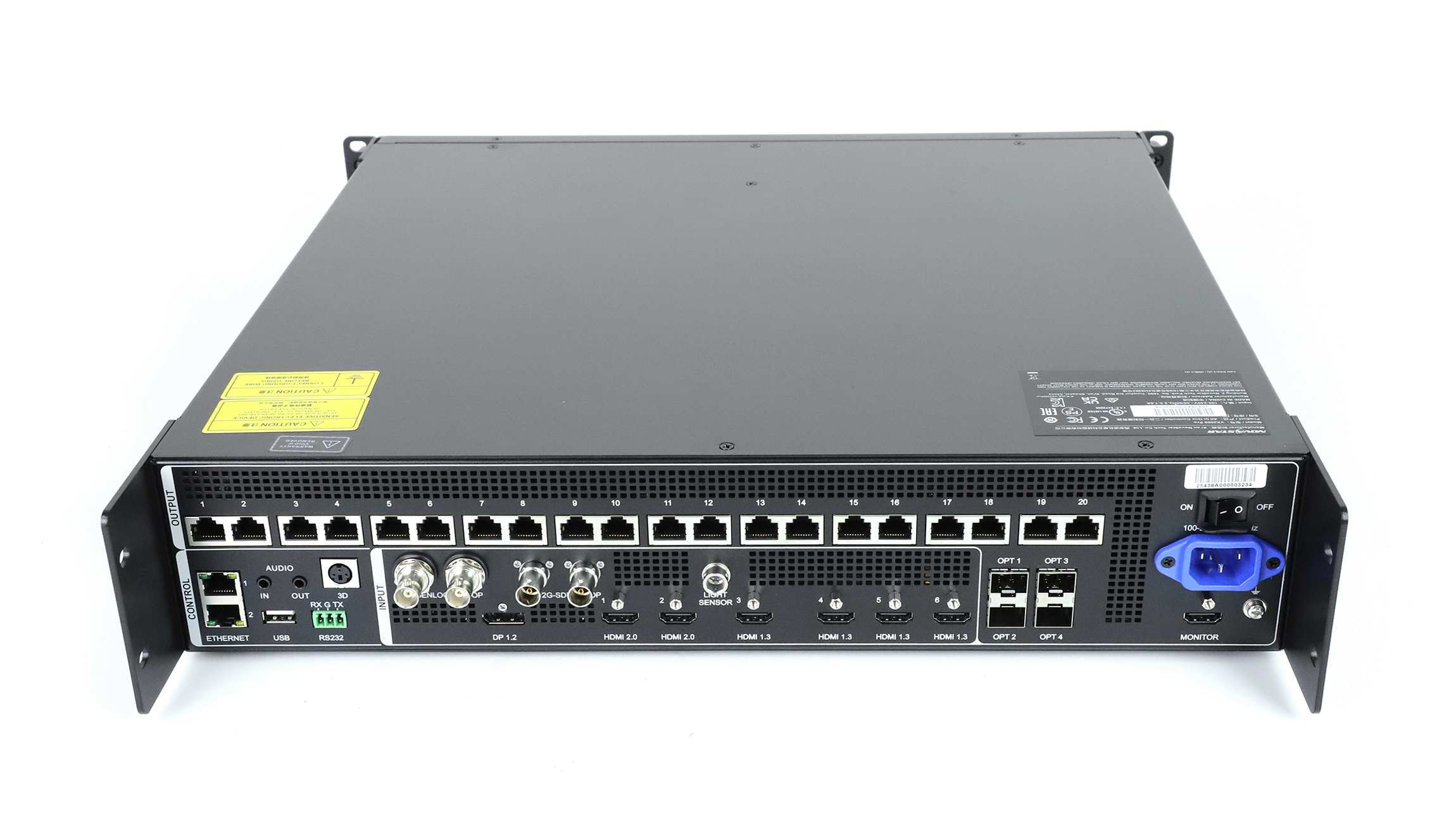
For VX2000 Pro mosaic input acceptance, record the controller and versions, source devices, selected formats, connection list, composition and required operating state. Keep any temporary substitution beside the result. If a different graphics computer was used, record that difference and specify when the intended computer will be checked.
State which work is included in the order. Hardware supply, source preparation, configuration and an acceptance demonstration can be different scope items. Comparing two quotations for the same controller is easier when the buyer can see who will answer the remaining composition questions.
Retain the accepted drawing for repeat jobs. If a source device, connector assignment or show requirement changes, compare the change with that record and repeat the affected checks. That gives a substitute operator a concrete starting point for reviewing a new source set.
For a layout the crew will recall during a show, ask the supplier to demonstrate the transition from the actual preceding layout. Record the source group selected after recall, the visible order of the images and any settings the operator must restore. A rehearsed transition is especially useful when a second layout uses one of the same physical connectors for a different purpose.
Foire aux questions
Can a DP input and an HDMI input form the same mosaic?
The cited HDMI description identifies one group of HDMI 2.0 inputs and one group of HDMI 1.3 inputs. Request a separate manufacturer reference for a mixed DP-and-HDMI arrangement.
Does ByPass mode support the same processing?
The specification lists video processing as unavailable in ByPass mode. Ask the supplier to demonstrate the required composition in the intended operating mode and verify latency under those conditions.
Does the maximum LED output width enlarge the HDMI mosaic limit?
The 4K × 2K HDMI mosaic maximum applies to the combined source. Assess the separate LED output limits using the screen dimensions and output map.
Request a source-layout review
Send the source-device models, proposed connector set, exact formats, content-position drawing and complete show layout. Include the intended controller revision and any unresolved accessory. Ask LED Mall to review the VX2000 Pro mosaic input arrangement before ordering so the supplier can identify the compatibility and acceptance checks still needed.