
Blog LEDMall
Lecture USB TB20 Plus : NTFS et limite de fichiers de 4 Go
novembre
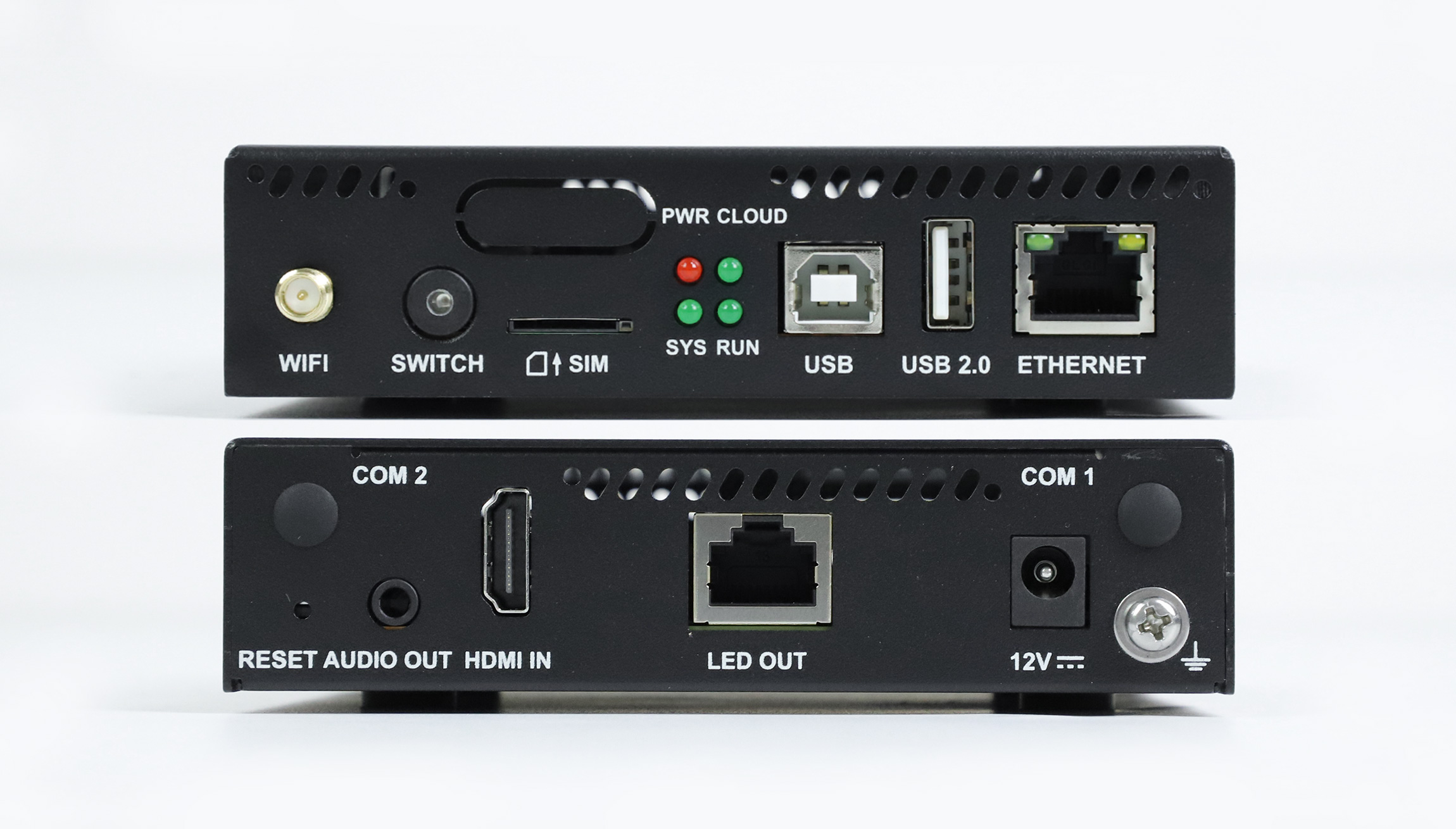
TB20 Plus USB playback does not make every NTFS video file acceptable. NovaStar Specifications V1.0.1 lists FAT32 and NTFS support, a USB-drive capacity of 2–128 GB, and a separate requirement that each file be larger than zero and smaller than 4 GB. Treat drive format, individual file size and media compatibility as separate checks.
This explanation is for a signage distributor preparing a repeatable offline content-update package for customers. It uses the August 29, 2025 specification revision. The preparation examples are recommendations, not reports of a tested customer deployment. Match the offered player’s software and documentation before promising a particular USB workflow.
TB20 Plus USB playback: capacity is not file size
A drive-capacity limit describes the storage device. A single-file limit describes one object stored on it. Buying a larger drive does not make an oversized movie acceptable, and unused space does not remove the player’s stated file restriction. Put both checks on the content-delivery sheet instead of writing only “USB supported.”
NTFS support is especially easy to misread. The document still places a less-than-4-GB limit on an individual file in its USB connector description. Do not replace that explicit product condition with a general assumption about what a desktop file system can store. An export that fits on a computer’s NTFS drive still needs checking against the player’s requirement.
For a proposed TB20 Plus USB playback package, inspect the actual exported file’s properties. Check its byte size, not just an editing application’s rounded estimate. Avoid targeting the boundary: a label rounded to “4 GB” does not establish that the file is below the documented limit. A shorter export or a revised encoding plan may be appropriate, provided the resulting program still meets the customer’s presentation needs.
The following calculations show why duration matters. They assume a constant combined encoded bitrate of 20 megabits per second and use decimal gigabytes. Container overhead can add more data. These estimates explain export planning; they are not decoder tests or maximum-duration promises.
| Durée de l'exemple | Calculated payload | Décision de préparation |
|---|---|---|
| 10 minutes | Environ 1.50 Go | Inspect the final file and confirm the media encoding and program workflow. |
| 25 minutes | Environ 3.75 Go | Check the actual completed export carefully; do not rely on the estimate as acceptance evidence. |
| 30 minutes | Environ 4.50 Go | Revise the media plan before testing; this estimated payload already exceeds the stated single-file limit. |
Resolve the document version before promising compatibility
Le courant TB20 Plus product listing retains USB information attributed to an older V1.0.0 reference, including Ext4 and FAT32. The manufacturer’s V1.0.1 revision changes the connector description to FAT32 and NTFS. Keep those versions separate. A newer document does not prove that every previously supplied unit has the same installed software.
Before supplying a TB20 Plus USB playback kit, ask which specification applies to the quoted hardware and installed software. Retain that answer with the order. If the distributor already owns players from different shipments, identify the units used in the demonstration. One successful drive on one unit is useful evidence for that configuration, not a universal acceptance result for the entire fleet.
When a document and an installed unit appear to disagree, preserve the observations. Record the drive’s format, file size, export settings and the player’s version before changing anything. This gives the supplier a concrete question to resolve. Repeatedly reformatting the drive or changing several settings at once makes it harder to identify which condition mattered.
Use a dedicated test drive with backed-up content when preparing the package. Formatting removes existing files, so it should not be the first experiment on a customer’s only campaign copy. Keep a separate copy of the approved assets and program package, with a clear version name, so testing does not become an accidental content-recovery task.
Prepare media for the display, not just for the drive
The file-extension label is not a complete media description. Keep the codec, frame rate, dimensions and bitrate with the export. For TB20 Plus USB playback, ask the supplier to validate the actual file and its intended program arrangement rather than approving a sample with the same extension but different encoding.
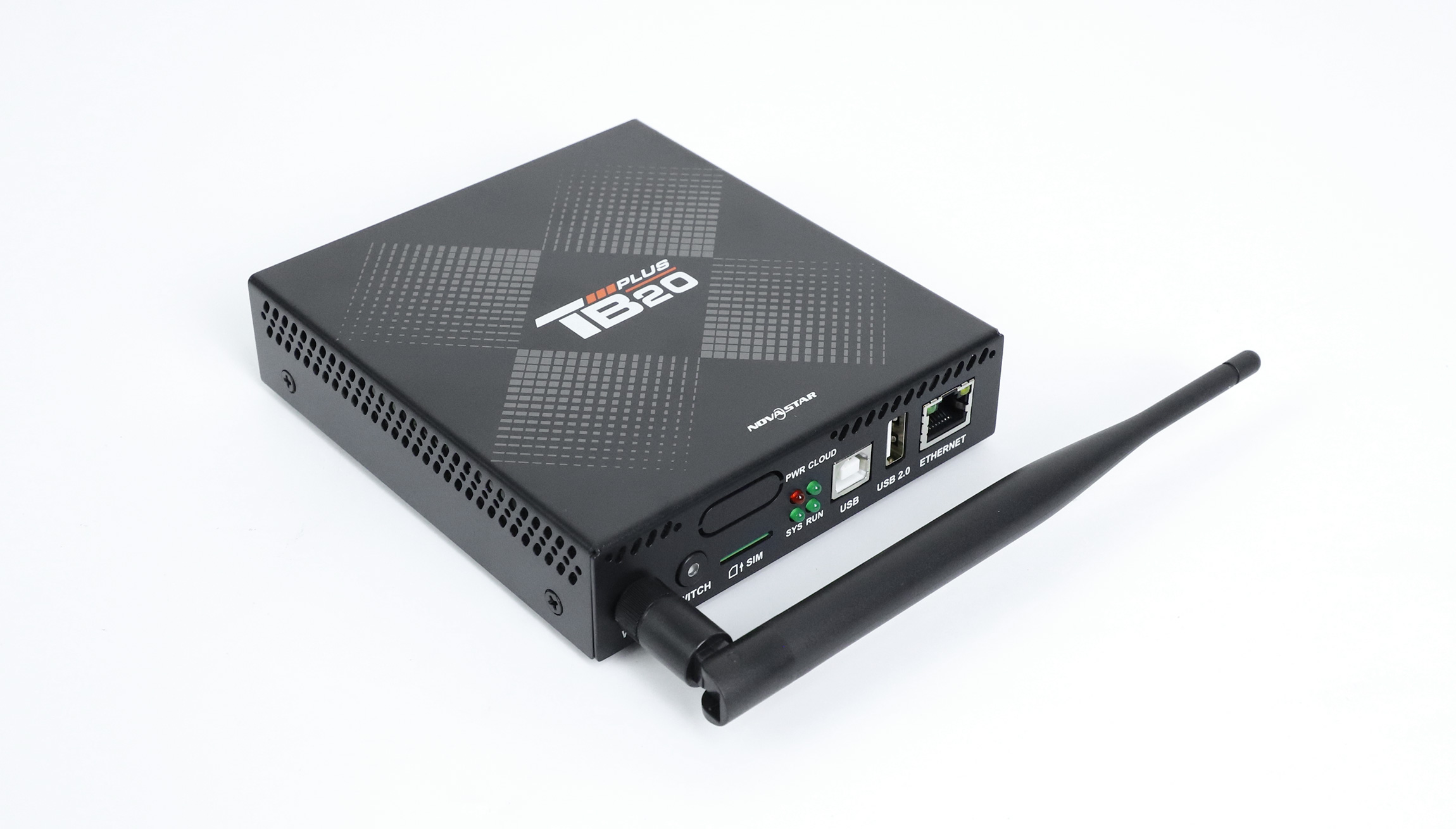
V1.0.1 distinguishes 4K decoding from the player’s 650,000-pixel LED load. It also lists different H.264 and H.265 decoding limits. Those are separate from USB storage conditions. A file can meet the storage checks yet still require a different export or layout, and a high-resolution source does not increase the number of physical LED pixels the player can drive.
Ask the content designer to work from the installed sign’s pixel dimensions. Preview the smallest text, logo edges and essential product details at the intended layout. A long, narrow shop sign can need a different composition from the original landscape video. Reducing the file size should not make the actual advertising message unreadable.
For TB20 Plus USB playback, include the intended sound behavior in the approval. A silent sample does not answer whether the final campaign needs audio, what the site permits or how the installed sound path should behave. The distributor should document the required result without assuming that every sign location uses the same audio arrangement.
Test the update the customer will actually perform
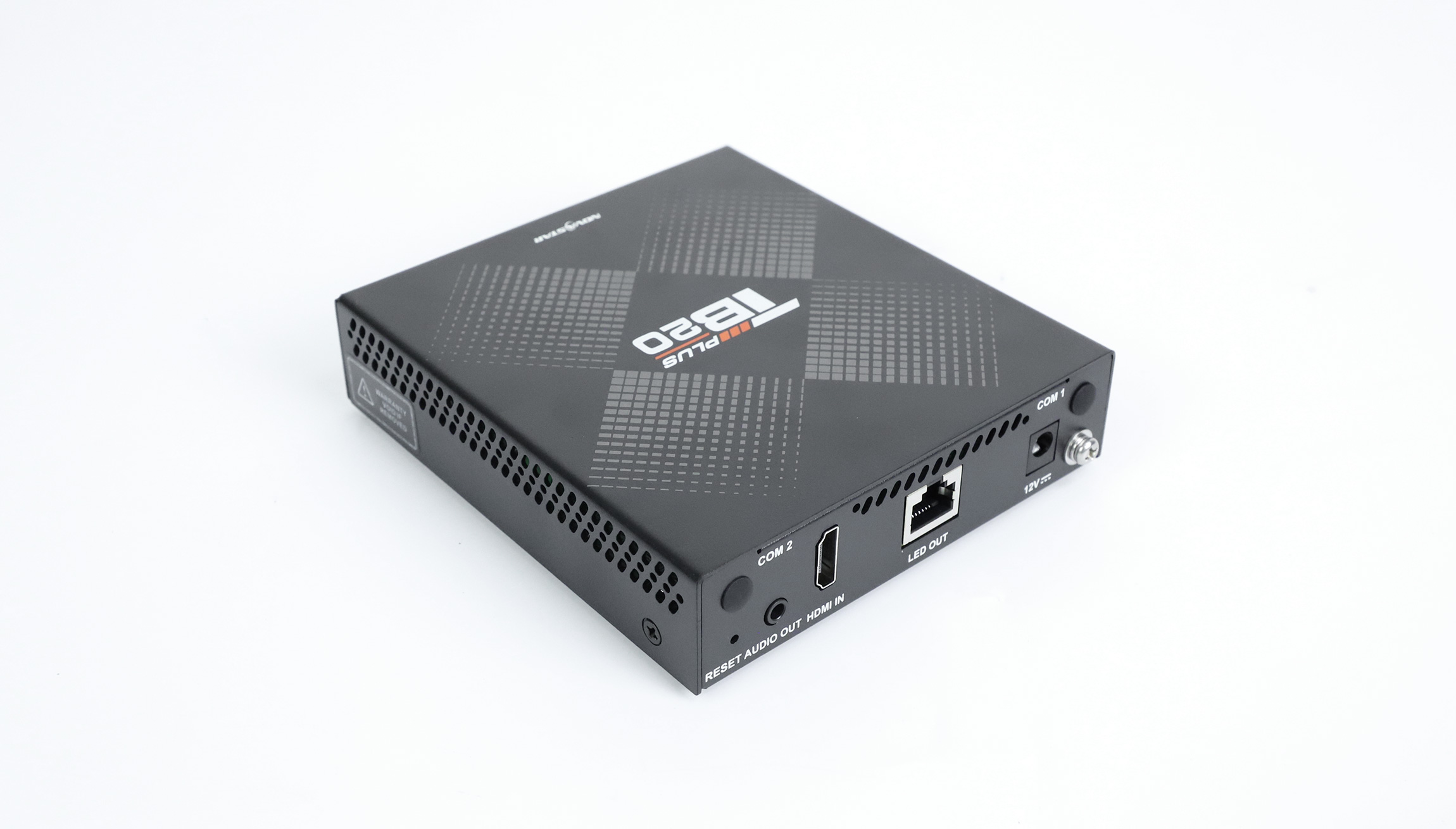
A TB20 Plus USB playback demonstration should use the proposed customer workflow from preparation to visible result. Confirm whether the delivery process expects a published program package, local playback operation or another documented method. Do not promise that dropping arbitrary files onto a drive reproduces the agreed program without checking the applicable software procedure.
Prepare a clearly identifiable test campaign so the operator can distinguish it from old content. Have the person responsible for routine updates perform the process using the written instructions. Watch the first and last items, any scheduled changes and the final screen state. A technician’s successful setup does not by itself prove that the handover instructions are complete.
Also agree on the expected behavior when the drive is removed or the system starts again. Test that behavior using the approved procedure and a suitable maintenance window. Record what actually happens; do not infer that an update was copied to internal storage merely because it appeared while the drive was connected.
For a larger rollout, make the accepted drive and media package a controlled reference. Keep the player’s version, the file list and the test result together. When considering other Lecteurs multimédias LED, request the same operational demonstration so the comparison answers the distributor’s update requirement.
Questions des acheteurs
Can several short clips replace one long video without changing the campaign?
They may change the visible result. Have the content owner approve transitions, pauses, ordering and sound continuity in the actual program. Splitting a file addresses size only if each new file and the resulting playback sequence meet the requirements; it is not automatically an equivalent presentation.
Does a USB extension lead belong in the acceptance test?
Yes, when it is part of the intended installation. Test the real access arrangement and strain relief rather than demonstrating only a directly inserted drive. Avoid assuming an accessory has no effect because it is passive or inexpensive; ask the integrator to approve the complete physical setup.
Should a failed media file trigger a firmware upgrade immediately?
First preserve the configuration and identify the failing condition. Ask the supplier whether a version change is needed and what recovery procedure applies. A firmware change should have an identified purpose and a planned test; it should not substitute for checking the export and drive already in hand.
Request a review of the actual playback package
For a TB20 Plus USB playback review, provide the player version, drive capacity and format, actual file sizes, media properties and sign pixel dimensions. Describe who will update the content and the intended behavior after drive removal or restart. Ask LED Mall to review the proposed player and content workflow before confirming the configuration and current availability.