
وبلاگ ال ای دی مال
نگاشت پورت CVT4K-M: کدام فیبر پورتهای ۹ و ۱۰ را حمل میکند؟
نوامبر
CVT4K-M port mapping puts Ethernet ports 9 and 10 on OPT2 when the sending card supports old coding and on OPT1 when the sending card supports new coding. NovaStar’s CVT4K-M Fiber Converter Specifications V1.1.0 documents both assignments. Confirm the sender’s coding before moving the fiber or allocating those Ethernet ports.
For a maintenance buyer extending a working link, the difference matters when patch records show a numbered Ethernet jack and a primary optical path. A new sender, a spare converter, or a change in the receiving rack can send the technician looking for the wrong fiber if the drawing assumes a single port map.
The mapping below comes from printed page 3 of the specification released July 27, 2026. The rack examples describe how to check a proposed change. The applicable hardware combination and its behavior need confirmation for each installation.
1. Read CVT4K-M port mapping by sending-card coding
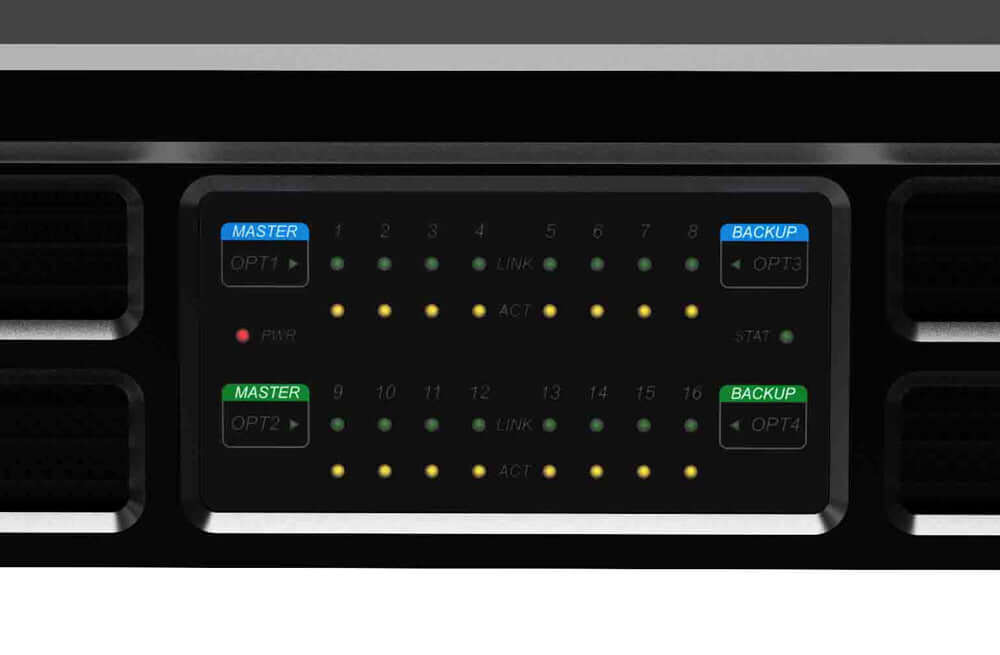
The CVT4K-M has two primary optical assignments. V1.1.0 gives OPT1 ports 1 through 8 and OPT2 ports 9 through 16 for a sending card supporting old coding. With a sending card supporting new coding, OPT1 serves ports 1 through 10 and OPT2 serves ports 11 through 16. OPT3 backs up OPT1 and OPT4 backs up OPT2 under both conditions.
| Sending-card coding | OPT1, backed by OPT3 | OPT2, backed by OPT4 | Primary path for ports 9 and 10 |
|---|---|---|---|
| Old coding | Ethernet 1–8 | Ethernet 9–16 | OPT2 |
| New coding | Ethernet 1–10 | Ethernet 11–16 | OPT1 |
On the drawing, put the coding condition beside the Ethernet ranges. CVT4K-M port mapping can otherwise appear to contradict an older port schedule, even when each schedule describes a different sender condition. Ask for the coding that applies to the exact equipment on the purchase order.
2. Trace the cabinet chain that depends on ports 9 and 10
Suppose an installed link feeds a cabinet chain from Ethernet port 9 and the crew plans to diagnose the link by following the primary fiber. With old coding, the documented primary path for that chain begins at OPT2. With new coding, the same Ethernet jack is grouped under OPT1. The cabinet chain name and its jack number can stay the same while the associated optical group changes between the two documented configurations.
Use CVT4K-M port mapping to select the ports that make a diagnostic trial informative. Ports 8 and 11 keep their respective groups in both tables. If the team checks only those ports, it can verify traffic on both groups without settling where ports 9 and 10 belong. For a planned trial, choose the affected chain and the corresponding primary path explicitly.
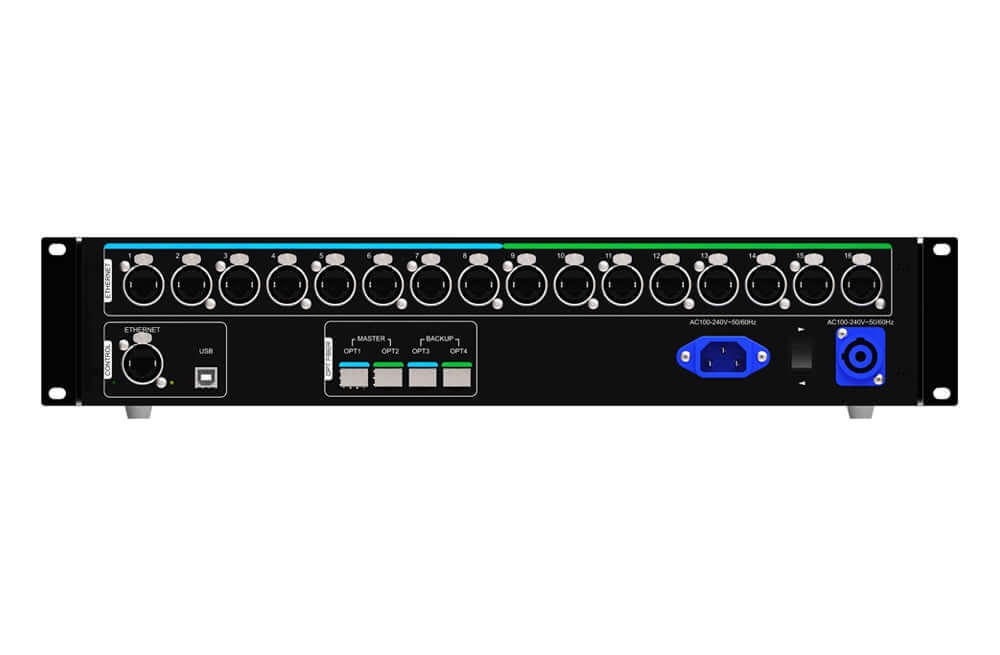
If the old rack sheet calls the second fiber “right screen,” resolve that nickname into an endpoint, optical port, Ethernet jack, and actual chain. Update both ends of the record when the route is verified. The next technician can then identify the exact path even if the rack is moved or the display layout changes.
3. Confirm CVT4K-M port mapping before changing a link
Start with the installed sending-card model and any readable hardware and firmware identifiers. Add the converter model, the version of the specification being used, and photos of the two rack ends. V1.1.0 directs readers to consult a NovaStar field application engineer regarding coding. Its mapping table gives no model list or serial-number range that lets a buyer assign the coding by purchase date alone.
Take the existing diagram to that review. Include which ports feed the affected cabinets and which optical runs are wired as primary or backup. A supplier response should name the sender and expected group for ports 9 and 10. Ask for a demonstration or a documented test plan when part of the existing link will be reused.
Give the technician a maintenance window and a rollback plan. The CVT4K-M port mapping test should verify the affected chain with its intended signal, the sender and converter to be accepted, and the intended primary group. If backup coverage matters to the installation, have the technician confirm how each optical backup is configured and test the required recovery separately under approved conditions.
Document a pass with the equipment identifiers and observed output on the cabinets. An optical link light is helpful for locating a connected run. A test image visible on the intended chain supplies the missing end-to-end evidence. Record the observed behavior before replacing the temporary labels or closing the service window.
Keep a baseline from the working rack before changing the sender. Photograph the patch labels, note the current picture on each affected chain, and record which source and screen configuration produced it. During the approved test, change one part of the proposal at a time where practical. If a chain disappears after a combined sender and patch change, the baseline helps the team isolate whether the expected optical assignment changed or the route differs from the drawing. Use the manufacturer’s procedure and the site’s service process for any physical change.
4. Specify the exact combination for a spare or extension
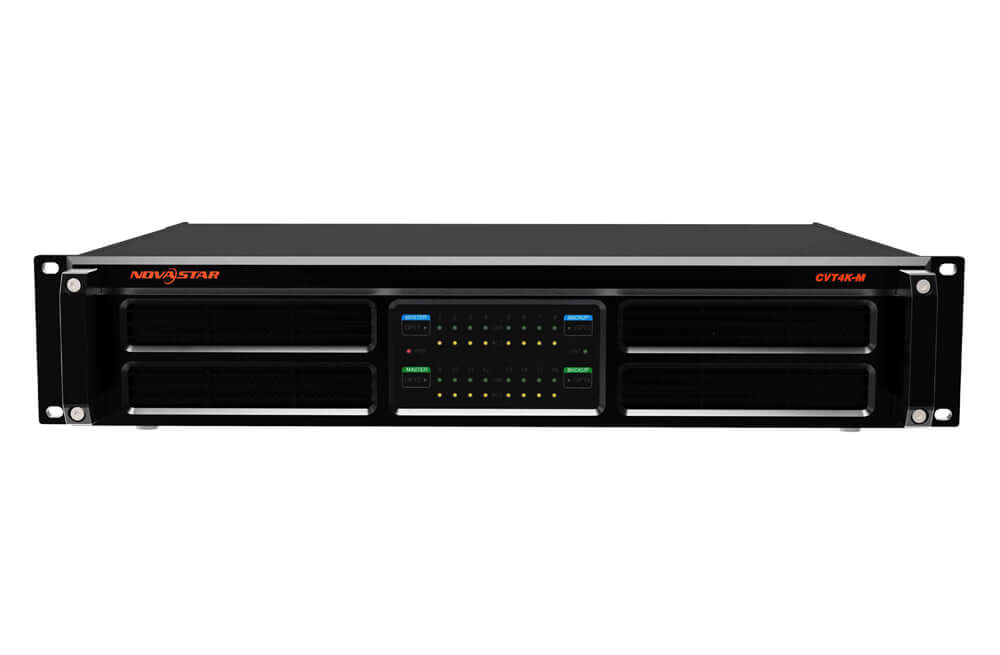
La LED Mall CVT4K-M product page is a starting point for model identification and its earlier port map. Apply the coding-dependent table in V1.1.0 to the sender you intend to use. A quote for a spare should identify the proposed converter and sender combination, the downstream cabinet chains to preserve, and the expected group for every populated jack.
Keep the existing and proposed CVT4K-M port mapping on the same work order. Use two columns with the sender, each relevant Ethernet number, its primary optical run, and the backup path if required. Differences are then visible before a technician reconnects the rack. Include both ends of the optical link and any existing parts that the proposal assumes will remain.
Confirm the precise models and current options when comparing equipment in the NovaStar catalog. A replacement review should cover the source and destination, optical modules and fiber, sending and receiving configuration, and the operating behavior the installer is expected to reproduce. Have the supplier document the parts being reused and the checks required before the new path is accepted.
For a phased extension, use the confirmed CVT4K-M port mapping as a handover record. List which cabinet chains move during each phase, which must stay active, and what the technician should verify before moving the next chain. That gives the buyer a way to compare a proposal for a single maintenance visit with one that requires several service windows.
سوالات متداول
Do ports 9 and 10 split between optical groups?
In each documented CVT4K-M port mapping, the two ports travel together. For old coding both belong to OPT2. For new coding both belong to OPT1. A worksheet that pairs them with different primary optical routes needs a check against the actual equipment and wiring.
Can a spare from a later shipment determine the coding?
The stated condition in V1.1.0 is the sending card’s coding support. Record the spare’s identifiers so the supplier can confirm the exact combination. The shipment date alone leaves the result unverified.
Should the installer label the fibers before testing?
Use temporary numbered labels at both ends to keep trial paths traceable. After a technician verifies the target chains, transfer the confirmed optical port, installation endpoint, and backup relationship to the permanent patch record.
Request a review of the installed link
Send the sender and converter model identifiers, photos of both rack ends, and a port-to-cabinet schedule that highlights Ethernet 9 and 10. Use the LED Mall inquiry page to request a CVT4K-M port mapping review. Include which components will stay and which must change so the review covers the route you actually need.