
Ordering a replacement LED display part? Check the full model number before adding it to your cart. This guide walks you through the order, from choosing a quantity to checking shipping and paying.
1. Choose the quantity and add items to your cart
Open the product page, enter the quantity you need and select Προσθήκη στο καλάθι. You can keep shopping before you check out.
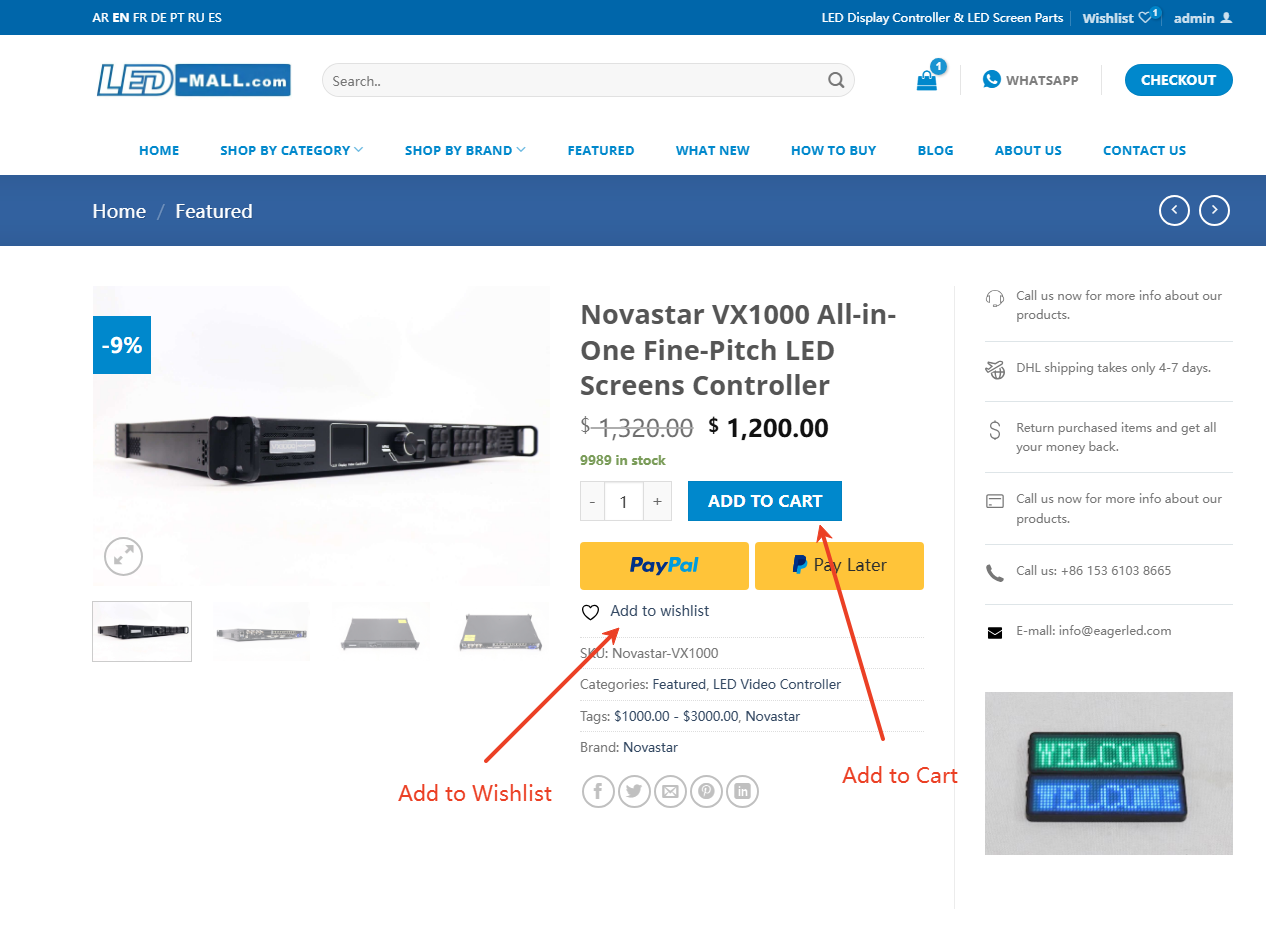
2. Open your cart
Select the cart icon. On a desktop, you can also hover over it and choose Δες το καλάθι αγορών or Μετάβαση στο ταμείο.
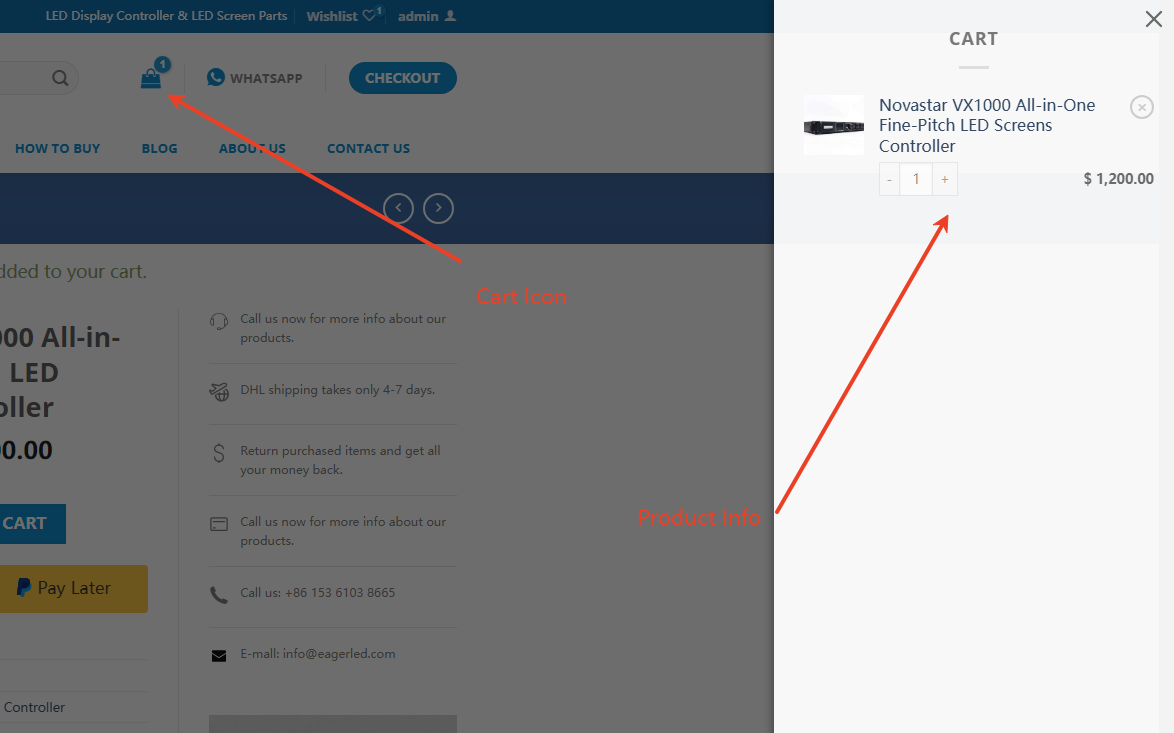
3. Review the model numbers and quantities
Check that each line shows the model and quantity you intended to order. If you change a quantity, select Ενημέρωση Καλάθι before you proceed. The store has a US$50 minimum order.
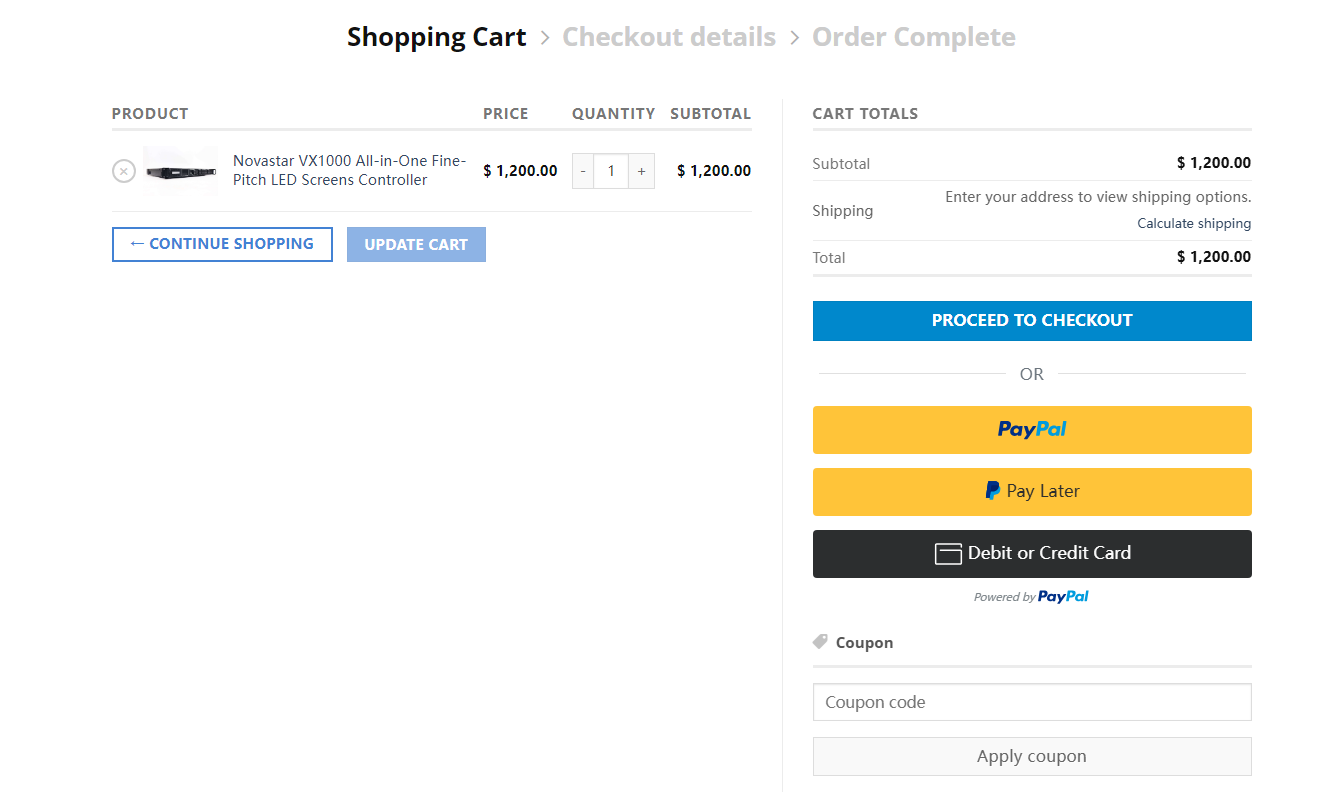
4. Sign in or register
Use your LED Mall account to continue, or register at checkout if this is your first order.

5. Enter your billing details
Fill in the required billing fields and check that the delivery details are correct before you continue.

6. Check the shipping cost
The store calculates shipping from the destination and the weight of the items in the order. Review the charge before you pay. See the ναυτιλιακή πολιτική για λεπτομέρειες.

7. Choose a payment option
Review the final total, then choose an available PayPal payment option and follow the prompts to finish.

Χρειάζεστε βοήθεια με μια παραγγελία;
Browse parts by category or contact LED Mall if you’re unsure of the model to order. Check the πολιτική επιστροφής χρημάτων και επιστροφών before ordering a replacement.