
مدونة LEDMall
مدخلات صورة داخل صورة (PIP) في جهاز VX16s: هل يمكن استخدام HDMI كمدخل داخلي؟
نوفمبر
VX16s PIP inputs exclude the HDMI source and DVI Mosaic. NovaStar’s VX16s User Manual V1.0.0 assigns both to the main layer only. If a laptop on HDMI needs to appear as an independently controlled inset, the connection plan needs a different signal path or a controller that supports the required routing.
For an AV integrator deciding whether to keep an installed VX16s, the deciding detail is which device will control the inset. A camera window placed inside a composite picture can look the same on the LED wall as a separate PIP layer. The two designs give operators different controls during a cue.
The restrictions below refer to the manual for firmware V1.0.0.0, released June 16, 2020. The video examples are planning scenarios. Match the firmware, source modes, and layer assignments on the unit proposed for your project before specifying a change.
1. Follow the source rules for VX16s PIP inputs
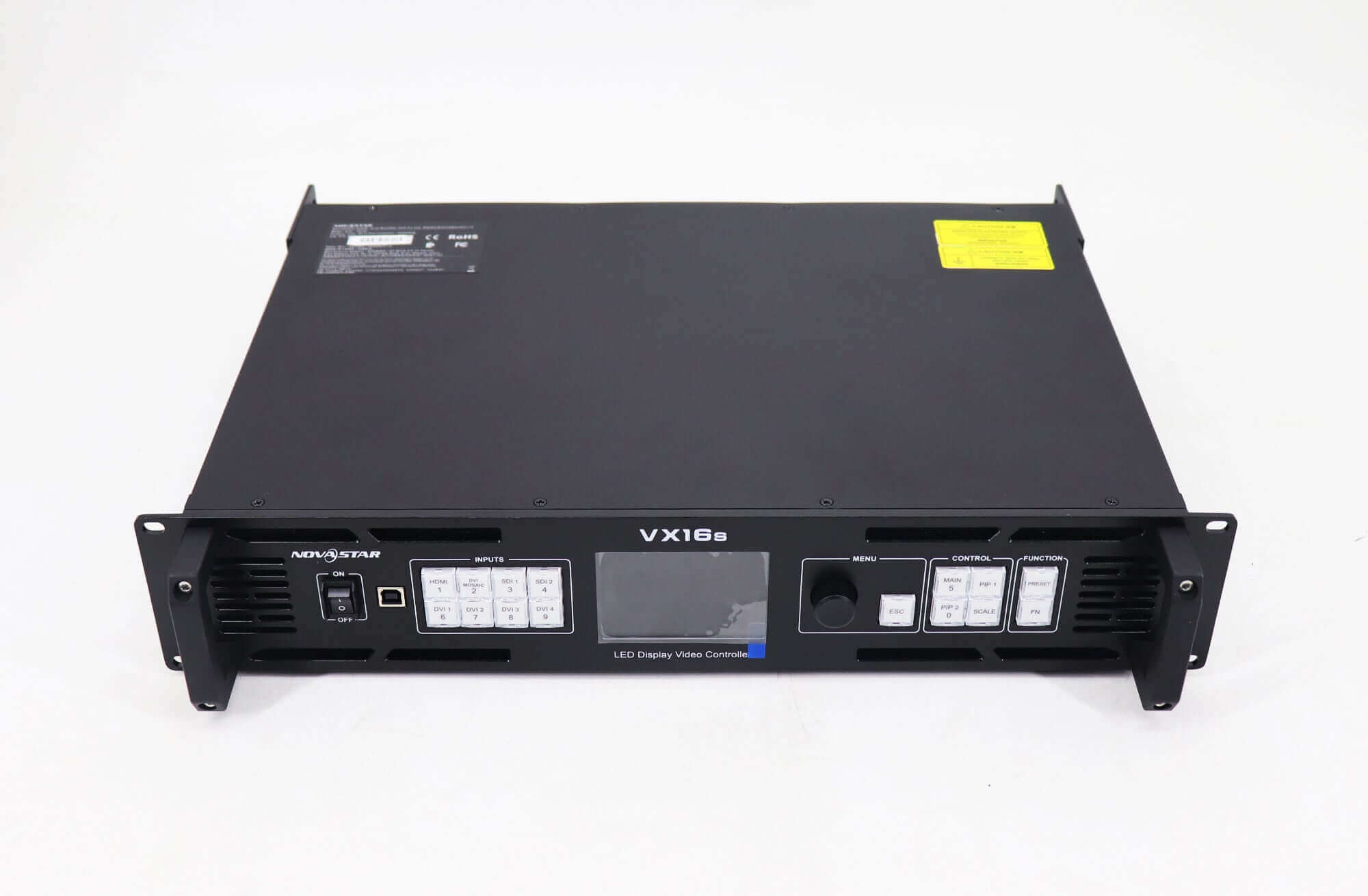
The VX16s has a main layer plus PIP 1 and PIP 2. In the manual’s rear panel and Layer Settings sections, HDMI and DVI Mosaic are restricted to the main layer. When allocating VX16s PIP inputs, mark the main layer separately before counting the remaining layers for your layout.
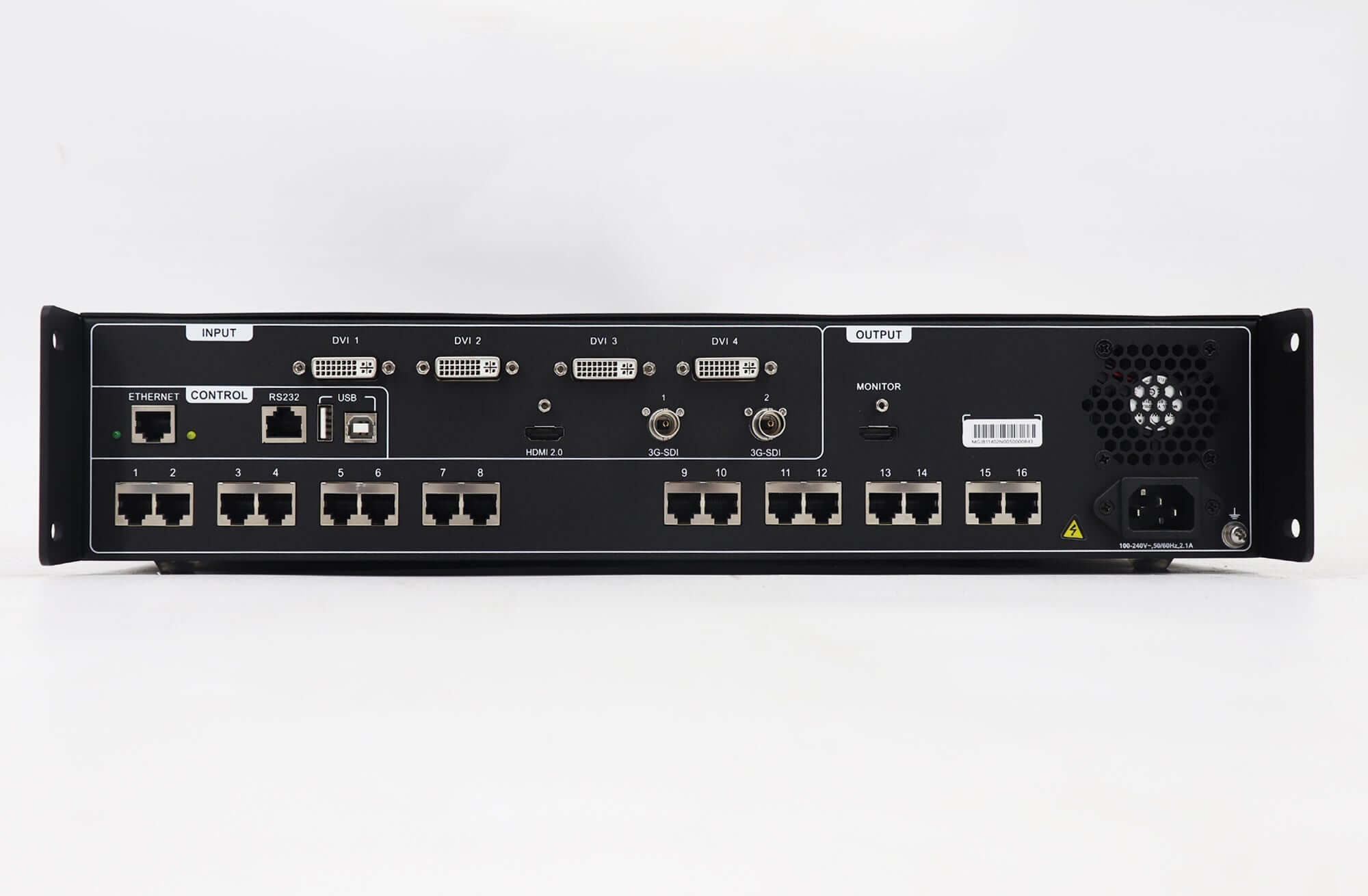
The HDMI 2.0 input accepts up to 3840 × 2160 at 60 Hz in the documented connector table. That timing specifies what the HDMI input can accept. The separate layer rule determines where that input can be shown. A smaller source resolution, smaller crop, or different scaling mode leaves the documented HDMI assignment unchanged.
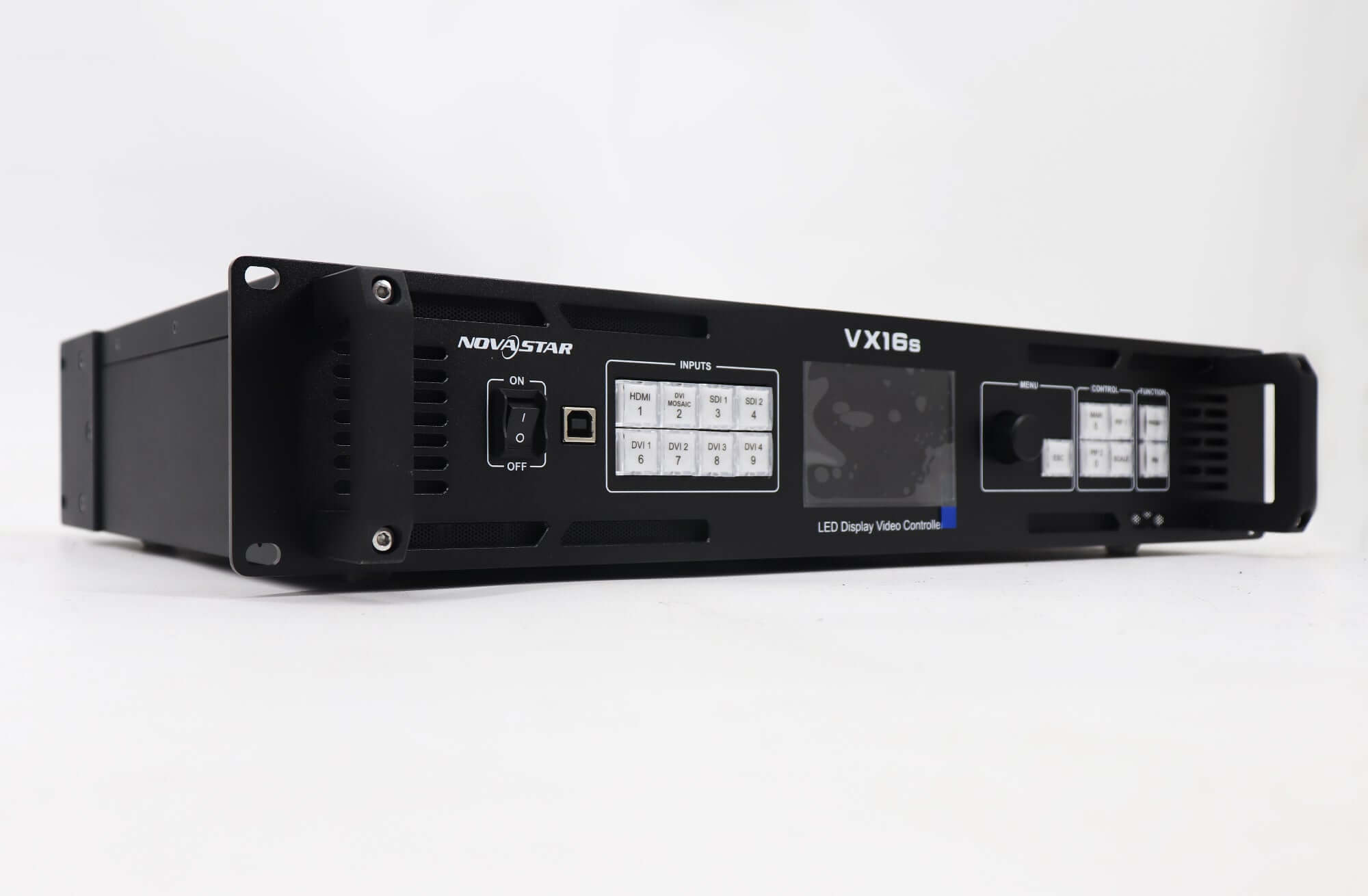
Distinguish an individual DVI input from DVI Mosaic. The manual describes Mosaic as a combined input source formed from the DVI inputs, and the combined source follows the main layer restriction. Review a proposed individual DVI or SDI feed by its exact port, timing, and intended layer. Ask the supplier to show the selected signal in that layer on the specified firmware.
| Proposed signal | الآثار المترتبة على التصميم | دليل القبول |
|---|---|---|
| HDMI laptop feed as main program | Use the documented main layer assignment. | Show the intended laptop timing and the main picture on the target canvas. |
| HDMI source as native inset | The documented HDMI source assignment excludes PIP 1 and PIP 2. | Revise the proposed route before approval. |
| DVI Mosaic as native inset | The combined DVI source is reserved for the main layer. | Check how the revised design preserves the required tile arrangement. |
| Individual DVI or SDI feed routed to an inset | Evaluate the exact input and layer assignment with the working format. | Ask for a demonstration with the proposed feed, firmware, and simultaneous program source. |
| Inset already composed into an HDMI program | Send the combined picture to the main layer and operate the inset upstream. | Run the planned inset cuts, moves, and hides at the upstream device. |
2. Decide which device will control the inset
If the camera window only needs to be visible on the LED wall, an upstream switcher or computer can compose it into the program picture. The VX16s receives one composed HDMI signal on its main layer. Any source cuts, inset moves, or visibility changes happen at the device that created the composite.
Consider a hypothetical presentation with slides full screen and a speaker camera in one corner. When the operator already runs both on a switcher, a composed output can preserve the existing HDMI connection. Confirm that the switcher can place and hide the camera on cue while the slide image stays continuous.
If the wall operator must move, resize, or switch the camera using the controller, the camera needs its own selectable source and an available layer there. Check the VX16s PIP inputs against a drawing that names the main feed, each inset feed, and the device responsible for each action. Include who needs control during rehearsal and during the show.
Write the cue in terms that can fail a test. An instruction such as “second picture appears” leaves room for a fixed composite. “Operator switches the camera and hides the inset on the VX16s while the main slides stay visible” establishes both the control location and the expected behavior. If your design uses upstream composition, assign the same actions to the switcher in the cue sheet.
3. Test VX16s PIP inputs under the intended show conditions
Ask the vendor or technician to demonstrate the final source combination at the same time. A successful laptop test on the main layer and a separate camera test leave the combined behavior untested. Supply the main and inset signal formats, desired inset dimensions and position, planned switching actions, and LED canvas dimensions.
For a proposed converter route, include its input and output interfaces, its output timing, and the downstream physical port in the test plan. For VX16s PIP inputs, the controller sees the converter output at its downstream port, so specify the timing there as well as at the originating device. Approve that route only after the actual converted feed is selectable by the intended layer, displays with the main program, and survives the source changes you expect in service.
During the VX16s PIP inputs check, record the reported source formats and the selected source for each layer. Run the cue once after a normal restart, and include the operator’s recovery procedure if a planned source is disconnected. A record with the device model, firmware, layer assignments, and cue results gives the installer something concrete to reproduce.
4. Evaluate a replacement against the VX16s PIP inputs test
استخدم LED Mall VX16s listing identifies the model as discontinued and out of stock. If existing equipment can pass your source and control requirements, this article helps you evaluate reuse. For a replacement, carry the required signal paths forward as acceptance criteria for the exact new model.
The listing points to the نوفاستار VX2000 برو as a candidate. Request a wiring proposal and demonstration for the planned ports, input formats, simultaneous layer use, LED canvas, and receiving system. A new controller may change how presets, scaling, and routing are configured. Ask for a migration plan that explains which settings are re-created and how the screen configuration is backed up.
Keep the original VX16s PIP inputs test with the replacement quote. It gives the vendor the operational requirement behind the purchase. Capturing an actual cue and its result is more useful to your crew than a general statement that the replacement supports multiple layers.
الأسئلة المتكررة
Can a second HDMI source enter through the VX16s MONITOR connector?
No. The manual identifies MONITOR as an HDMI output. Trace the intended source to an input connector on the proposed wiring drawing and verify the displayed source name before rehearsal.
What should a rental crew put on an inset cue card?
List the operator position, source label, layer or switcher control, target inset location, and expected main picture after the cue. A short cue card helps a substitute operator use the same plan when the input device changes.
Is the inset preserved when the upstream program feed disappears?
An inset already composed into the program feed travels with that feed. Specify what the system should display during a planned loss of the program, then test the actual routing and recovery behavior with the supplier.
Request a check of your source and layer plan
Send the connector and timing for each source, photos of the current model and firmware screens, the measured LED canvas dimensions in pixels, and the cue actions that must stay independent. Ask LED Mall to review the VX16s PIP inputs and replacement requirements with those details before the wiring or purchase is finalized.