
LED商城博客
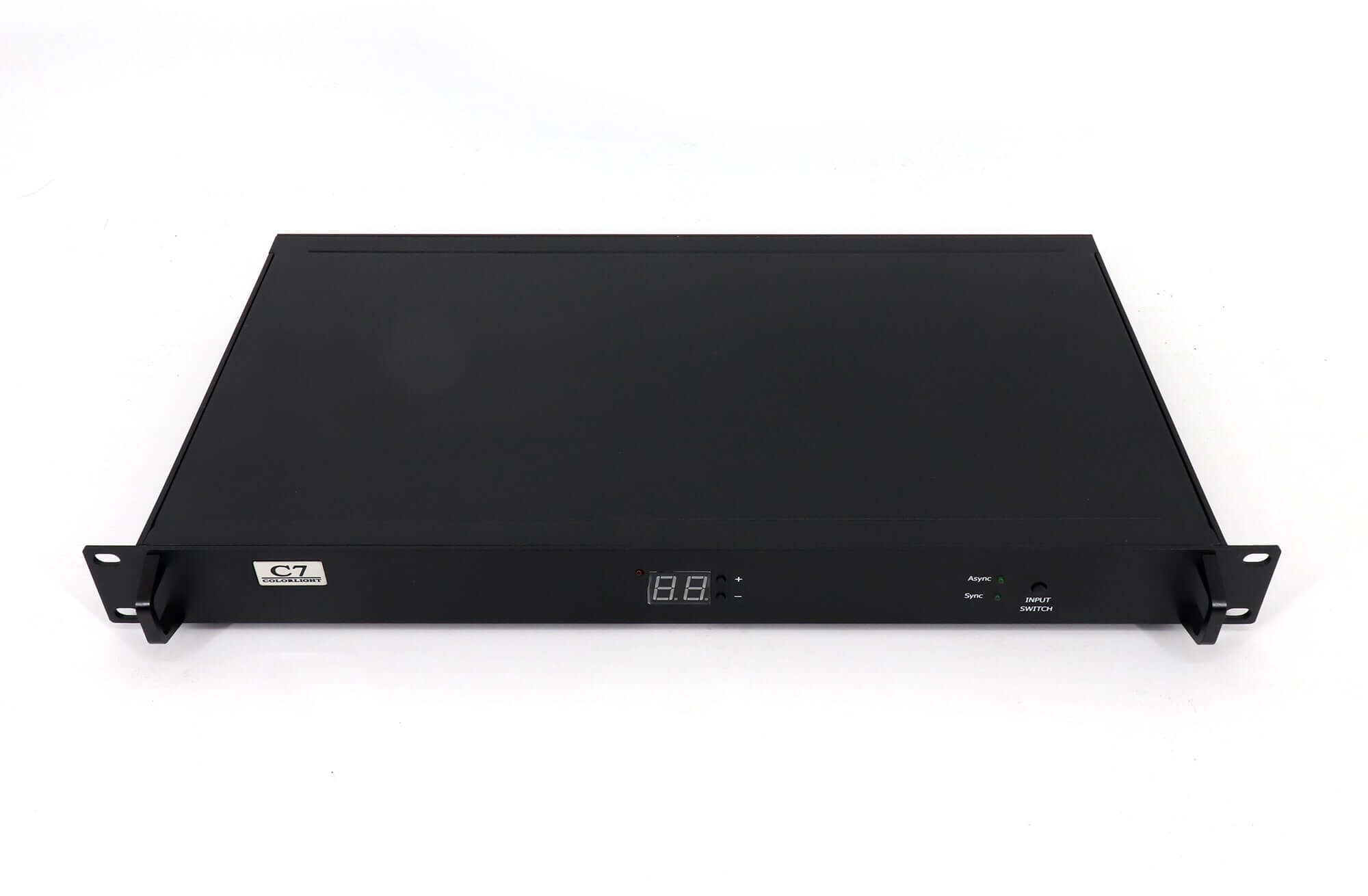
Colorlight C7 HDMI 輸入:即時視訊與儲存節目
十一月
The Colorlight C7 HDMI input lets an external source show live video on a compatible LED wall. The same player can display a stored program when it is in asynchronous mode. Colorlight’s C7 user manual describes automatic selection of live playback when an external HDMI signal is detected and a front-panel Input Switch for returning to stored playback. Test that handoff with the source that will stay connected at the site.
This matters in venues where a lobby needs scheduled signage for most of the day and a presentation feed for a specific event. Confirm how the operator takes the live source, where LED data leaves the player, and what appears when the presentation ends before approving a player for the job.
Where the Colorlight C7 HDMI input fits in the signal path
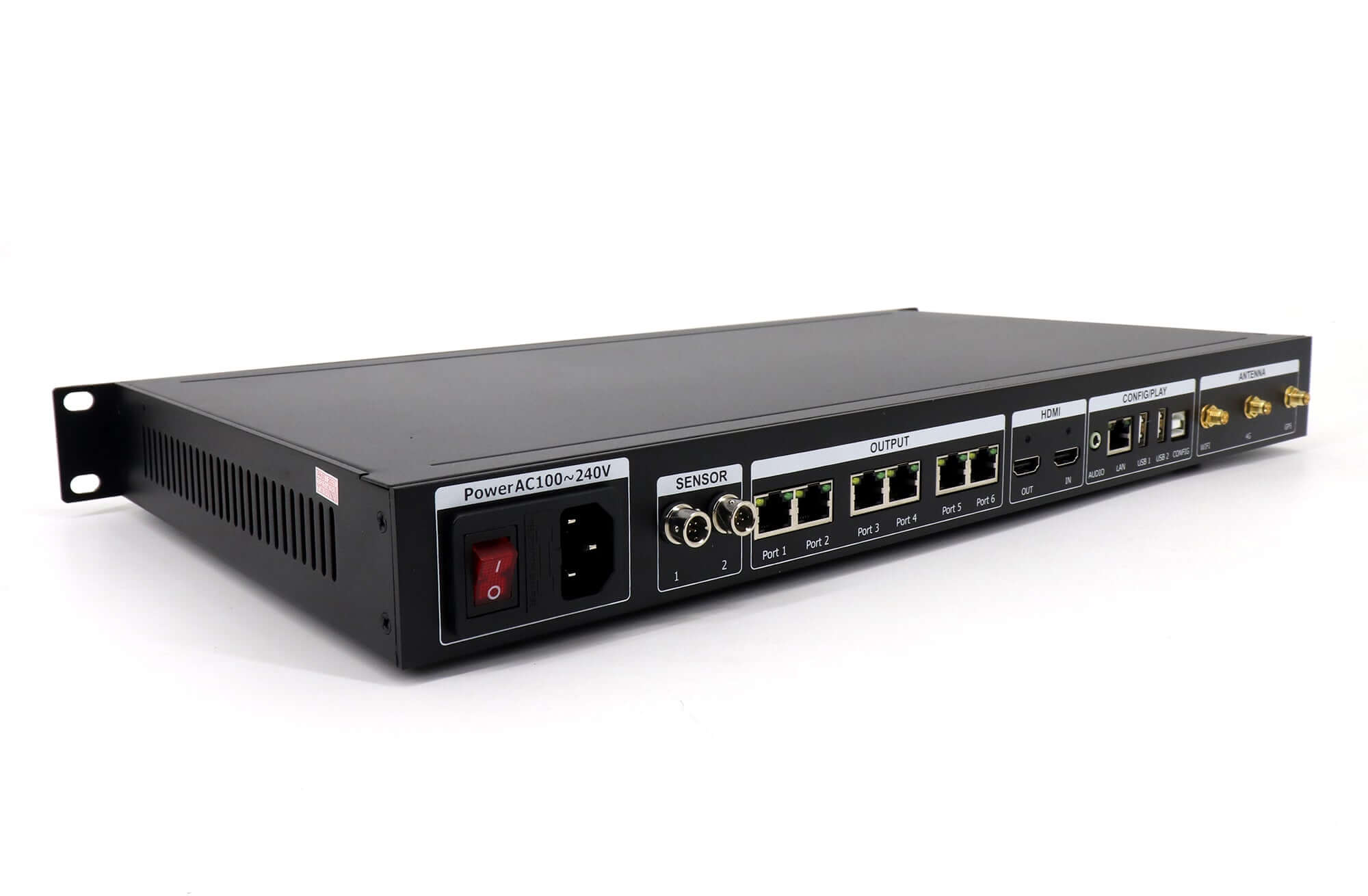
Connect the live source to HDMI IN. In synchronous mode, the C7 uses that incoming picture. For the normal stored program, load content onto the player and use asynchronous mode. The player sends LED display data to its compatible receiving cards over its gigabit Ethernet LED outputs. Its LAN connector serves network management. On a drawing, give the cabinet connections and the LAN connection different labels so the installer can identify their purpose at the rack.
这 Colorlight C7 product listing identifies HDMI OUT as a loop output and describes cascading between players. Colorlight’s interface description marks the two HDMI connectors by direction. Include any required downstream confidence monitor in the equipment test. If the requirement is to see the same stored content that the LED wall shows, verify that result on the exact proposed output or specify a separate path that provides it.
| 營運需求 | C7 connection or mode | What the buyer should test |
|---|---|---|
| Show an event laptop live | HDMI IN and synchronous playback. | The exact laptop, adapter or upstream switcher holds the required timing on the LED canvas. |
| Run a daily signage playlist | Locally stored program and asynchronous playback. | The correct scheduled content loads and resumes when the operator selects it. |
| Pass the external HDMI feed onward | HDMI OUT loop for a compatible cascade. | The next device receives the planned source and timing throughout the cue change. |
| Manage the player and feed the cabinets | Network LAN for management, numbered LED data outputs for receivers. | Record the network connection and each cabinet chain in the installation plan. |
At the quotation stage, confirm whether the Colorlight C7 HDMI input will be fed by a device that is only connected during events or an always-on source. A laptop joined at the start of a meeting and a permanent HDMI switcher can present different signals at idle, even when the presentation content looks the same. Take the actual source model and switching procedure to the acceptance test.
Test when the player takes HDMI and when signage returns
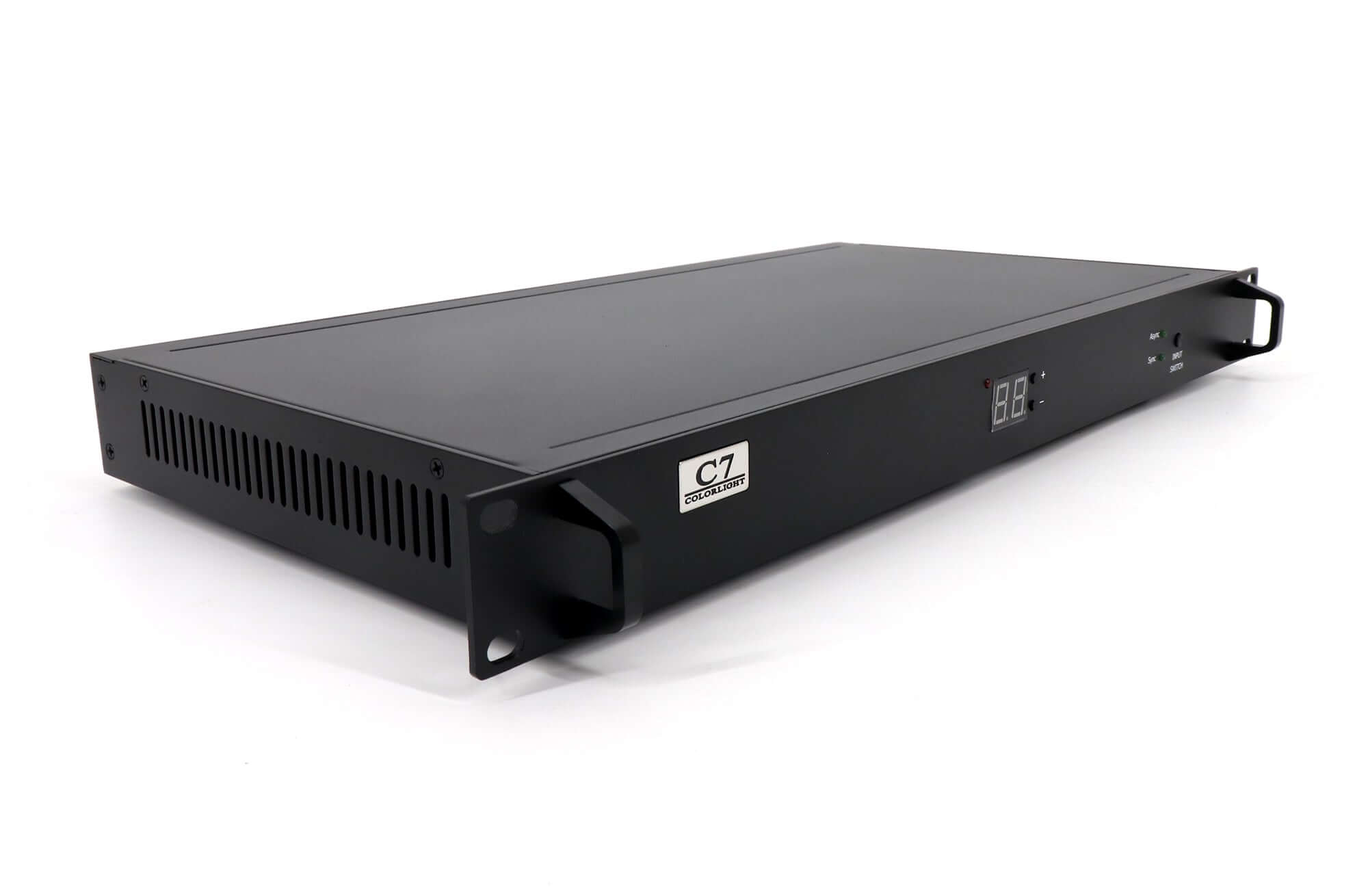
In section 4.3 of the C7 user manual, Colorlight describes switching to synchronous playback when HDMI is detected and using Input Switch to return to the asynchronous program. Include those actions in the demonstration. The manual passage confirms a source-take behavior and a return control. An unattended return after a source disconnect, restart or timing change needs its own check on the supplied hardware and firmware.
- Start on the schedule. Load a recognizable stored program and confirm it plays before joining the HDMI source. Record how the schedule is selected and who can change it.
- Join the presentation. Feed the Colorlight C7 HDMI input using the cables and adapters specified for the order. Show a test slide with text and a distinct border, then record the switch behavior and check the entire LED canvas.
- Return while HDMI is still connected. Use the documented front-panel control. Confirm which program appears, whether it resumes at the desired point, and how an operator can tell which mode is active.
- Test the venue’s end-of-event condition. Repeat with the laptop unplugged, asleep or the upstream switcher left active, according to site practice. If operation after a power restart matters, include a controlled restart during an approved maintenance period.
For example, a venue might leave a switcher feeding a branded still image after a presentation. That output can remain a valid live signal. Have the operator identify the live and stored modes on the actual unit and demonstrate the return to the daily playlist with the switcher still powered. A tested fallback step can save a return visit if a different laptop or adapter changes the behavior later.
Write down how quickly the wall needs to change and whether a blank interval is acceptable. During a rehearsal of the Colorlight C7 HDMI input, watch the wall as well as the rack indicator. Record any delay or incorrect frame the audience would see, plus the single action staff should take if the intended mode does not appear.
Check cabinet pixels independently of the input format
Colorlight’s C7 V1.0 specification lists a maximum LED load of 2.3 million pixels, a maximum width of 4,096 pixels and a maximum height of 2,560 pixels. Consider those as separate limits on the documented unit. A hypothetical 2,880 × 720 wall has 2,073,600 total pixels, inside the headline area and axis limits. Its actual chains and receiver configuration still need validation. A 3,840 × 720 wall has 2,764,800 pixels, so it exceeds the total figure even though its individual dimensions fall within the stated bounds.
Successful detection at the Colorlight C7 HDMI input only verifies the incoming source. Test legibility and cropping on the actual canvas using the client’s slides. The manual’s HDMI instructions and the specification’s stored-file decoding reference describe separate tasks. Specify the external source’s exact resolution and refresh rate for a live-input check. For any unusually wide canvas, include player-side configuration and a test image with corners marked.
For an installation comparing alternatives, the Colorlight A200 產品頁面 documents a selectable playback priority, four LED data outputs and a differently specified HDMI output. If the venue requires a particular takeover policy or an output for a confidence monitor, compare those documented functions and test the candidate unit. Recheck connectors, cabinet routing and power requirements before treating it as a usable replacement for an existing C7.
常見問題
Do I need 4G for the Colorlight C7 HDMI input?
The user manual depicts a locally connected HDMI source. Mobile networking is a separate optional capability for management and publishing. Check the site’s network plan independently from the live video cable.
Can staff physically reach the Input Switch after installation?
They need access if the agreed operating procedure uses the C7’s front-panel button. In a locked rack, establish who has access or specify another control method that has been verified for the proposed hardware.
How should I check audio on a presentation wall?
Test the real laptop and the venue’s audio path during the same cue. The C7 specifications list a 3.5 mm audio output. Verify the required audio source, level and return to the venue’s normal playback state on the actual installation.
Confirm the source and player before checkout
Before ordering for a Colorlight C7 HDMI input workflow, record the source device and format, LED canvas dimensions, receiving-card model, the installed or planned player revision, and how the site should return to scheduled signage. If the route is already confirmed, review the LED Mall ordering guide. For a proposed replacement or a live cutover with a specific audio or monitoring requirement, ask LED Mall to review the connection plan and quote the matching player.