
LEDMall 블로그
VX400 Pro 레이어 리소스: 2K, DL 및 4K 제한 사항
11월
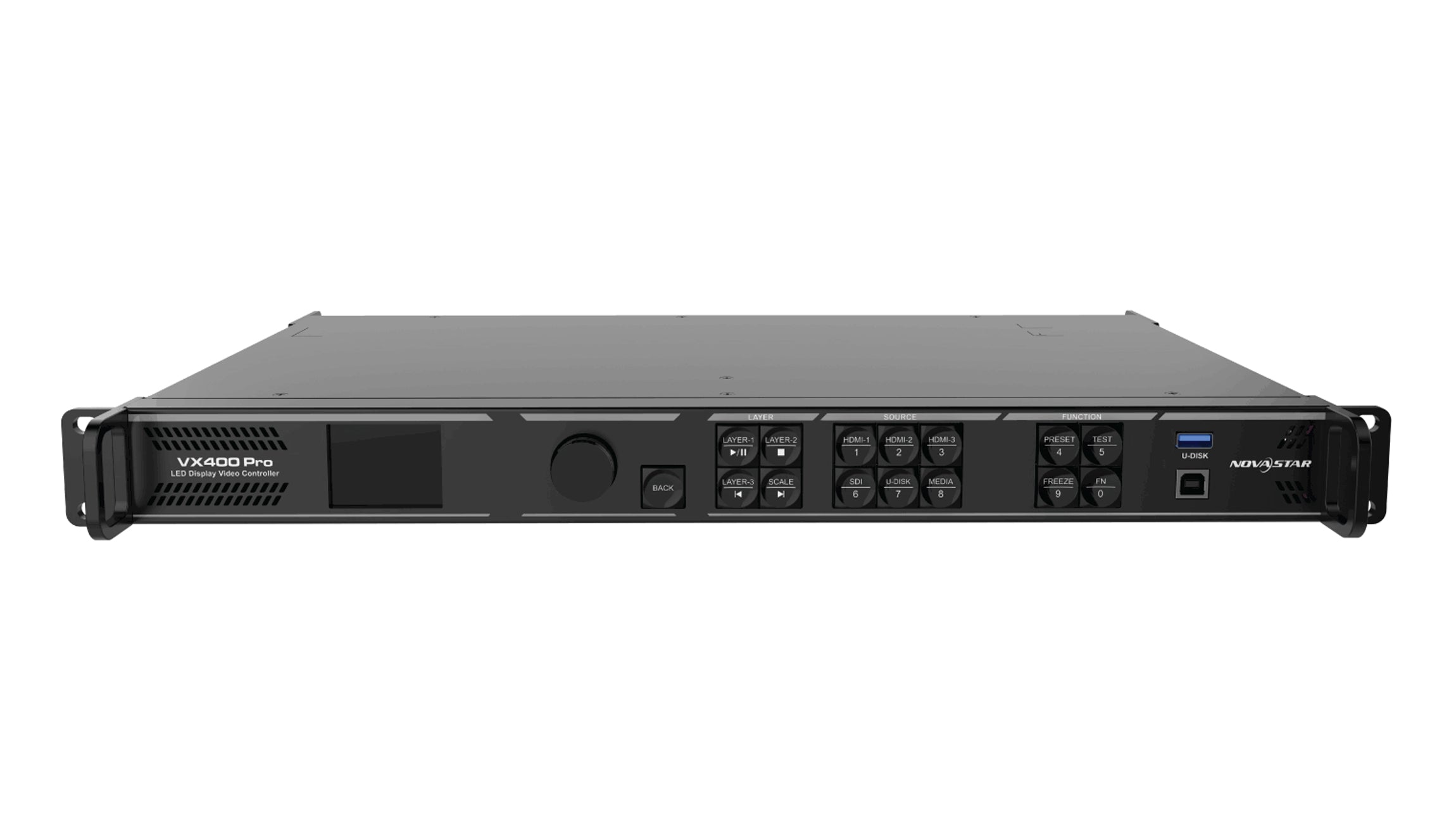
VX400 Pro layer resources are a shared processing budget, not a promise of six arbitrary 4K pictures. NovaStar specifies six 2K×1K resource units. A layer assigned 4K×2K capacity uses four units, 4K×1K uses two, and 2K×1K uses one. Check the input connector capacity for every layer before approving a multi-source layout.
This guide is for a rental AV buyer ordering a controller for presentations, cameras and event graphics. It uses VX400 Pro Specifications V1.2.0, released September 30, 2025, and VX Pro Series User Manual V1.1.0, released January 6, 2025. The planning examples below are resource arithmetic, not evidence that a proposed installation has passed a hardware test.
How VX400 Pro layer resources are counted
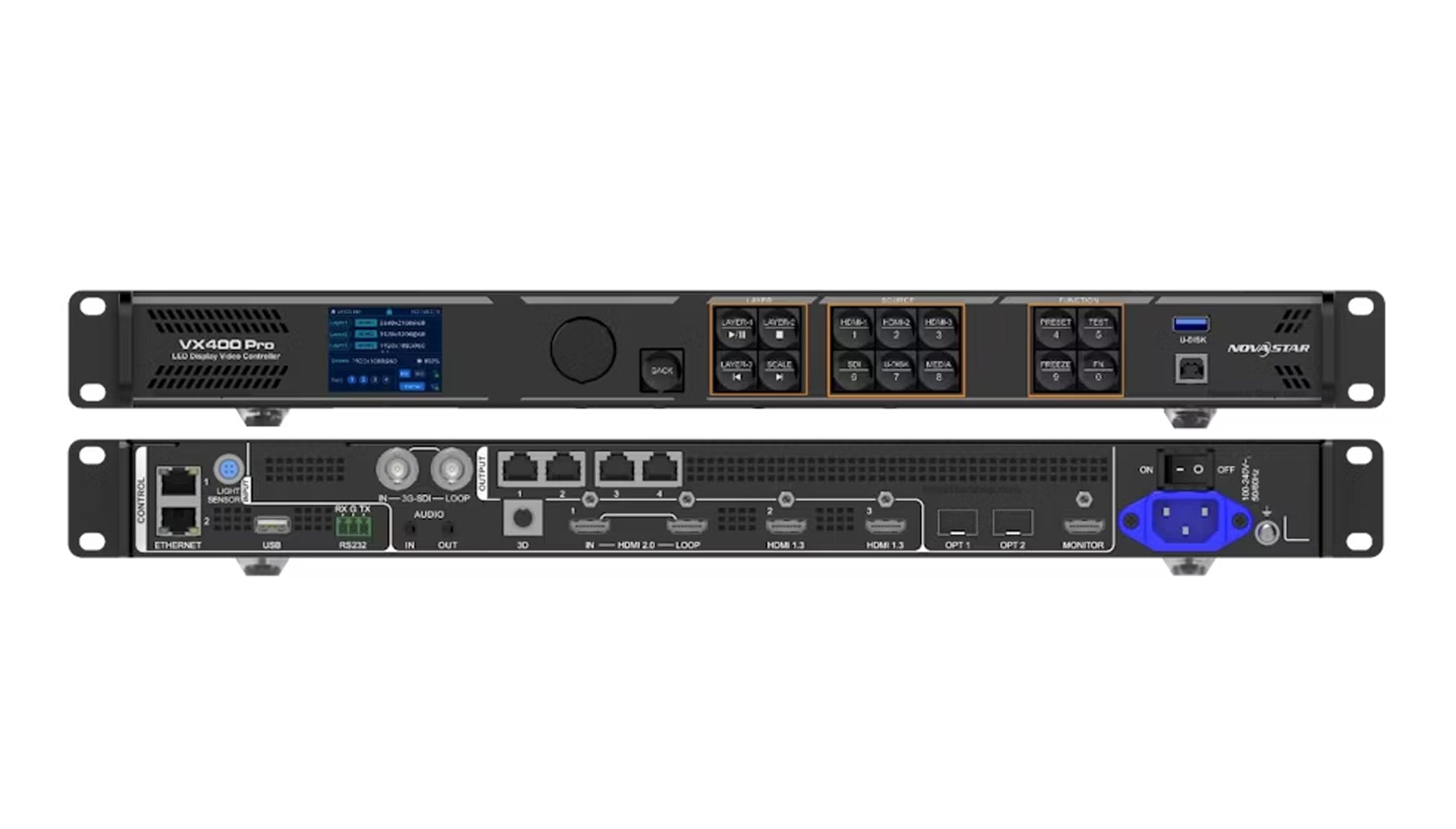
The specification ties resource consumption to the input connector capacity used to open a layer. Therefore, “six layers” needs a capacity qualification. Ask the supplier to identify the capacity category assigned to each proposed picture, rather than approving a drawing that only shows six rectangles on the LED wall.
A useful purchasing brief separates three checks: whether the source can enter the chosen connector, whether simultaneous layers fit the resource budget, and whether the outgoing screen arrangement fits the controller’s output limits. A pass on one check does not settle the others. Keep the checks visible on the same order worksheet so a format change cannot disappear between departments.
For example, the creative team may supply a slide deck, a live camera and a background animation. Those names do not identify their connector capacities. Obtain the actual signal formats and proposed connections from the technical team. A file described as “HD graphics” may still be played by a laptop configured to output a different format.
시작하기 NovaStar VX400 Pro product listing when identifying the quoted model. Keep the Pro suffix in the quotation and equipment list. This resource explanation should not be transferred to a similarly named controller without checking that model’s own documentation.
Illustrative combinations within the budget
The following examples treat VX400 Pro layer resources as six units. Capacity categories are assumed for the calculation; the table does not confirm that every source can be connected simultaneously. It also does not assign a capacity from the visible window’s dimensions.
| Assigned layer categories | 계산 | Resource decision |
|---|---|---|
| Six at 2K×1K | 6 × 1 = 6개 | Fits the resource total; verify sources and connectors separately. |
| One at 4K×2K plus two at 2K×1K | 4 + 1 + 1 = 6 units | Fits the resource total with no spare units. |
| One at 4K×2K plus one at 4K×1K | 4 + 2 = 6 단위 | Fits the resource total; it is two layers, not six. |
| Two at 4K×2K | 4 + 4 = 8 단위 | Exceeds this six-unit resource budget. |
For a layout that uses the entire budget, write down which picture can be removed if the event adds another source. This is a planning decision for the production team. Do not treat a spare physical connector as reserved processing capacity. Likewise, an unused area of the LED canvas is not proof that another layer can be opened.
Does a smaller window free resources?
Do not assume that it does. The series manual distinguishes layer scaling, source cropping and connector capacity settings. It states that a cropped source retains the original source’s capacity. A smaller crop or on-screen window therefore cannot be used by itself to justify a lower entry in a VX400 Pro layer resources worksheet.
The manual also describes changing connector capacity where supported, while explicitly excluding OPT source capacity from that change. Treat this as a configuration check, not a universal workaround. Before reducing a capacity setting, establish that the actual source format remains accepted and that the required picture is preserved on the target device and firmware.
Ask for a demonstration using the proposed source settings and all required layers together. A photograph of one correctly scaled picture settles neither the source capacity setting nor the remaining budget. Record the relevant settings with the accepted layout, so a later laptop replacement can be checked against the same assumptions.
This distinction matters during rehearsals. If someone changes a source output to solve a readability problem, rerun the checks that depended on that source. A visually small change may affect the technical assumptions behind the order. Keep a recoverable copy of the accepted configuration before making adjustments.
Prepare a brief that survives show changes
Document VX400 Pro layer resources for each simultaneous show state, rather than adding every source used during the whole day. An opening slide, a panel discussion and a closing animation may need different layouts. The relevant question is which pictures must exist together in each state.
- List each source: identify its equipment, connector, output resolution and refresh rate.
- Identify each layer: record its source, assigned capacity category, crop, window position and priority.
- Calculate each state: total its resource units and flag the state with the highest requirement.
- Describe transitions: state whether an incoming picture must coexist with the outgoing layout.
- Confirm the screen separately: include the LED canvas, receiving equipment and output mapping for the system review.
Have the supplier review the busiest required state first. Then test the transition into it with the intended equipment. A simple opening preset can look correct while a later combination exceeds the assumptions used to select the controller. Keep the accepted source list alongside the preset names rather than relying on names such as “conference mode.”
Make the handover record specific enough for a substitute operator. Name the approved playback laptop, camera feed and graphics source, then note which changes require another review. For VX400 Pro layer resources, the useful evidence is a configuration record tied to the agreed layout. A generic sales photograph cannot fill that role. Ask the production lead to sign off any reduced layout before the purchase is finalized; losing a required picture is an operational compromise that the controller supplier cannot decide on the event team’s behalf.
If the layout does not fit, revise the show requirement or evaluate another documented controller configuration. The LED 비디오 컨트롤러 카테고리 is a starting point for identifying alternatives; model selection still requires the same source and screen checks. More outputs alone do not establish a larger layer budget.
Buyer questions about VX400 Pro layer resources
Does a six-layer specification mean six different physical inputs?
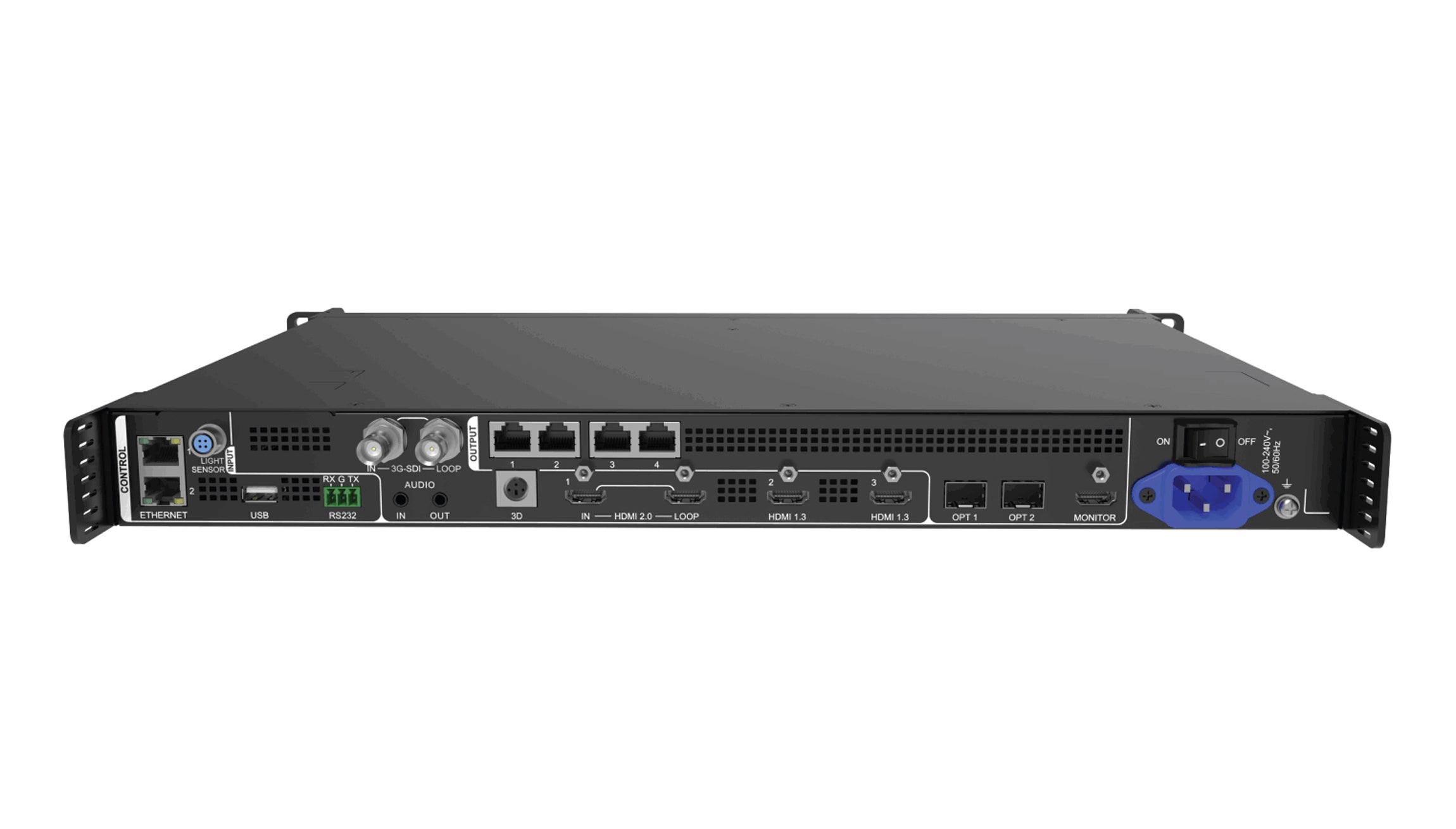
No. Layer capacity and physical connections describe different constraints. Submit the proposed connector assignment with the simultaneous layout; a six-window drawing alone does not establish six available or compatible input paths.
Can additional presets increase the simultaneous layer budget?
No. Presets organize configurations; storing another layout does not add processing resources. Verify every required preset, including what must coexist while switching between show states.
Will passing the resource calculation guarantee a usable picture?
No. The calculation addresses one requirement. Source acceptance, cabling, output mapping and the actual visual result still need verification. Record a resource pass separately from a complete system acceptance result.
Review VX400 Pro layer resources before ordering
Send LED Mall the exact model, source output formats, connector assignments, LED canvas and a drawing of the busiest simultaneous layout. Include any picture that must remain visible during transitions. This gives the review a defined requirement instead of an unqualified request for “six layers.”
Request a VX400 Pro layout and quotation review. Ask for confirmation against the offered hardware, firmware and source arrangement before finalizing the purchase.